Google has unveiled a significant redesign of the Gemini overlay on Android devices, enhancing user interaction by integrating a comprehensive Tools menu directly into the interface. This update, now widely available with the stable version 17.8 of the Google app, aims to streamline access to Gemini’s diverse functionalities.
Enhanced Overlay Design
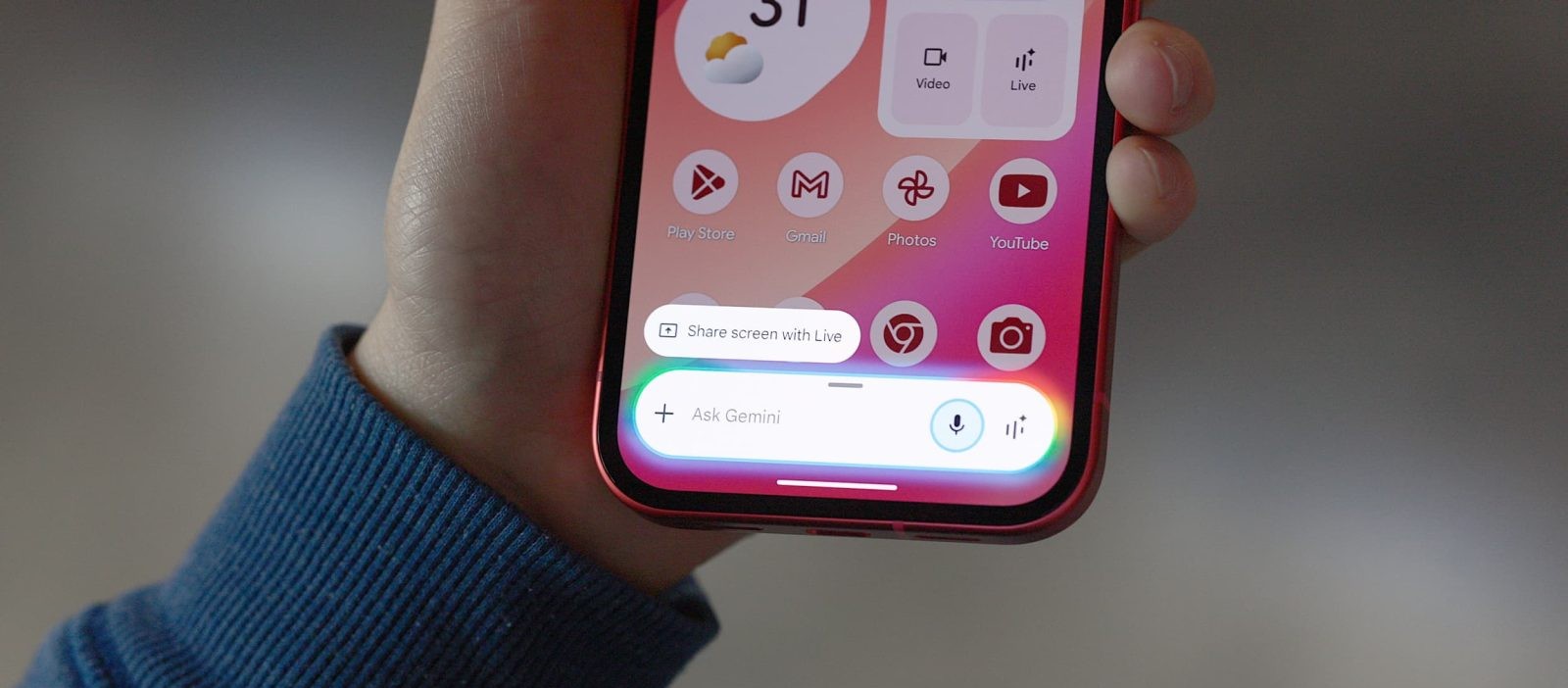
The redesigned Gemini overlay introduces a pill-shaped interface that seamlessly integrates the Tools menu. Positioned to the right of the existing ‘plus’ icon for attachments, this addition centralizes the Ask Gemini prompt, optimizing space and accessibility. Users can now effortlessly access a suite of tools, including:
– Create Image: Visualize and edit images.
– Create Video: Bring ideas to life through video creation.
– Create Music: Compose music with Gemini’s assistance.
– Canvas: Develop code applications or create documents.
– Deep Research: Obtain detailed reports on various topics.
– Guided Learning: Engage in structured learning experiences.
For subscribers of Google AI, an additional Personal Intelligence toggle is available, allowing for personalized interactions within the current conversation. This design mirrors the functionality found within the Gemini app, now enhanced with descriptive labels for each tool to aid user understanding.
Adaptive Interface
A notable feature of this redesign is the overlay’s adaptability. When users begin typing, the interface transitions from the pill shape to a two-line, rounded rectangle, providing a more expansive view of the input area. This dynamic adjustment enhances the typing experience, though the model switcher remains absent in this configuration.
Rollout and Availability
The updated overlay design is being deployed through the latest Google app beta (version 17.7) and is progressively reaching users. As with many updates, availability may vary across different Google Accounts, with a broader rollout anticipated in the near future.
Contextual Evolution
This enhancement is part of Google’s ongoing efforts to refine the Gemini user experience. Previous updates have introduced features such as the Labs section within the Tools menu, offering experimental functionalities, and the Personal Intelligence toggle for tailored interactions. Additionally, the Gemini Live feature has seen the introduction of a floating pill design, providing users with a more flexible and accessible interface.
User Experience Focus
By integrating the full Tools menu into the overlay, Google aims to provide users with immediate access to Gemini’s capabilities without the need to navigate away from their current tasks. This design philosophy underscores a commitment to enhancing productivity and user satisfaction through intuitive and efficient interfaces.
Looking Ahead
As Google continues to iterate on Gemini’s design and functionality, users can anticipate further enhancements that prioritize seamless integration and user-centric features. Staying updated with the latest versions of the Google app will ensure access to these improvements as they become available.
In summary, the latest Gemini overlay redesign on Android devices represents a significant step forward in providing users with streamlined access to a comprehensive suite of tools, reinforcing Google’s dedication to enhancing the user experience through thoughtful design and functionality.
Twitter Post:
Experience the new Gemini overlay on Android! Access tools like image creation, video production, and more directly from your screen. #GoogleGemini #AndroidUpdate #TechNews
Focus Key Phrase:
Gemini overlay redesign on Android
Article X Post:
Hashtags:
Article Key Phrase:
Category: Google News