Understanding the MacBook Neo’s USB-C Port Differences and Display Connectivity
Apple’s latest offering, the MacBook Neo, introduces a cost-effective option for users seeking the Mac experience. However, it’s essential to understand the nuances of its hardware, particularly the USB-C ports, to maximize the device’s capabilities.
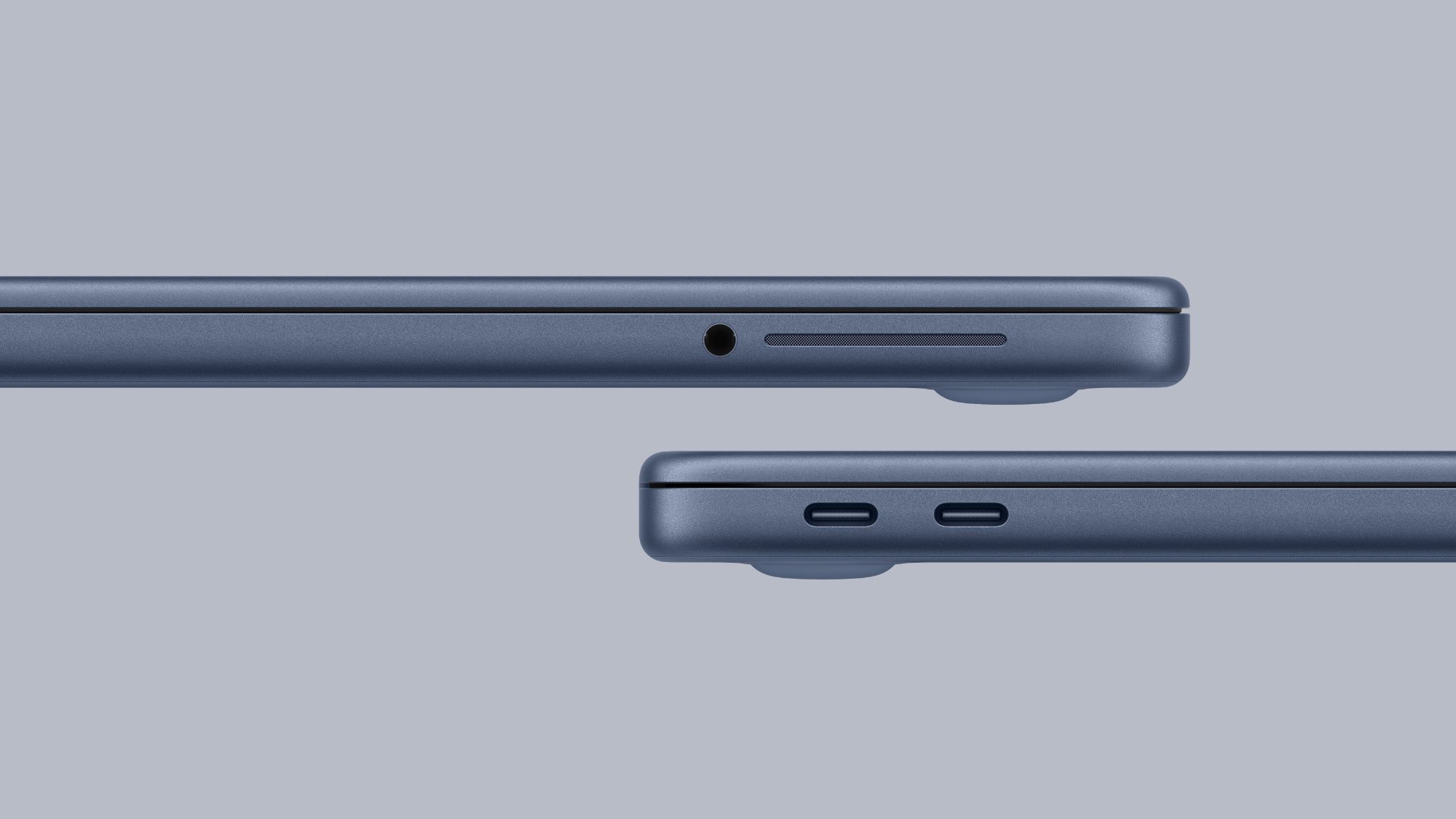
Distinct USB-C Port Specifications
The MacBook Neo is equipped with two USB-C ports, each with distinct specifications:
– Left USB-C Port: This port supports USB 3.0, offering data transfer speeds up to 10 Gb/s. It also facilitates DisplayPort 1.4, enabling users to connect external displays.
– Right USB-C Port: Positioned closer to the trackpad, this port is limited to USB 2.0, with maximum data transfer speeds of 480 Mb/s. Notably, it does not support external display connections.
Both ports can be used for charging the device. However, due to the absence of external labeling, distinguishing between them can be challenging. To assist users, macOS provides alerts when an external display is connected to the incorrect port, guiding them to use the appropriate one. ([macrumors.com](https://www.macrumors.com/2026/03/04/macbook-neo-usb-c-port-limitation/?utm_source=openai))
External Display Support Limitations
The MacBook Neo’s external display capabilities are defined by its hardware constraints:
– Single Display Support: The device can drive one external display with a resolution up to 4K at 60Hz.
– Incompatibility with Higher-Resolution Displays: Due to the lack of Thunderbolt support, the MacBook Neo cannot connect to displays like Apple’s Studio Display, which require higher bandwidth. ([macrumors.com](https://www.macrumors.com/2026/03/04/macbook-neo-one-external-display/?utm_source=openai))
While the device’s A18 Pro chip offers efficient performance, it does not support multiple external displays natively. Users seeking to connect additional monitors might explore third-party solutions, though these are not officially supported and may vary in effectiveness.
Additional Hardware Considerations
Beyond the USB-C ports and display support, the MacBook Neo presents other hardware considerations:
– Battery and Charging: The device houses a 36.5-watt-hour lithium battery, providing up to 11 hours of web browsing or 16 hours of video playback. Charging is facilitated through USB-C, with a 20W power adapter included. Notably, the MacBook Neo lacks MagSafe charging and does not support fast charging. ([macrumors.com](https://www.macrumors.com/2026/03/04/macbook-neo-compromises/?utm_source=openai))
– Memory and Storage: The base model comes with 8GB of RAM and 256GB of storage, with an option to upgrade to 512GB for an additional cost.
– Connectivity: The MacBook Neo supports Wi-Fi 6E and Bluetooth 6, ensuring modern wireless connectivity standards.
Design and Display Features
The MacBook Neo’s design reflects a balance between portability and functionality:
– Display: It features a 13-inch Retina display with a resolution of 2408 x 1506 at 219 pixels per inch. However, it does not support True Tone technology, which adjusts the display’s color temperature based on ambient lighting.
– Build: The device is slightly thicker than the MacBook Air, measuring 0.50 inches in thickness, compared to the Air’s 0.44 inches.
Conclusion
The MacBook Neo offers an affordable entry into the Mac ecosystem, but users should be aware of its hardware limitations, especially concerning USB-C port functionalities and external display support. Understanding these distinctions will enable users to make informed decisions and optimize their experience with the device.