Understanding the MacBook Neo’s USB-C Ports: Key Differences and Usage Tips
Apple’s latest release, the MacBook Neo, introduces a sleek design and advanced features tailored for modern users. A notable aspect of this new model is its dual USB-C ports, which, despite their identical appearance, offer distinct functionalities. Recognizing these differences is crucial for optimizing device performance and ensuring seamless connectivity.
Dual USB-C Ports: A Closer Look
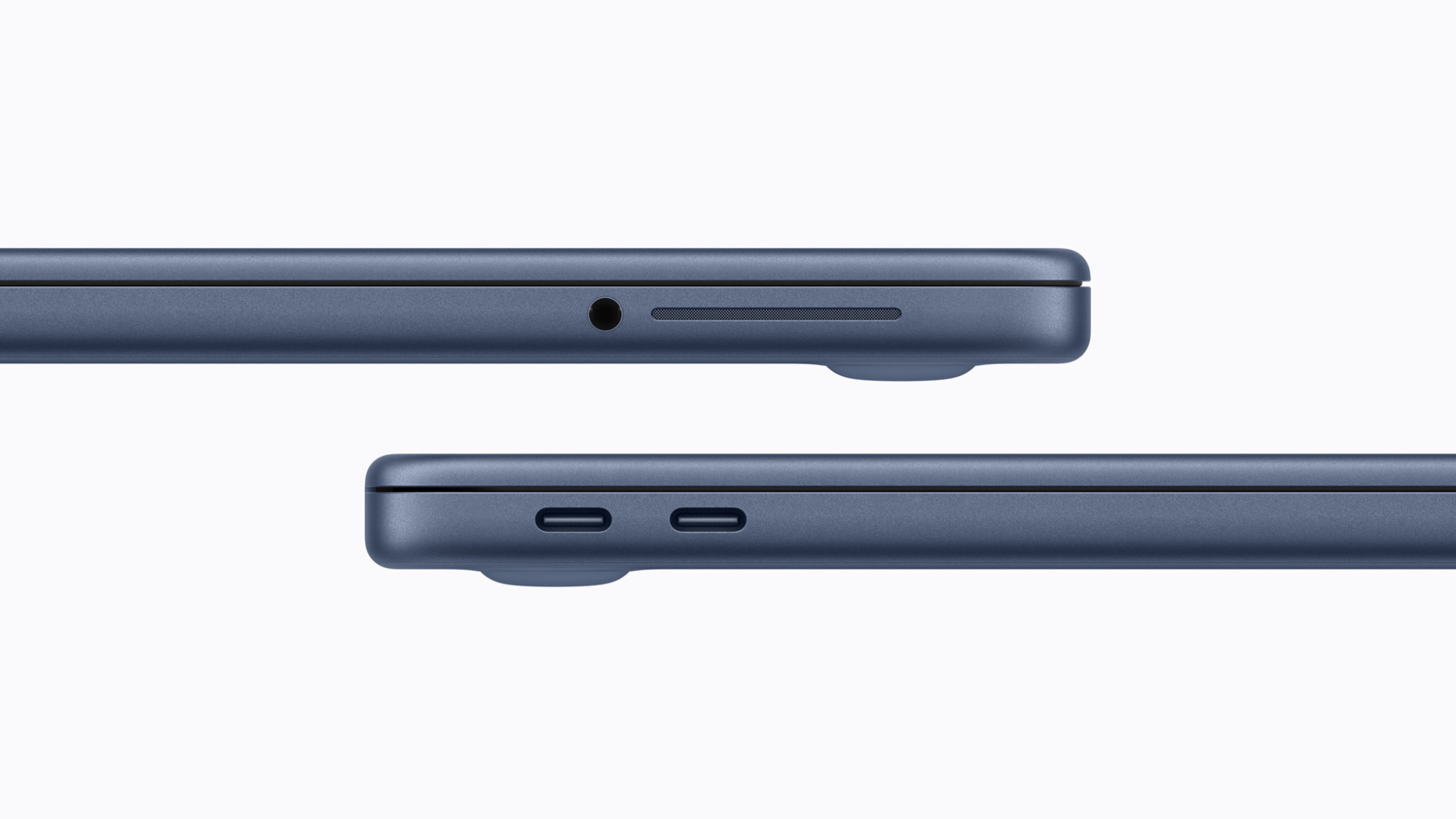
At first glance, the MacBook Neo’s two USB-C ports appear identical, leading users to assume they offer the same capabilities. However, a deeper examination reveals significant differences:
– Port 1: USB-C 3.0
– Data Transfer Speed: Up to 10 Gb/s
– Display Support: Supports DisplayPort, enabling connections to external monitors
– Charging: Supports device charging
– Port 2: USB-C 2.0
– Data Transfer Speed: Limited to 480 Mb/s
– Display Support: Does not support DisplayPort; cannot connect to external monitors
– Charging: Supports device charging
This differentiation means that while both ports can charge the MacBook Neo, only the USB-C 3.0 port offers high-speed data transfer and the capability to connect to external displays.
Implications for Users
Understanding the specific functions of each port is essential for efficient device usage:
– Connecting External Displays: To utilize an external monitor, always connect it to the USB-C 3.0 port. The USB-C 2.0 port lacks DisplayPort support, rendering it incompatible with external displays.
– Data Transfer: For tasks requiring rapid data transfer, such as moving large files or backing up data, use the USB-C 3.0 port to benefit from its superior speed.
– Charging: Both ports support charging, offering flexibility in power management. However, when the USB-C 3.0 port is occupied with data transfer or display connections, the USB-C 2.0 port can be used for charging without compromising performance.
Design Considerations
The decision to equip the MacBook Neo with two USB-C ports of differing capabilities likely stems from hardware design choices, particularly related to the USB controller integrated within the A18 Pro chip that powers the laptop. This design approach balances functionality with cost-effectiveness, providing users with essential features while maintaining an affordable price point.
Charging Mechanism: A Shift from MagSafe
In a departure from previous models, the MacBook Neo eliminates the traditional MagSafe charging port, relying entirely on USB-C for power delivery. This change simplifies the device’s design and aligns with the industry’s move towards universal charging standards.
Availability and Purchasing Information
The MacBook Neo is currently available for pre-order, with customer deliveries and retail availability commencing on Wednesday, March 11. This new addition to Apple’s lineup offers a blend of performance and affordability, making it an attractive option for a wide range of users.
Conclusion
The MacBook Neo’s dual USB-C ports, while visually identical, serve different purposes that can significantly impact user experience. By understanding these distinctions, users can make informed decisions about connecting peripherals, transferring data, and charging their devices, thereby maximizing the MacBook Neo’s potential.