Exploring the MacBook Neo’s External Display Capabilities
Apple’s latest addition to its Mac lineup, the MacBook Neo, has garnered attention for its sleek design and affordability. However, its external display support reveals its positioning within Apple’s range of laptops.
External Display Support
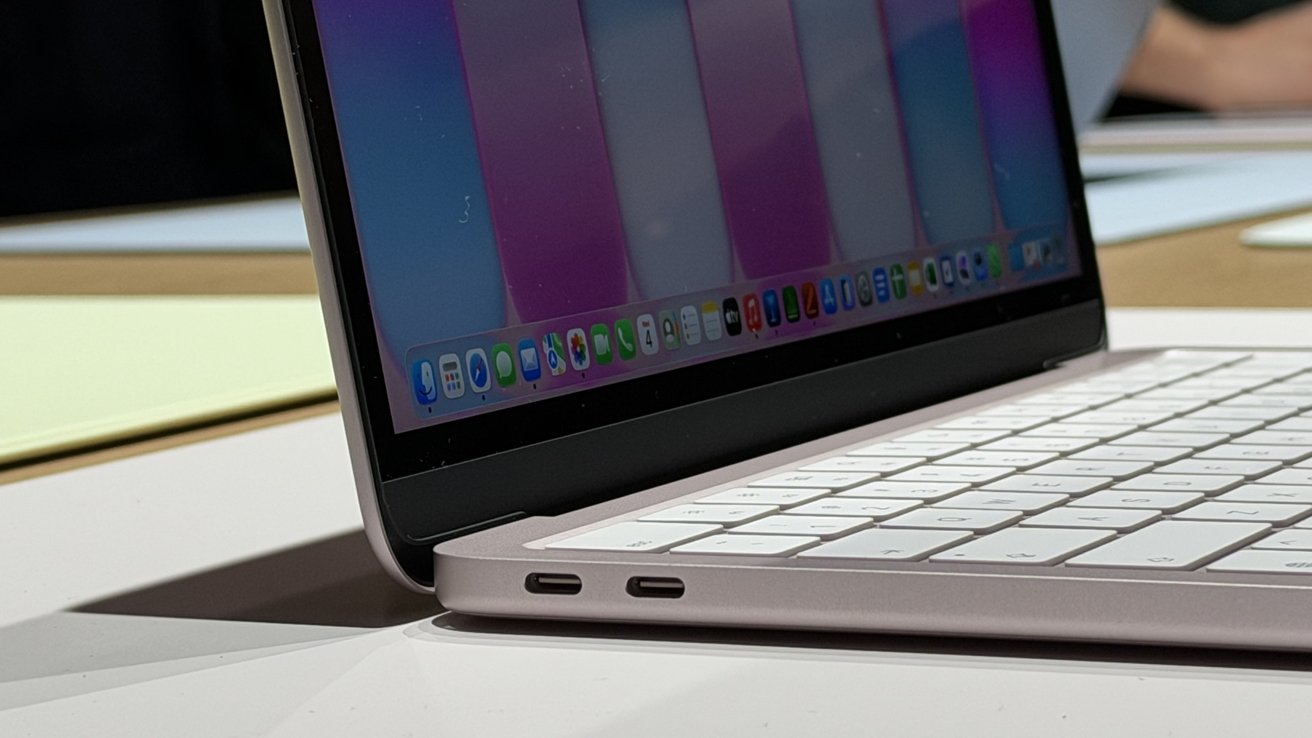
The MacBook Neo is equipped with two USB-C ports, but only the left USB-C port, operating at USB 3 speeds, supports external display output through DisplayPort over USB-C alt mode. This configuration allows the MacBook Neo to drive one external monitor with up to 4K resolution at 60Hz while simultaneously utilizing its built-in 13-inch Liquid Retina display. The internal screen boasts a resolution of 2408 by 1506 pixels and up to 500 nits of brightness. This setup is ideal for users who require a single external monitor for tasks such as web browsing, document editing, and media consumption.
Comparison with Apple Silicon Macs
The MacBook Neo’s limitation to a single external display is reminiscent of Apple’s first generation of Apple Silicon laptops. For instance, the original MacBook Air with the M1 chip also supported only one external display despite having Thunderbolt ports. In contrast, later Apple Silicon machines expanded these capabilities significantly. MacBook Air models with Apple Silicon chips utilize Thunderbolt connections that can drive high-resolution monitors such as Apple’s 6K Pro Display XDR. MacBook Pro systems go further, supporting multiple external monitors simultaneously. Higher-tier Apple Silicon chips can drive several displays using combinations of Thunderbolt and HDMI connections.
Technical Considerations
The MacBook Neo runs on Apple’s A18 Pro chip, a processor derived from Apple’s mobile silicon used in iPhones. Mobile-class chips prioritize efficiency and integration over the larger display subsystems found in workstation-class processors. Geekbench 6 results show the A18 Pro scoring at 3,539 in single-core performance and 8,772 in multi-core, placing it in the same general range as the original M1 Mac for multi-threaded workloads. Driving multiple external displays requires additional display engines and higher-bandwidth I/O links such as Thunderbolt. The MacBook Neo relies on standard USB-C connectivity, which keeps the laptop simpler and more affordable but results in reduced flexibility for multi-monitor setups.
Positioning in Apple’s Mac Lineup
Apple introduced the MacBook Neo on March 4 as its most affordable Mac notebook, with a starting price of $599. The laptop targets students and everyday users who want a lightweight macOS machine for web browsing, documents, streaming media, and light creative work. A single external monitor fits comfortably within that type of workflow. Users who rely on multi-display desks for development, video editing, or financial trading will still need MacBook Air or MacBook Pro models with Apple Silicon M-series chips. These systems are designed for heavier desktop setups with multiple high-resolution displays.
Expanding Display Capabilities with DisplayLink Docks
For users who require multiple external monitors, DisplayLink docks offer a viable solution. These docks act like virtual graphics adapters that expand display support over USB-C. They receive compressed display data from the Mac and reconstruct the signal for HDMI or DisplayPort monitors, allowing multiple external displays on Macs that normally support only one.
Recommended DisplayLink Docks
1. Plugable UD-6950PDH USB-C DisplayLink Dock
This dock connects over USB-C and relies on DisplayLink drivers to power two external monitors alongside the MacBook Neo’s built-in display. It supports dual 4K displays at 60Hz through either HDMI or DisplayPort connections, delivers up to 100W of charging, and adds a range of expansion ports for peripherals and wired networking.
2. Dell D6000 Universal Dock
This dock uses DisplayLink technology to support multiple monitors even on systems that normally allow only one external display. It can drive up to three 4K displays, though the third display is limited to 30Hz while the other two can run at 4K and 60Hz. The dock also supports a single 5K display configuration when two DisplayPort outputs are used together.
3. StarTech DK31C4DPPD USB-C Quad Monitor Dock
This dock targets users who need as many external displays as possible from a single USB-C connection. It supports up to four 4K displays at 60Hz using any combination of HDMI and DisplayPort outputs. The dock also includes USB-A and USB-C expansion ports, Gigabit Ethernet, a headset jack, and 100W USB-C power delivery for charging a connected laptop.
4. Wavlink USB-C Dual 4K Docking Station
This dock uses DisplayLink technology to connect multiple external monitors through a single USB port. Dual 4K displays can run at 60Hz using a mix of HDMI and DisplayPort connections. The dock also delivers up to 65W of USB-C power for charging a connected laptop and includes six USB 3.0 ports and Gigabit Ethernet.
Conclusion
The MacBook Neo’s external display support aligns with its role as an entry-level Mac notebook, catering to users with basic computing needs. While it natively supports only one external display, users requiring multiple monitors can utilize DisplayLink docks to expand their setup. This approach allows the MacBook Neo to maintain its affordability and simplicity while offering flexibility for more demanding workflows.