Microsoft Defender Introduces Centralized Script Library with Copilot Analysis for Enhanced Live Response
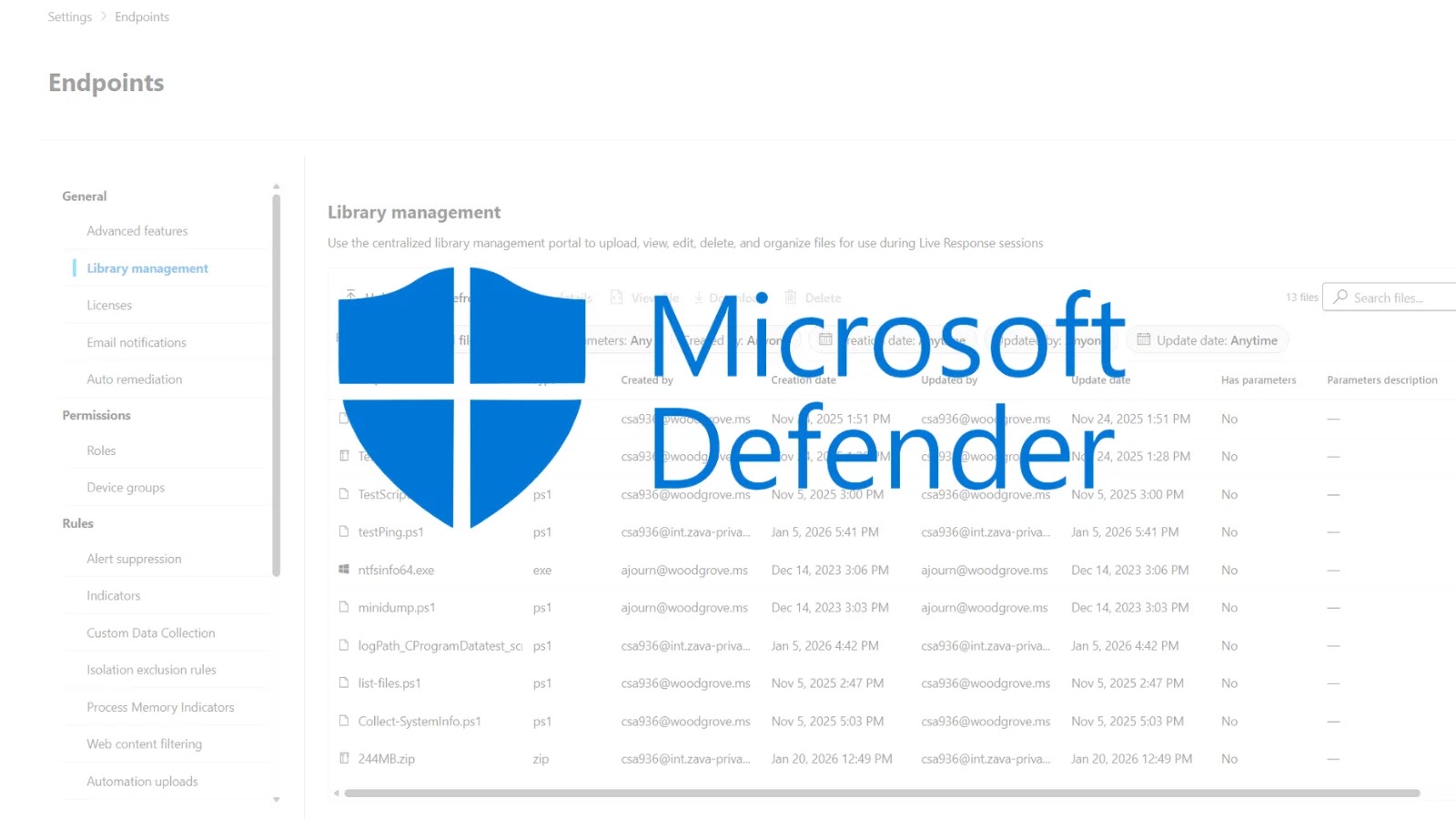
On February 16, 2026, Microsoft unveiled a significant enhancement to its Defender for Endpoint platform: the Library Management experience. This new feature is set to revolutionize how security analysts manage scripts and tools during live response investigations, addressing longstanding challenges in incident response workflows.
Addressing Operational Challenges
Traditionally, security analysts faced the cumbersome task of uploading necessary scripts and executables during active investigation sessions. This approach not only slowed down the response time but also led to inconsistencies across teams, as each analyst might use different tools or versions. Recognizing these inefficiencies, Microsoft introduced the Library Management experience to streamline and standardize the process.
Key Features of the Library Management Experience
The new Library Management experience offers several pivotal features designed to enhance the efficiency and effectiveness of security operations:
1. Centralized Script and File Management: Security teams can now upload, manage, and organize their entire collection of live response scripts and files within a centralized interface. This proactive approach allows for better preparation and alignment across analysts, ensuring that the right tools are readily available when needed.
2. Pre-Upload Capability: Analysts can pre-stage PowerShell scripts, batch files, and other response tools, making them immediately accessible during critical investigations. This eliminates the need for mid-session uploads, thereby reducing response times.
3. In-Portal Script Review: The Defender UI now allows analysts to review script contents directly within the portal. This feature enables quick verification of script logic and functionality without the need to switch to external editors, thereby maintaining focus and efficiency.
4. Efficient Organization and Cleanup: Outdated or redundant scripts can be easily identified and removed with a single click. This ensures that the library remains relevant, organized, and audit-friendly, reducing clutter and potential confusion during investigations.
Integration of Microsoft Security Copilot
A standout feature of the Library Management experience is the integration of Microsoft Security Copilot. This AI-driven tool analyzes scripts stored in the library, providing summarized behavior descriptions, security insights, and execution risk assessments. By offering natural language explanations, Copilot bridges the skills gap, especially for junior analysts or those unfamiliar with specific scripts. This integration enhances confidence and accuracy during live response activities.
Enhanced Threat Analysis with MITRE ATT&CK Mapping
Building upon existing capabilities, the Library Management experience extends to MITRE ATT&CK technique mapping. This feature allows analysts to understand the tactics and techniques a script may leverage within their environment, providing a comprehensive view of potential threats and enabling more informed decision-making during investigations.
Availability and Access
The Library Management experience is currently available in preview and can be accessed directly from the live response page within the Microsoft Defender portal. Security teams are encouraged to begin uploading their investigation tools, exploring script previews, and leveraging Copilot to gain deeper insights into their scripts.
Implications for Security Operations
The introduction of the Library Management experience marks a significant advancement in security operations. By centralizing script management and integrating AI-driven analysis, Microsoft Defender for Endpoint enhances operational readiness, improves visibility and control, and streamlines response workflows across Security Operations Center (SOC) teams. This proactive approach not only reduces response times but also ensures consistency and accuracy in threat investigations.
Conclusion
Microsoft’s new Library Management experience in Defender for Endpoint represents a transformative step in live response capabilities. By addressing previous operational challenges and integrating advanced tools like Microsoft Security Copilot, this enhancement empowers security analysts to respond to threats more efficiently and effectively. As cyber threats continue to evolve, such innovations are crucial in maintaining robust and responsive security postures.