Transform Your Video Editing Workflow with VideoProc Converter AI
In the realm of video editing, the journey from raw footage to polished content often presents numerous challenges. Issues such as noisy audio, low-resolution visuals, and incompatible formats can hinder the creative process. Enter VideoProc Converter AI, a comprehensive solution designed to streamline pre-production tasks, ensuring your media is optimized before it reaches the editing suite.
Comprehensive Media Processing
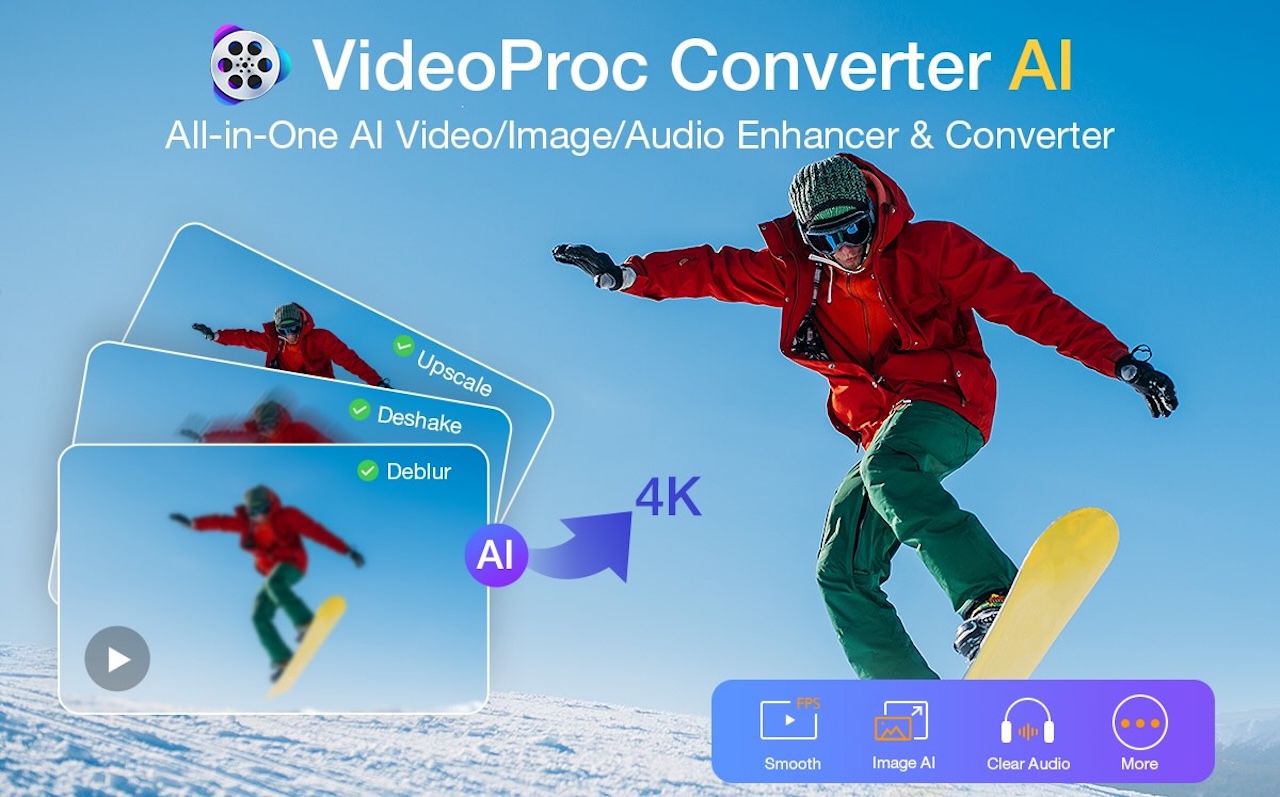
VideoProc Converter AI is an all-encompassing media processing application that integrates AI-driven video and image enhancement with capabilities for conversion, downloading, compression, and screen recording. Its primary objective is to address common pre-editing issues, preparing your media for seamless integration into editing platforms like Final Cut Pro, DaVinci Resolve, or Adobe Premiere.
AI-Powered Video Enhancement
One of the standout features of VideoProc Converter AI is its Super Resolution tool, which utilizes artificial intelligence to upscale low-resolution footage. This function is particularly beneficial for revitalizing older videos or enhancing compressed mobile recordings. The AI ensures that upscaling is subtle yet effective, preserving facial features and reducing compression artifacts, resulting in footage that appears crisp and clear on high-resolution displays.
Additionally, the software offers AI-driven denoising and enhancement tools tailored for low-light or grainy footage. These tools effectively clean up video while maintaining texture integrity, making them invaluable for editors working with less-than-ideal lighting conditions. The AI Frame Interpolation feature further enhances video quality by increasing frame rates, producing smoother playback without introducing artifacts. This is particularly useful for creating slow-motion sequences or improving the fluidity of standard footage.
AI Image Enhancement
Beyond video, VideoProc Converter AI extends its AI capabilities to image processing. The AI Image Enhancement feature allows users to upscale and restore photos effortlessly. Whether dealing with old family photographs, compressed web images, or low-resolution thumbnails, the AI models intelligently increase resolution while preserving natural details. This process avoids the over-sharpened, artificial appearance often associated with basic upscaling tools.
In practical use, images processed through this feature exhibit noticeable clarity and improved texture definition without introducing unwanted artifacts. The user-friendly interface simplifies the enhancement process: import the image, select the desired enhancement model, preview the result, and export the final product.
Additional Features
VideoProc Converter AI is not limited to enhancement tools; it also offers a suite of additional features to support various media processing needs:
– Format Conversion: Supports a wide array of video and audio formats, ensuring compatibility across different devices and platforms.
– Video Downloading: Enables downloading of videos from numerous online platforms, facilitating offline access and integration into projects.
– Compression: Allows for the reduction of file sizes without significant loss of quality, optimizing storage and sharing capabilities.
– Screen Recording: Provides tools for capturing on-screen activities, useful for creating tutorials, presentations, or recording gameplay.
User Experience and Performance
Designed with user experience in mind, VideoProc Converter AI boasts an intuitive interface that caters to both novice and experienced users. The streamlined workflow ensures that tasks such as importing media, selecting enhancement options, and exporting final products are straightforward and efficient.
Performance-wise, the software leverages hardware acceleration to process tasks swiftly, minimizing wait times and enhancing productivity. This efficiency is particularly noticeable when handling large files or batch processing multiple media items.
Pricing and Availability
As of the current offering, VideoProc Converter AI is available at a 55% discount for the lifetime version. This purchase includes a Buy 1 Get 4 offer, featuring additional tools such as Aiarty Image Matting, iPhone Manager, 5KPlayer, and VideoProc Vlogger. These supplementary tools expand the software’s capabilities into areas like image editing, device management, media playback, and video creation, providing a comprehensive suite for content creators.
Conclusion
VideoProc Converter AI stands out as a versatile and powerful tool for media processing on macOS. By integrating AI-driven enhancements with a range of practical features, it addresses common pre-production challenges, allowing creators to focus more on the creative aspects of video editing. Whether you’re looking to upscale old footage, clean up low-light videos, or convert media formats, VideoProc Converter AI offers a robust solution to streamline your workflow and elevate the quality of your content.