Upgrade Your Apple Home Architecture Now to Avoid Service Disruption
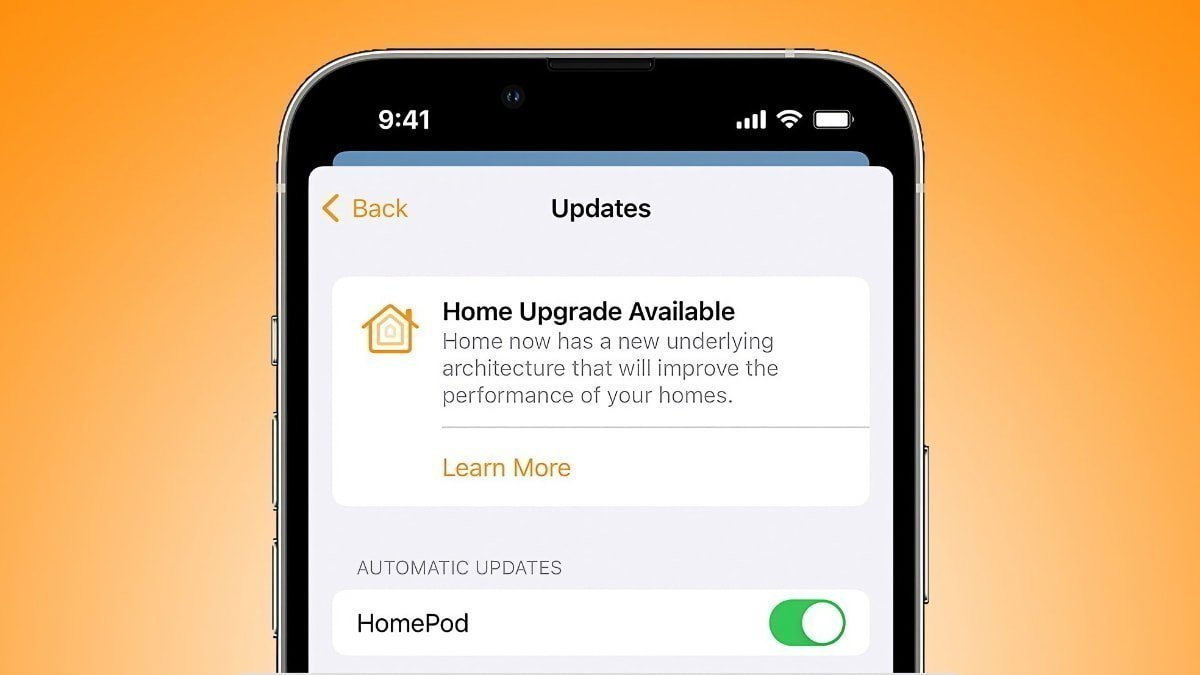
Apple has announced that support for its original Home architecture will officially end on February 10, 2026. Users who have not yet transitioned to the updated system risk losing access to their smart home devices and automations. This article provides a comprehensive guide on the importance of upgrading, the steps involved, and the potential consequences of not updating.
Background on the Home Architecture Update
In late 2022, Apple introduced a redesigned Home architecture aimed at enhancing performance, reliability, and compatibility across its smart home ecosystem. The initial rollout faced technical challenges, leading Apple to temporarily withdraw the update in December 2022. After addressing these issues, the company re-released the improved architecture in March 2023. Since then, Apple has supported both the legacy and new systems, encouraging users to make the transition.
Originally, Apple planned to discontinue support for the older architecture in fall 2025. However, to provide users with additional time, the deadline was extended to February 10, 2026. This extension offers a final opportunity for users to upgrade and ensure uninterrupted access to their smart home functionalities.
Implications of Not Upgrading by February 10, 2026
Apple has been proactive in notifying users about the impending deadline. In recent communications, the company emphasized that failing to upgrade could result in:
– Loss of Access: Users may be unable to control their smart home devices through the Home app.
– Malfunctioning Accessories and Automations: Devices and automated routines might not function as expected.
– Missed Security and Performance Updates: Users will not receive critical security patches and performance enhancements.
Additionally, those who do not upgrade will miss out on new features introduced with the updated architecture, such as guest access, support for robot vacuum cleaners, and Activity History.
How to Upgrade to the New Home Architecture
To ensure a smooth transition, follow these steps:
1. Open the Home App: Launch the Home app on your iPhone, iPad, or Mac.
2. Access Home Settings: Tap or click on the three dots in the upper-right corner and select Home Settings.
3. Navigate to Software Update: Choose Software Update from the menu.
4. Initiate the Update: Tap or click Update Now and follow the on-screen prompts.
It’s important to note that all homes associated with your account will be updated simultaneously. If you see the message This home and all accessories are up to date, no further action is required.
Device Compatibility Requirements
The new Home architecture requires devices to be running the following minimum software versions:
– iOS: 16.2 or later
– iPadOS: 16.2 or later
– macOS: 13.1 or later
– tvOS: 16.2 or later
– watchOS: 9.2 or later
Devices that cannot be updated to these versions will lose access to the Home app and its functionalities after the upgrade. This requirement has been a point of concern for users relying on older devices as dedicated smart home controllers. Unfortunately, Apple has not provided exceptions for these setups, making the upgrade essential for continued access.
Why the Upgrade Is Necessary
Apple’s decision to phase out the older architecture is driven by the need to streamline maintenance and focus development efforts on the new platform. The updated architecture is built on a modern framework designed to support future HomeKit features and integrations more effectively. Users who have already upgraded report improved stability and faster response times, indicating the benefits of the new system.
Conclusion
With the February 10, 2026 deadline rapidly approaching, it’s crucial for Apple Home users to upgrade to the new architecture to maintain seamless access to their smart home devices and automations. By following the outlined steps and ensuring device compatibility, users can enjoy enhanced performance, new features, and continued support from Apple.