Apple’s Lockdown Mode: A New Era in iPhone Security
In an era where digital security is paramount, Apple has introduced a groundbreaking feature known as Lockdown Mode, designed to offer unparalleled protection for iPhone users facing significant cyber threats. This feature has recently demonstrated its effectiveness, even in scenarios involving law enforcement agencies like the FBI.
The Genesis of Lockdown Mode
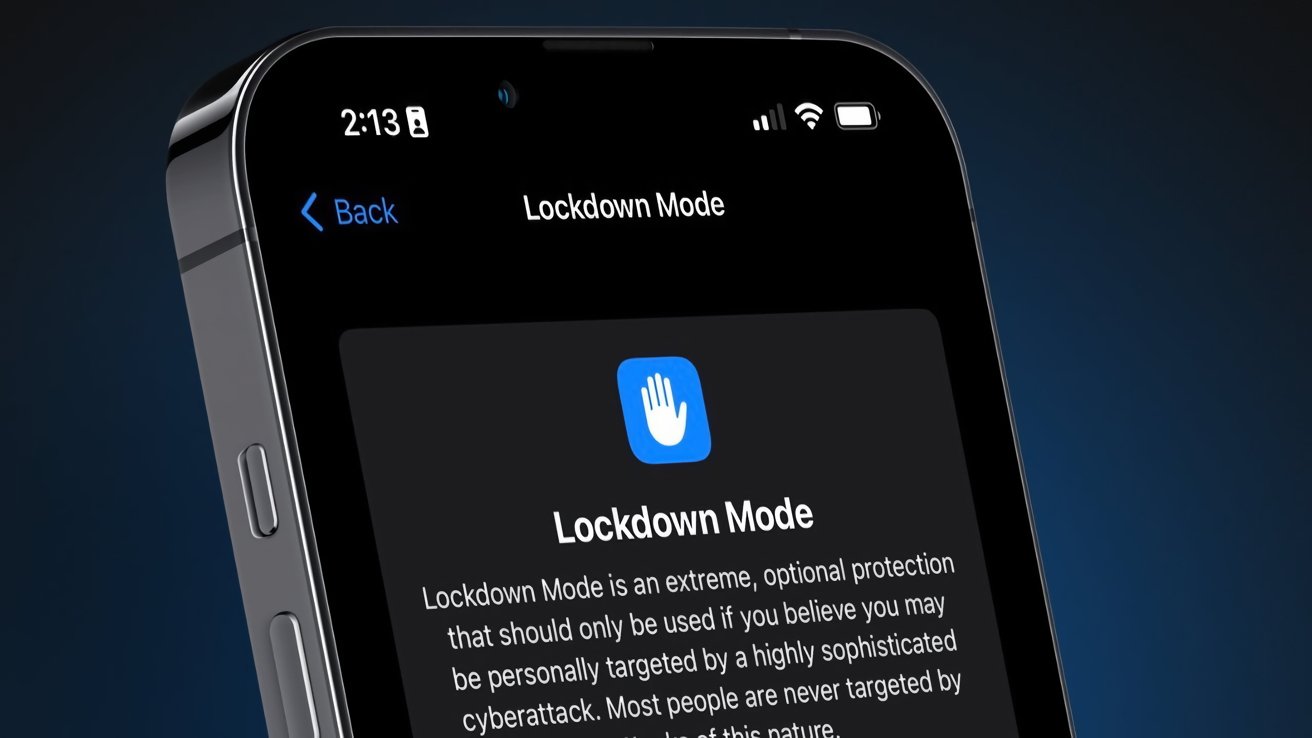
Introduced in 2022, Lockdown Mode was developed as an optional security feature for individuals at high risk of targeted cyberattacks. Apple’s objective was to provide an extreme, optional protection for users who might be susceptible to sophisticated digital threats. When activated, Lockdown Mode implements several stringent security measures:
– Message Attachments: Blocks most types to prevent potential malware infiltration.
– Web Browsing: Disables certain web technologies, including just-in-time JavaScript compilation, to reduce exposure to web-based vulnerabilities.
– Wired Connections: Stops wired data connections when the device is locked, preventing unauthorized data extraction.
– Configuration Profiles: Prevents the installation of new configuration profiles, safeguarding against malicious configurations.
Apple emphasized that Lockdown Mode is an optional feature that must be manually enabled by the user. At its launch, the company offered a $2 million bounty to security researchers who could identify vulnerabilities within the mode, underscoring their commitment to its robustness.
A Real-World Test: The FBI Encounter
The efficacy of Lockdown Mode was notably highlighted in a recent incident involving the FBI. In January 2026, the FBI conducted a raid at the residence of Washington Post journalist Hannah Natanson, seizing multiple devices, including an iPhone. Despite possessing the necessary warrants, the FBI faced challenges accessing data from Natanson’s devices. Court documents revealed that the iPhone’s Lockdown Mode prevented the FBI’s Computer Analysis Response Team (CART) from extracting data from the device. Similarly, they were unable to image her personal MacBook Pro.
This incident underscores the formidable security measures Lockdown Mode provides, even against advanced forensic tools employed by law enforcement agencies.
Understanding Lockdown Mode’s Protective Measures
Lockdown Mode is tailored for users who believe they are at risk of highly sophisticated cyberattacks. While it offers enhanced security, enabling this mode does come with certain trade-offs:
– Messages: Most message attachments are blocked, and some features are unavailable.
– FaceTime: Incoming FaceTime calls from people you have not previously called are blocked.
– Web Browsing: Some web technologies and browsing features are blocked.
– Shared Albums: Shared albums will be removed from the Photos app, and new Shared Albums invitations will be blocked.
– Device Connections: Wired connections with another device or accessory are blocked while your iPhone is locked.
– Apple Services: Incoming invitations for Apple Services from people you have not previously invited are blocked.
– Profiles: Configuration profiles, such as profiles for school or work, cannot be installed.
These restrictions are designed to minimize potential attack vectors, thereby enhancing the device’s security posture.
Activating Lockdown Mode
For users who perceive a heightened risk of cyber threats, activating Lockdown Mode is a straightforward process:
1. Open the Settings app on your device.
2. Navigate to Privacy & Security.
3. Scroll down and select Lockdown Mode.
4. Tap on Turn On Lockdown Mode.
The device will restart to apply the changes. To deactivate Lockdown Mode, follow the same steps and choose to turn it off. It’s important to note that after disabling Lockdown Mode, certain features, such as Shared Photo Albums, may need to be manually re-enabled.
Apple’s Stance on User Privacy and Law Enforcement
Apple has consistently prioritized user privacy and data security. The company maintains a comprehensive Legal Process Guidelines document detailing the extent of information it can provide to law enforcement agencies upon receiving a subpoena or warrant. Typically, Apple can furnish details of a user’s iCloud account and access any unencrypted data stored therein. However, with the majority of user data being encrypted, the information accessible to Apple—and consequently to law enforcement—is limited.
This commitment to user privacy has occasionally led to tensions between Apple and law enforcement agencies. For instance, in the aftermath of the San Bernardino incident, the FBI sought Apple’s assistance in unlocking an iPhone used by one of the attackers. Apple declined, emphasizing the potential risks to user privacy and the precedent it would set.
The Evolving Landscape of Digital Security
The introduction of Lockdown Mode is a testament to the evolving challenges in digital security. As cyber threats become more sophisticated, the need for robust security measures becomes paramount. Apple’s proactive approach, exemplified by features like Lockdown Mode, reflects a commitment to staying ahead of potential threats and ensuring user data remains secure.
Moreover, Apple’s decision to offer a substantial bounty for identifying vulnerabilities in Lockdown Mode indicates a willingness to collaborate with the broader security community. This collaborative approach not only enhances the security of Apple’s devices but also contributes to the broader discourse on digital security best practices.
Conclusion
Apple’s Lockdown Mode represents a significant advancement in personal digital security. By offering users the option to implement stringent security measures, Apple empowers individuals to take control of their data protection. While the mode is designed for those facing severe cyber threats, its existence underscores the importance of robust security measures in today’s digital landscape.
As cyber threats continue to evolve, features like Lockdown Mode will play a crucial role in safeguarding personal information, ensuring that users can navigate the digital world with confidence and security.