Top 10 IT Systems Management Tools for 2026: Enhancing Infrastructure Efficiency
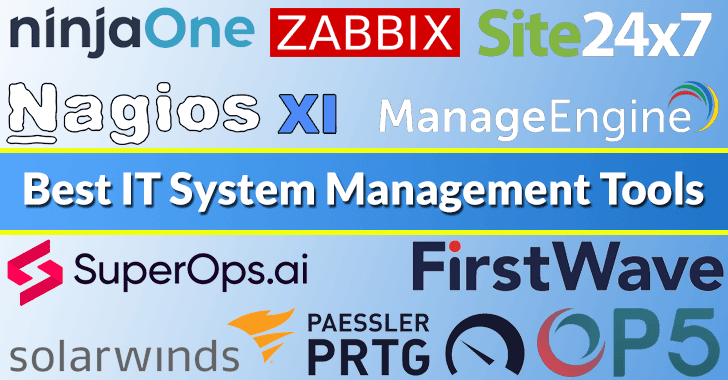
In the rapidly evolving digital landscape, effective IT systems management is crucial for organizations aiming to maintain seamless operations and optimize productivity. The right tools can provide comprehensive solutions for monitoring, managing, and optimizing networks, servers, applications, and devices. Here’s an in-depth look at the top 10 IT systems management tools for 2026, highlighting their key features and benefits.
1. Site24x7
Site24x7 offers an all-encompassing monitoring solution that covers websites, servers, cloud services, networks, applications, and real user experiences. Its global outage detection and performance insights enable organizations to proactively address issues before they impact end-users.
Key Features:
– Website Monitoring: Ensures optimal website performance and uptime.
– Uptime and Availability: Monitors service availability to maintain continuous operations.
– Website Security: Provides security checks to safeguard against vulnerabilities.
– Real User Monitoring: Analyzes real user interactions for performance optimization.
– Platform Compatibility: Supports various platforms for versatile monitoring.
Pros:
– Comprehensive monitoring across multiple platforms.
– User-friendly interface with customizable dashboards.
Cons:
– Advanced features may require a learning curve for new users.
2. Nagios XI
Nagios XI is a powerful enterprise server and network monitoring software that offers customizable dashboards and comprehensive reporting. It provides deep visibility into IT infrastructure health, efficiency, and network performance.
Key Features:
– Comprehensive Monitoring: Monitors critical IT components, including applications, services, operating systems, and network protocols.
– Problem Remediation: Identifies and resolves issues before they affect business processes.
– Proactive Planning: Assists in capacity planning and infrastructure scaling.
– Multi-Tenant Capabilities: Supports multiple users with role-based access controls.
– Extendable Architecture: Offers scalability through community-developed plugins.
Pros:
– Numerous APIs simplify internal and third-party integrations.
– Customizable GUI allows flexibility in layout and design.
Cons:
– Installation documentation can be challenging to navigate.
– Relies heavily on community-maintained plugins for third-party support.
3. ManageEngine Endpoint Central
ManageEngine Endpoint Central is a robust solution that centralizes the management of servers, laptops, desktops, smartphones, and tablets. It automates critical tasks such as patch management, software deployment, asset management, and security enforcement across diverse operating systems.
Key Features:
– Patch Management: Automates patch deployment to ensure systems are up-to-date.
– Mobile Device Management: Manages and secures mobile devices within the organization.
– Power Management: Optimizes energy consumption across devices.
– OS Imaging and Deployment: Simplifies operating system deployment and maintenance.
– Endpoint Security: Enforces security policies to protect endpoints from threats.
Pros:
– Convenient OS deployment streamlines setup processes.
– Provides a complete view of hardware and software assets.
Cons:
– Limited third-party patching capabilities.
– Configuration options can be overwhelming for new users.
4. NinjaOne
NinjaOne is a unified IT operations platform designed to streamline the management of devices and support remote monitoring, management, and automated patching. Its user-friendly interface and powerful automation capabilities help IT professionals manage networks, devices, and applications more effectively.
Key Features:
– Endpoint Monitoring: Provides real-time monitoring of endpoint devices.
– Network Discovery: Identifies and maps network devices automatically.
– Network Monitoring: Monitors network performance and health.
– Device Monitoring Reports: Generates detailed reports on device status and performance.
– Capacity Utilization: Analyzes resource usage to optimize performance.
Pros:
– Proactive customer response enhances user satisfaction.
– Powerful IT monitoring tool with comprehensive features.
Cons:
– Smaller organizations may not fully utilize all MSP-related features.
– Missing built-in scripting capabilities.
5. Op5 Monitor
Op5 Monitor is an enterprise-level network monitoring system that provides detailed insights into network performance and issues across multiple platforms. It offers scalability and flexibility, making it suitable for various organizational sizes.
Key Features:
– Task Management: Facilitates efficient task allocation and tracking.
– Asset Management: Manages and tracks IT assets throughout their lifecycle.
– Patch Management: Ensures systems are updated with the latest patches.
– Networks and Endpoints Monitoring: Monitors network devices and endpoints for performance and security.
– Automation: Automates routine tasks to improve efficiency.
Pros:
– Comprehensive monitoring capabilities across diverse environments.
– Scalable solution suitable for growing organizations.
Cons:
– Initial setup and configuration can be complex.
– May require additional training for optimal utilization.
6. SolarWinds Server & Application Monitor
SolarWinds Server & Application Monitor is designed for monitoring servers and applications, providing deep visibility and performance analytics to ensure optimal operation. It helps organizations detect, diagnose, and resolve issues before they impact critical business processes.
Key Features:
– Automated Network Discovery and Mapping: Identifies and maps network devices automatically.
– Intelligent Alerting and Reporting: Provides customizable alerts and detailed reports.
– Performance Baselining and Forecasting: Analyzes performance trends to predict future needs.
– Integration with Other SolarWinds IT Management Tools: Offers seamless integration for comprehensive management.
Pros:
– Comprehensive network monitoring for all environments.
– Highly customizable alerts and dashboards.
Cons:
– Advanced features may require a learning curve.
– Pricing may be higher compared to some competitors.
7. Zabbix
Zabbix is an open-source monitoring tool for networks, servers, virtual machines, and cloud services, featuring robust reporting and visualization capabilities. It offers flexibility and scalability, making it suitable for various organizational needs.
Key Features:
– Multi-Vendor Device Support: Supports a wide range of devices from different vendors.
– Advanced Fault and Performance Management: Detects and resolves issues proactively.
– Automated Network Mapping: Creates visual maps of network topology.
– Integrated IT Workflow Automation: Automates routine IT tasks to improve efficiency.
Pros:
– Open-source solution with a strong community support.
– Highly customizable to meet specific organizational needs.
Cons:
– Initial setup and configuration can be complex.
– May require additional resources for maintenance and support.
8. Paessler PRTG
Paessler PRTG is a network monitoring tool that tracks the health and performance of networks, systems, and hardware, offering real-time data and customizable notifications. It provides a comprehensive overview of the entire IT infrastructure.
Key Features:
– Autodiscovery: Automatically detects and adds devices to the monitoring system.
– Customizable Dashboard: Allows users to create personalized views of the network.
– Network Monitoring and Flow Support: Monitors network traffic and flow data.
– Reporting: Generates detailed reports for analysis and compliance.
Pros:
– User-friendly interface with intuitive navigation.
– Scalable solution suitable for various organizational sizes.
Cons:
– Advanced features may require additional licensing.
– Initial setup can be time-consuming for large networks
Article X Post:
Hashtags:
Article Key Phrase:
Category: Security News