Top iPad Apps to Enhance Productivity and Simplify Your Life
In today’s fast-paced world, maximizing productivity is essential. The iPad, with its versatile capabilities, serves as an excellent tool to streamline tasks and boost efficiency. Here are some top-rated iPad apps designed to enhance your productivity and simplify daily activities:
1. Milanote
Milanote offers a visual workspace ideal for organizing projects, brainstorming ideas, and managing tasks. Unlike traditional list-based apps, Milanote allows users to create boards where they can combine notes, images, videos, and sketches, providing a comprehensive overview of their projects. This flexibility makes it suitable for planning story outlines, developing marketing campaigns, or collecting creative inspirations. Collaboration is seamless, as users can invite team members to edit, comment, or view boards in real-time. Milanote is available for free, with a premium subscription at $9.99 per month offering unlimited notes and file uploads.
2. Goodnotes
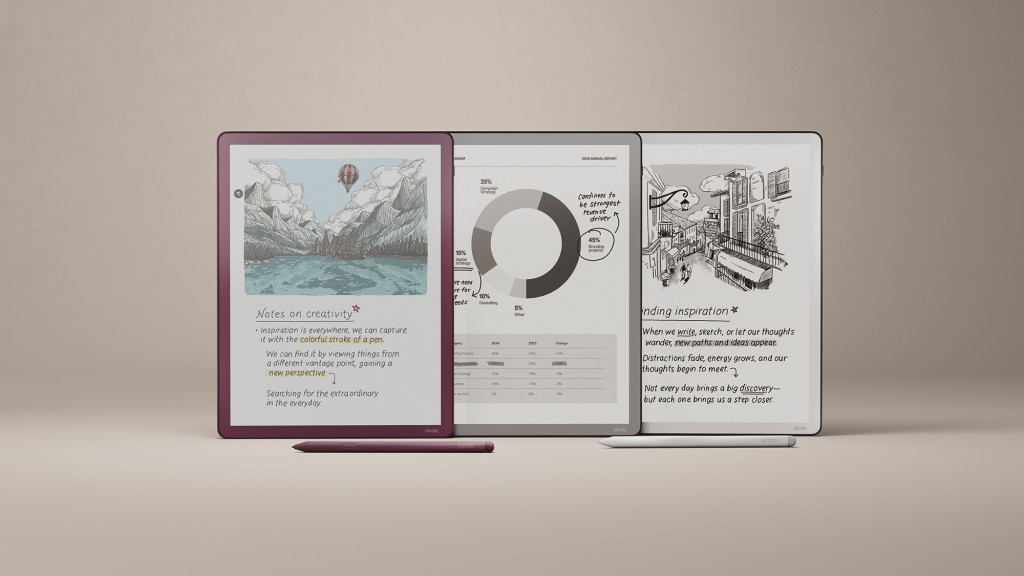
Goodnotes transforms your iPad into a digital notebook, perfect for those who prefer handwriting their notes using the Apple Pencil. It supports both handwritten and typed text on the same page, along with the inclusion of images, stickers, and doodles. Users can create digital notebooks with various templates, such as blank or ruled paper, suitable for notes, checklists, planners, and more. The app also features an AI assistant capable of reading and understanding handwritten notes, making it easier to search and organize content. Goodnotes is free to use, with additional features available through in-app purchases.
3. Forest
Forest is a unique app that gamifies productivity while promoting environmental sustainability. When you need to focus, you plant a virtual tree that grows as you work. If you leave the app before the timer ends, the tree withers. Over time, you cultivate a digital forest representing your productivity. The app allows you to set Allow Lists for essential apps needed during focus sessions and tracks your productivity over time. Additionally, by staying focused and earning virtual coins, you can contribute to planting real trees through the organization Trees for the Future. Forest is available for a one-time purchase of $3.99, with optional in-app purchases to accelerate real tree planting.
4. Notion
Notion serves as an all-in-one workspace for note-taking, task management, and collaboration. It consolidates various productivity tools, allowing users to manage calendars, tasks, and notes within a single platform. Notion’s AI assistant can write, edit, and organize content, summarize lengthy notes, answer questions, draft documents, and brainstorm ideas. The app integrates with other tools like Slack and Dropbox, streamlining workflows. Its flexibility and customization options make it suitable for personal organization, work projects, academic tasks, or passion projects. Notion offers a free plan for personal use, with premium plans starting at $10 per month.
5. Freedom
Freedom is designed to block digital distractions across all your devices, helping you maintain focus. You can initiate a session to block specific websites and apps for a set duration. If you attempt to access a blocked site or app during this period, Freedom prevents it, displaying a green screen as a reminder. The app allows for immediate sessions, scheduled sessions, or recurring sessions, catering to your productivity needs. For those who benefit from ambient sounds, Freedom offers a variety of options, including coffee shop noises, bird chirping, and calming instrumentals. Freedom is available for $3.99 per month.
6. Notability
Notability is a versatile note-taking app that supports handwriting, typing, audio recording, and sketching. It’s suitable for students, professionals, and hobbyists alike. The app allows you to search your notes, including handwritten ones and imported documents. Notability features AI-generated note summaries and the ability to work on two notes side by side. You can also create personalized quizzes based on your notes to test your knowledge. The app includes a gallery of templates for planners, study notes, to-do lists, and more. Notability is free, with a $4.99 monthly subscription offering additional features like math conversion, automatic audio transcription, and unlimited notes.
7. Todoist
Todoist is a straightforward task management app that lets you record and organize tasks using natural language. You can add tasks like Plan next week’s work every Friday afternoon or Do homework every Wednesday at 6 p.m. to quickly organize and plan your life. Tasks can be sorted into Today, Upcoming, or custom filters, allowing you to focus on what’s currently important. Todoist integrates with your calendar, voice assistant, and other tools like Outlook, Gmail, and Slack. The app is accessible on iPad, iPhone, Apple Watch, and syncs across all devices. Todoist’s basic features are free, with a Pro subscription at $4 per month unlocking additional features like an AI assistant and a calendar layout.
By incorporating these apps into your daily routine, you can transform your iPad into a powerful productivity tool, helping you stay organized, focused, and efficient in both personal and professional endeavors.