Samsung’s Galaxy XR Introduces ‘PC Connect’ for Seamless Windows Integration and Realistic ‘Likeness’ Avatars
Samsung’s Galaxy XR headset, launched in October 2025, is set to receive a significant update with the introduction of ‘PC Connect,’ a feature designed to bridge the gap between Windows computers and the Android XR platform. This enhancement aims to provide users with a more integrated and immersive experience by allowing seamless interaction between their PC applications and XR environment.
PC Connect: Bridging Windows and Android XR
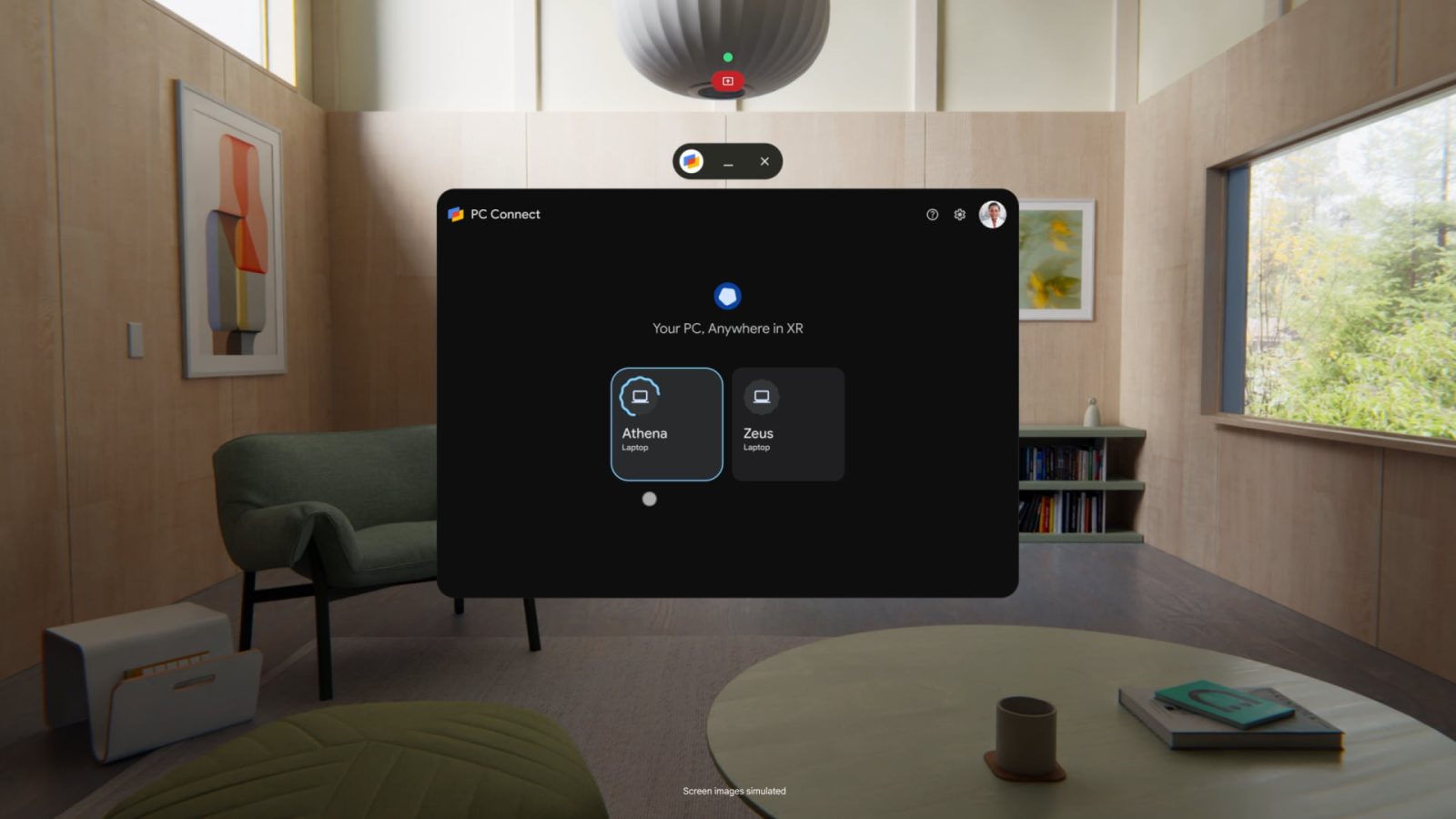
The ‘PC Connect’ feature enables users to display their Windows desktop or any active application window alongside native apps from the Google Play Store within the XR environment. This integration is achieved with full resolution and high frame rates over a Wi-Fi connection, ensuring a smooth and responsive user experience. Additionally, input bridging allows peripherals such as keyboards and mice connected to either the PC or the XR headset to control both devices interchangeably.
In a recent demonstration, a professional image editing software was operated on a laptop while simultaneously viewing a YouTube video within the Android XR app. Users could utilize XR gestures to interact with the editing software, with inputs syncing seamlessly between the devices. This functionality is underpinned by low-latency technology reminiscent of Google’s Stadia streaming service, facilitating real-time interaction without noticeable lag.
Beyond productivity applications, ‘PC Connect’ extends to gaming experiences. For instance, users can play games like ‘Stray’ running on a Windows PC, using a PlayStation 5 controller, and expand the floating game screen within the XR environment for an immersive gaming session.
The beta version of ‘PC Connect’ is rolling out starting today, with plans to extend support to Mac computers in the following year.
Travel Mode: Stability on the Go
Another addition to the Galaxy XR’s feature set is ‘Travel Mode,’ designed to maintain a stable view even when the user is in motion, such as during a plane journey. This feature ensures that the XR experience remains consistent and comfortable, regardless of external movements.
Likeness: Realistic Digital Avatars
To enhance personal interactions within the XR space, Google is introducing ‘Likeness,’ a feature that creates a realistic digital representation of the user’s face. This avatar mirrors facial expressions and hand gestures in real-time, making video calls and virtual meetings feel more natural and personal.
The creation of a ‘Likeness’ avatar is facilitated through a dedicated smartphone application available on compatible devices, eliminating the need to use the XR headset for this process. The beta version of ‘Likeness’ is also rolling out today, offering users an opportunity to personalize their virtual presence.
Conclusion
With the introduction of ‘PC Connect,’ ‘Travel Mode,’ and ‘Likeness,’ Samsung’s Galaxy XR is poised to offer a more integrated, stable, and personalized extended reality experience. These features not only enhance productivity and entertainment options but also bring a new level of realism and convenience to virtual interactions.