Pixel Watch Enhances Always-On Display with Media Controls, Timer, and Stopwatch
Google’s Pixel Watch is receiving a significant update that enhances its Always-On Display (AOD) functionality, particularly for the Timer, Stopwatch, and Media Controls applications. This development aligns with Google’s commitment to providing a more consistent and user-friendly AOD experience across its Wear OS platform.
Enhanced Timer Functionality
Previously, when the Timer app was active and the watch entered AOD mode—either by the user lowering their wrist or the screen timing out—the display would blur, and a central clock would overlay to conserve battery life. With the latest update, the Timer app remains visible in AOD mode, albeit with a simplified interface. The circular countdown ring is removed, and the control buttons (restart, end, and pause) are displayed as thin outlines without fill. Additionally, the seconds are replaced by dashes, streamlining the display while maintaining essential functionality.
Improved Stopwatch Display
The Stopwatch app has also been refined for AOD mode. In this state, the increment markers and the circular ring are omitted, and the control buttons are presented as hollow outlines. Notably, milliseconds are no longer displayed, focusing the user’s attention on the primary timekeeping function.
Media Controls Integration
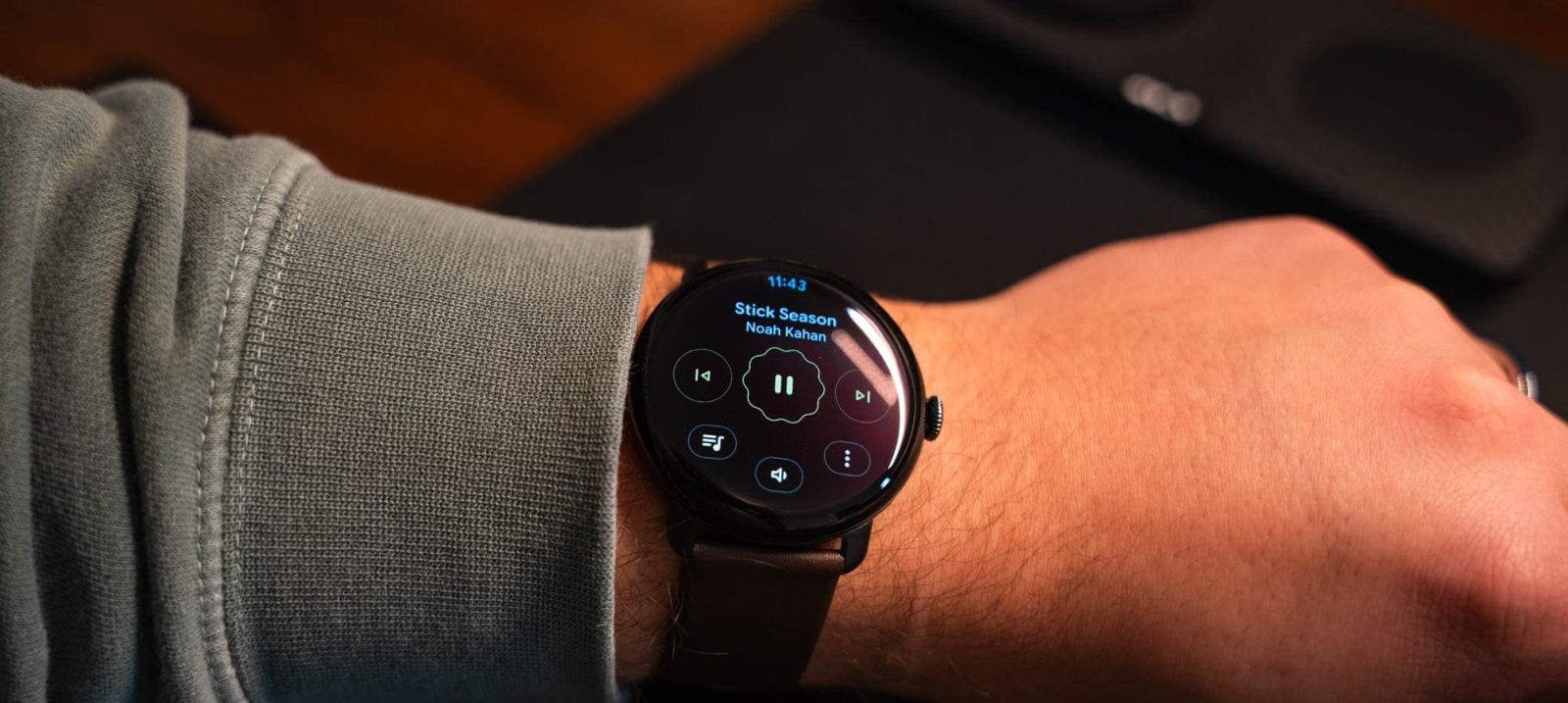
In addition to the Timer and Stopwatch enhancements, the update introduces AOD support for Media Controls. When media is playing, users can now view and interact with playback controls directly from the AOD screen. The control buttons adopt the outline style consistent with the Timer and Stopwatch apps, ensuring a cohesive visual experience. This feature is gradually rolling out and may require users to update the Media Controls app via the Play Store to access the new functionality.
Technical Details and Availability
These improvements are part of the Google Clock 6.11 update, which is being released incrementally. Users are encouraged to check for updates to ensure they receive the latest features. This update builds upon previous efforts to enhance AOD functionality in Wear OS. For instance, Wear OS 6 introduced more consistent AOD behavior across devices, and earlier updates added developer options like Force Global AOD Experience to maintain app visibility in ambient mode.
Conclusion
The latest Pixel Watch update significantly enhances the Always-On Display experience by integrating essential apps like Timer, Stopwatch, and Media Controls. These improvements provide users with immediate access to critical functions without the need to fully activate the watch display, thereby enhancing both convenience and battery efficiency. As Google continues to refine Wear OS, users can anticipate further enhancements that will make their wearable devices more intuitive and responsive to their needs.