Exploring the Latest Enhancements in iOS 26.4 Beta 2
Apple has recently released the second beta of iOS 26.4, introducing a series of updates and refinements aimed at enhancing user experience and functionality. This beta version brings notable changes across various applications and system settings, reflecting Apple’s commitment to continuous improvement.
Enhanced RCS Encryption Testing
A significant advancement in iOS 26.4 Beta 2 is the expanded support for testing end-to-end encrypted Rich Communication Services (RCS) messaging between iPhone and Android devices. Previously, this feature was limited to iPhone-to-iPhone communications. With the latest beta, Apple has broadened the scope to include cross-platform messaging, marking a substantial step toward secure and seamless communication between different operating systems.
To access this feature, users can navigate to Settings > Messages > RCS Messaging, where a new End-to-End Encryption (Beta) toggle is available. This option is enabled by default, allowing users to participate in the testing phase. It’s important to note that this feature is still in beta and may not be available for all devices or carriers. Conversations labeled as encrypted are protected end-to-end, ensuring that messages cannot be read while in transit between devices.
Accessibility Improvements: Reduce Highlighting Effects
In the realm of accessibility, iOS 26.4 Beta 2 introduces a new option titled Reduce Highlighting Effects. Located under Settings > Accessibility > Display & Text Size, this feature aims to minimize certain visual effects around the edges of buttons and sliders. By reducing these highlighting effects, Apple seeks to provide a more comfortable viewing experience for users who may find such visual enhancements distracting or overwhelming.
Games App Interface Refinement
The Games app has undergone a user interface adjustment in this beta release. The search bar has been repositioned to the top of the interface, aligning with the design changes previously implemented in the App Store during the initial beta release. This modification aims to create a more intuitive and consistent navigation experience across Apple’s suite of applications.
Dark Mode Enhancements in Control Center
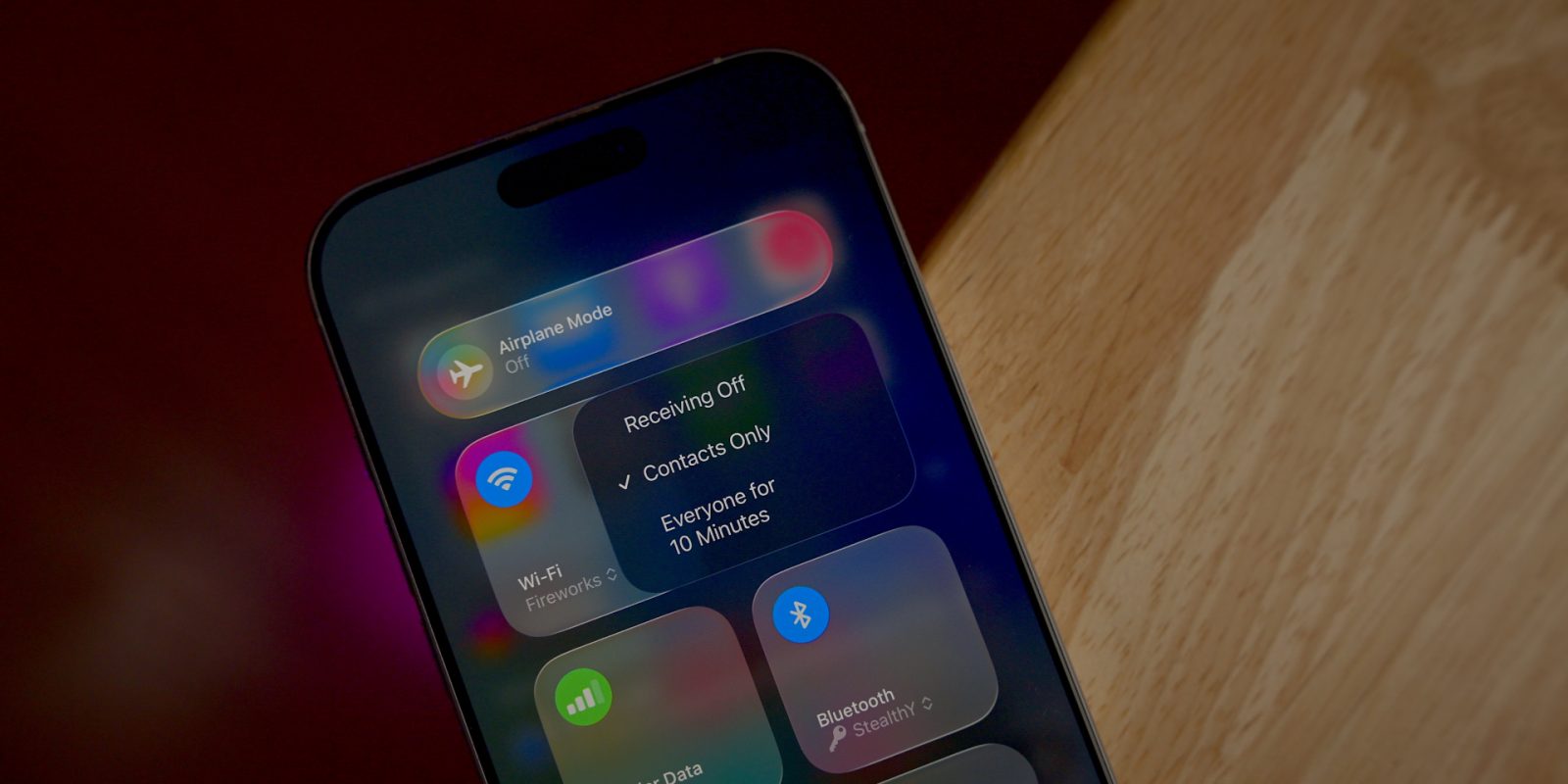
For users who prefer Dark Mode, iOS 26.4 Beta 2 brings a welcome change to the Control Center. Menu popups within the Control Center now feature a dark background, replacing the previously bright white interface. This adjustment not only enhances visual consistency but also reduces eye strain in low-light environments.
Music App Shortcut for Settings Access
The Music app has been updated to include a new shortcut on the profile page. This shortcut allows users to quickly navigate to Settings > Apps > Music, facilitating easier customization of Music app controls. This enhancement streamlines the process of adjusting settings, providing a more user-friendly experience.
Additional User Interface Tweaks
Beyond the major updates, iOS 26.4 Beta 2 includes several minor user interface refinements:
– Account Hub Interface in App Store: Subtle changes have been made to the Account Hub interface within the App Store, aiming to improve user navigation and overall aesthetics.
Conclusion
iOS 26.4 Beta 2 exemplifies Apple’s dedication to refining and enhancing the iOS experience. From bolstering communication security with expanded RCS encryption testing to improving accessibility and user interface design, this beta release addresses various aspects of user interaction. As these features are still in the testing phase, users can anticipate further refinements and additional enhancements in future updates.