GootLoader Malware Employs Advanced ZIP Archive Techniques to Evade Detection
GootLoader, a JavaScript-based malware loader, has recently adopted sophisticated methods to bypass security measures, notably by creating malformed ZIP archives that concatenate between 500 to 1,000 individual archives. This technique effectively evades detection by many unarchiving tools, as highlighted by Expel security researcher Aaron Walton. He noted that while tools like WinRAR or 7-Zip struggle to process these archives, the default Windows unarchiver handles them seamlessly, ensuring that victims can extract and execute the malicious JavaScript payload.
Typically, GootLoader is disseminated through search engine optimization (SEO) poisoning and malvertising strategies. Unsuspecting users searching for legal templates are redirected to compromised WordPress sites hosting these deceptive ZIP files. Once executed, GootLoader serves as a conduit for secondary payloads, including ransomware. This malware has been active since at least 2020, continually evolving its delivery mechanisms.
In late October 2025, GootLoader campaigns introduced new obfuscation techniques:
– Custom WOFF2 Fonts with Glyph Substitution: This method obfuscates filenames, making them appear benign to users and static analysis tools.
– Exploitation of WordPress Comment Endpoints: By leveraging the /wp-comments-post.php endpoint, attackers deliver ZIP payloads when users click on a Download button, seamlessly integrating the malicious files into the website’s functionality.
Expel’s recent findings shed light on GootLoader’s continued evolution, emphasizing its sophisticated obfuscation mechanisms:
– Concatenation of Multiple Archives: The malware crafts a ZIP file by combining 500 to 1,000 individual archives, complicating the extraction process for many tools.
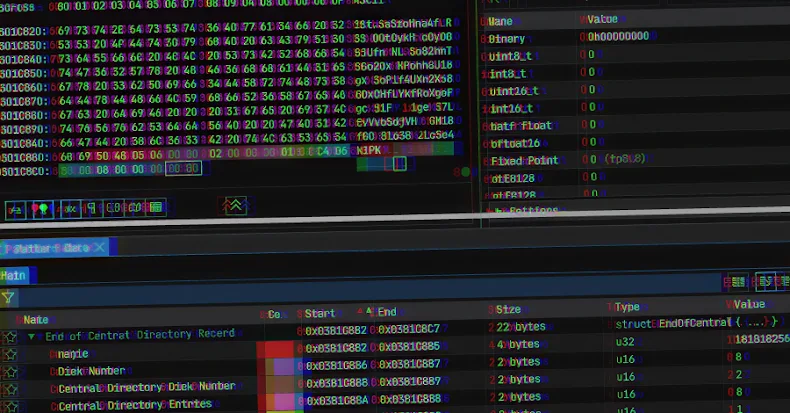
– Truncated End of Central Directory (EOCD) Record: By omitting two critical bytes from the EOCD structure, the archive induces parsing errors in many unarchiving tools.
– Randomization of Non-Critical Fields: Values in fields like disk number and number of disks are randomized, leading unarchiving tools to anticipate a sequence of ZIP archives that don’t exist.
Walton describes these tactics as hashbusting, a defense-evasion technique where each user receives a uniquely crafted ZIP file. This uniqueness renders hash-based detection methods ineffective, as the malware’s hash value differs with each download.
The attack sequence involves delivering the ZIP archive as an XOR-encoded blob. This blob is decoded and repeatedly appended on the client-side until it reaches a predetermined size, effectively circumventing security controls designed to detect ZIP file transmissions.
Upon double-clicking the downloaded ZIP archive, Windows’ default unarchiver opens the folder containing the JavaScript payload. Executing this JavaScript file initiates its operation via wscript.exe from a temporary folder, as the file contents aren’t explicitly extracted.
Subsequently, the JavaScript malware establishes persistence by creating a Windows shortcut (LNK) file in the Startup folder. This shortcut executes a second JavaScript file using cscript, which then spawns PowerShell commands to advance the infection. In previous GootLoader attacks, the PowerShell script collected system information and received commands from a remote server.
To mitigate the threat posed by GootLoader, organizations should consider the following measures:
– Restrict Execution of Scripting Engines: Block wscript.exe and cscript.exe from executing downloaded content unless necessary.
– Modify Default File Associations: Use Group Policy Objects (GPO) to ensure that JavaScript files open in Notepad by default, preventing automatic execution via wscript.exe.
By implementing these strategies, organizations can enhance their defenses against GootLoader’s advanced evasion techniques and reduce the risk of compromise.