Google has unveiled a significant redesign of its Android document scanner, introducing a Material 3 Expressive (M3E) interface that enhances both functionality and user experience. This update, initially tested in September, is now being more widely distributed to users.
Enhanced Scanning Capabilities
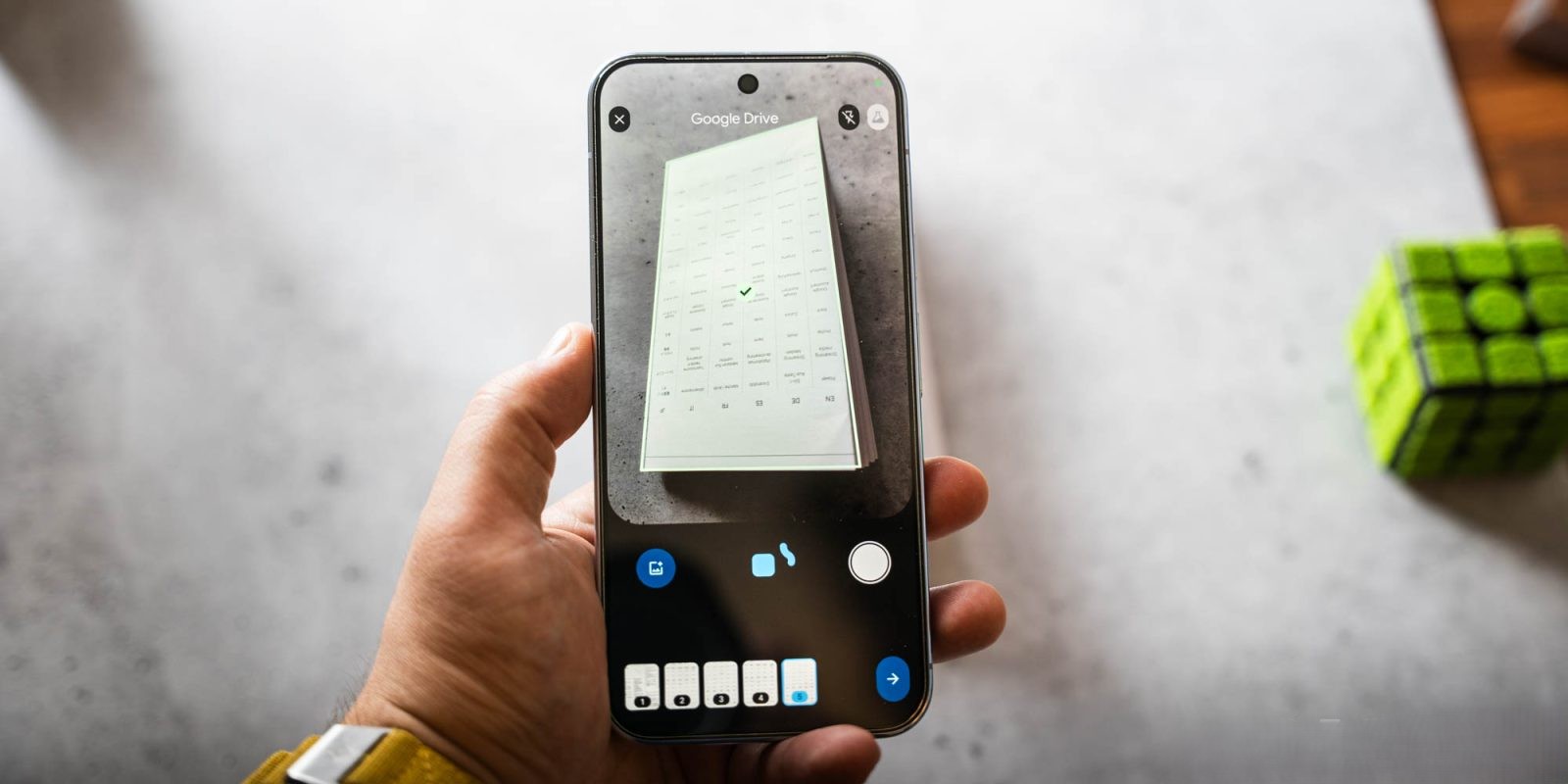
The revamped scanner allows users to capture multiple pages simultaneously, streamlining the process of digitizing documents. This feature is particularly beneficial for scanning books, multi-page documents, or numerous receipts in one go. The scanner intelligently detects and processes all pages within the viewfinder, reducing the time and effort required for manual scanning.
User Interface Improvements
The new design introduces a rounded viewfinder, aligning with the M3E aesthetic. Key controls, including options to close the scanner, toggle the flash, and revert to the previous scanning experience, are now conveniently located in vertical pill-shaped buttons at the top of the screen. At the bottom, a prominent expressive button manages the auto-scanning function, flanked by manual capture and file picker options. The progress indicator has also been updated to provide clear visual feedback during the scanning process.
Integration and Accessibility
Users accessing the scanner through Google Drive or Files by Google may encounter a prompt inviting them to Try the new document scanner Beta. This integration ensures that the enhanced scanning capabilities are readily available within Google’s ecosystem, providing a seamless experience for users.
Availability
The updated document scanner is rolling out with the stable version of Google Play services (25.46.32). Users are encouraged to check for updates to access the new features and improvements.
Conclusion
Google’s latest update to the Android document scanner reflects its commitment to enhancing user experience through thoughtful design and functionality. The introduction of the Material 3 Expressive redesign, coupled with advanced scanning capabilities, positions the scanner as a powerful tool for efficient document management.