Gemini Live Introduces Floating Pill Interface for Enhanced Android Experience
Google’s Gemini Live, initially a fullscreen feature, is now introducing a floating pill interface on Android devices, aiming to enhance user interaction and multitasking capabilities.
Overview of the Floating Pill Interface
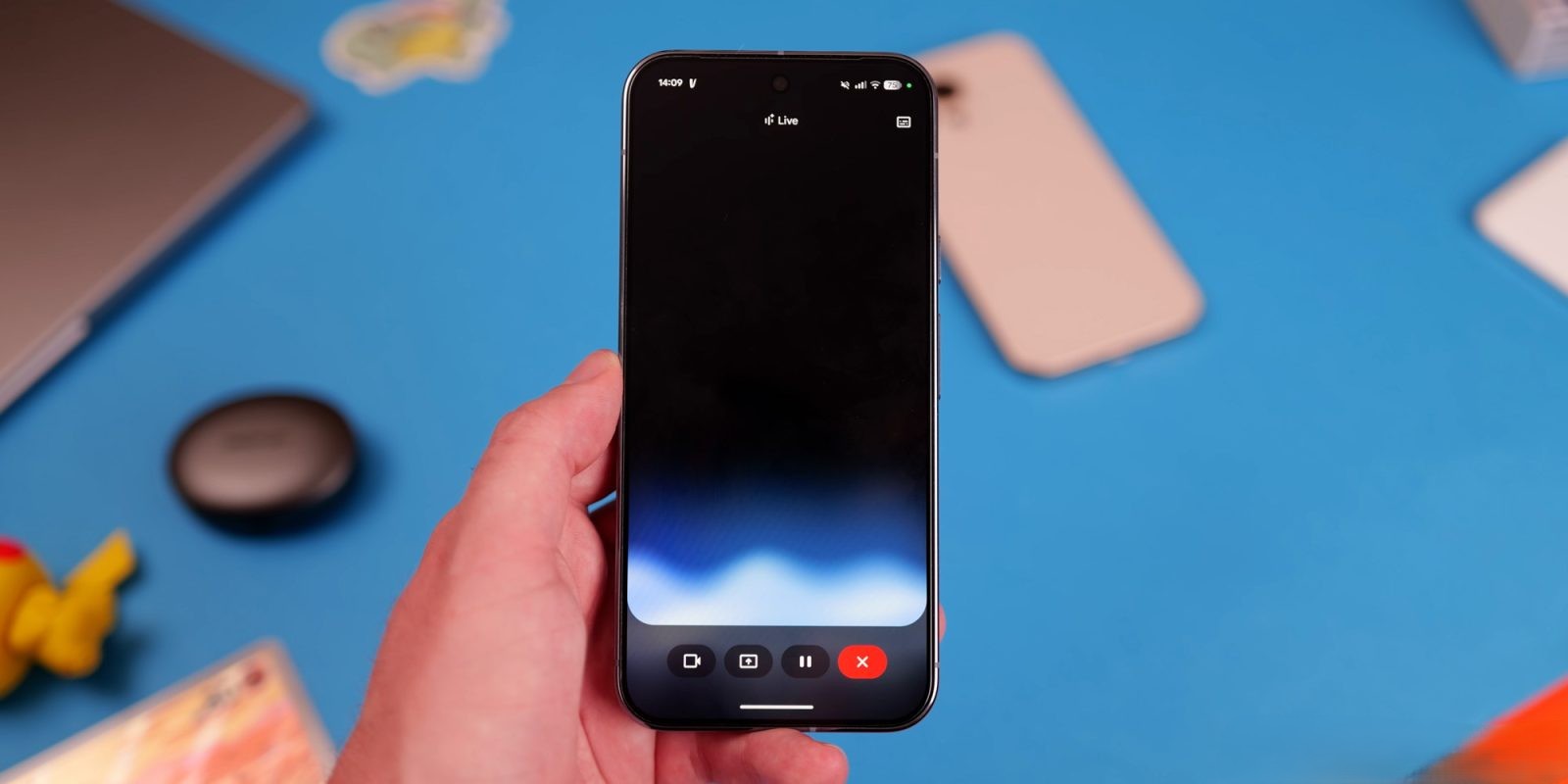
The new floating pill design offers a compact, movable interface that allows users to manage Gemini Live functions without occupying the entire screen. This design aligns with the Gemini overlay used for text prompts, ensuring a cohesive user experience.
Accessing the Floating Pill
Users can activate the floating pill through two primary methods:
1. Via the Gemini Overlay: Open the Gemini overlay and tap the Live icon located on the right side.
2. Through the Gemini App: Launch the Gemini app, initiate the fullscreen Gemini Live interface, and then exit to the home screen.
Functionalities of the Floating Pill
The floating pill provides several essential controls:
– Camera and Screen Sharing: Start sharing your camera or screen directly from the pill.
– Microphone Control: Mute or unmute the microphone as needed.
– Ending Live Sessions: Terminate the Live session conveniently.
If a conversation hasn’t started, tapping the keyboard icon switches to the Gemini overlay. Otherwise, it stops the Live session and opens the text transcript.
Design and User Interaction
The floating pill features the Gemini Live waveform in the background, with text transcriptions displayed above. Users can toggle these transcriptions on or off via the top-right corner. When engaging in other tasks, the pill collapses into a movable circle, similar to chat heads, allowing users to reposition it on the screen. Tapping the circle expands it, while swiping down closes it.
Integration with Fullscreen Interface
Despite the introduction of the floating pill, the fullscreen interface remains accessible. Users can return to it by reopening the Gemini app. Notably, video sharing continues to utilize the full UI to provide an immersive experience.
Rollout and Availability
As of February 28, 2026, the floating pill redesign is being widely rolled out to Google app beta users, particularly those on version 17.7. This update is part of a broader effort to enhance Gemini Live’s functionality and user experience.
Implications for User Experience
The floating pill interface signifies a shift towards more dynamic and flexible user interactions. By allowing users to manage Gemini Live features without leaving their current tasks, Google aims to improve multitasking and overall usability.
Future Developments
This redesign is anticipated to accompany a significant Gemini Live model update, suggesting further enhancements in the near future. Additionally, the floating circle interface may be particularly useful during computer interactions, as demonstrated in Google’s Project Astra.
Conclusion
The introduction of the floating pill interface in Gemini Live represents a thoughtful evolution in Google’s approach to user interface design. By offering a more compact and flexible way to interact with Gemini Live, users can enjoy a seamless and efficient experience on their Android devices.