Google has unveiled Chrome auto browse, a groundbreaking feature powered by Gemini 3, designed to automate complex, multi-step online tasks directly within the Chrome browser. This innovation aims to enhance user productivity by handling intricate processes such as scheduling appointments, filling out forms, and managing online shopping, all while maintaining user oversight and security.
Introduction to Chrome Auto Browse
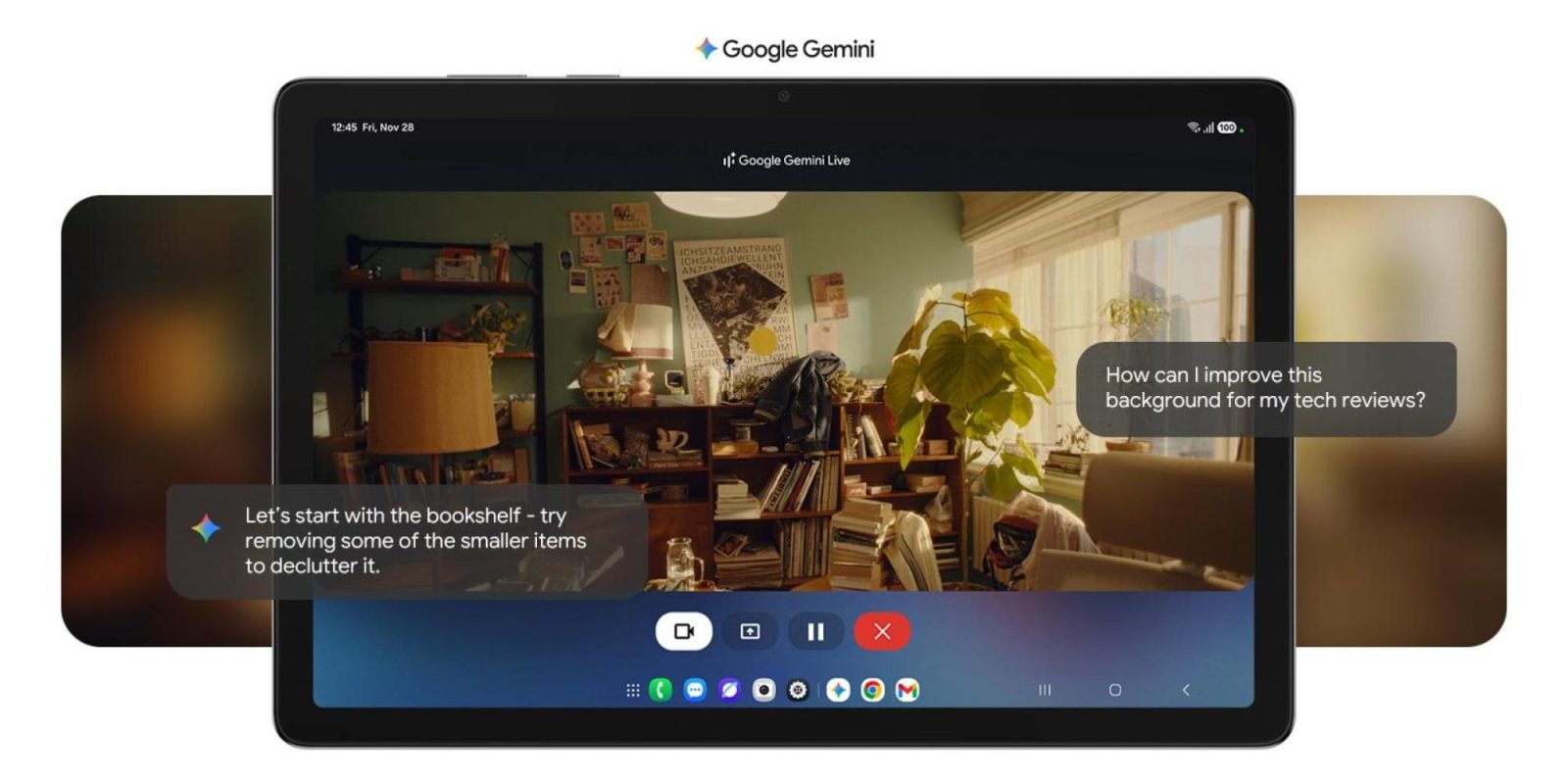
Chrome auto browse represents a significant advancement in browser capabilities, enabling users to delegate repetitive and time-consuming online activities to an intelligent agent. By leveraging the multimodal capabilities of Gemini 3, this feature can interpret user prompts, navigate web pages, interact with various elements, and execute tasks that traditionally required manual input.
How Chrome Auto Browse Functions
To initiate auto browse, users provide a specific task to Gemini within the Chrome browser. For instance, a user might instruct, Go to Etsy and find supplies to recreate the Photo Booth and add them to my cart. Don’t spend more than $75 total. Upon receiving such a prompt, Gemini confirms the task initiation and opens a new tab, marked with a cursor and sparkle icon, indicating that auto browse is active. The browser’s interface highlights this activity, ensuring users are aware of the ongoing automated process.
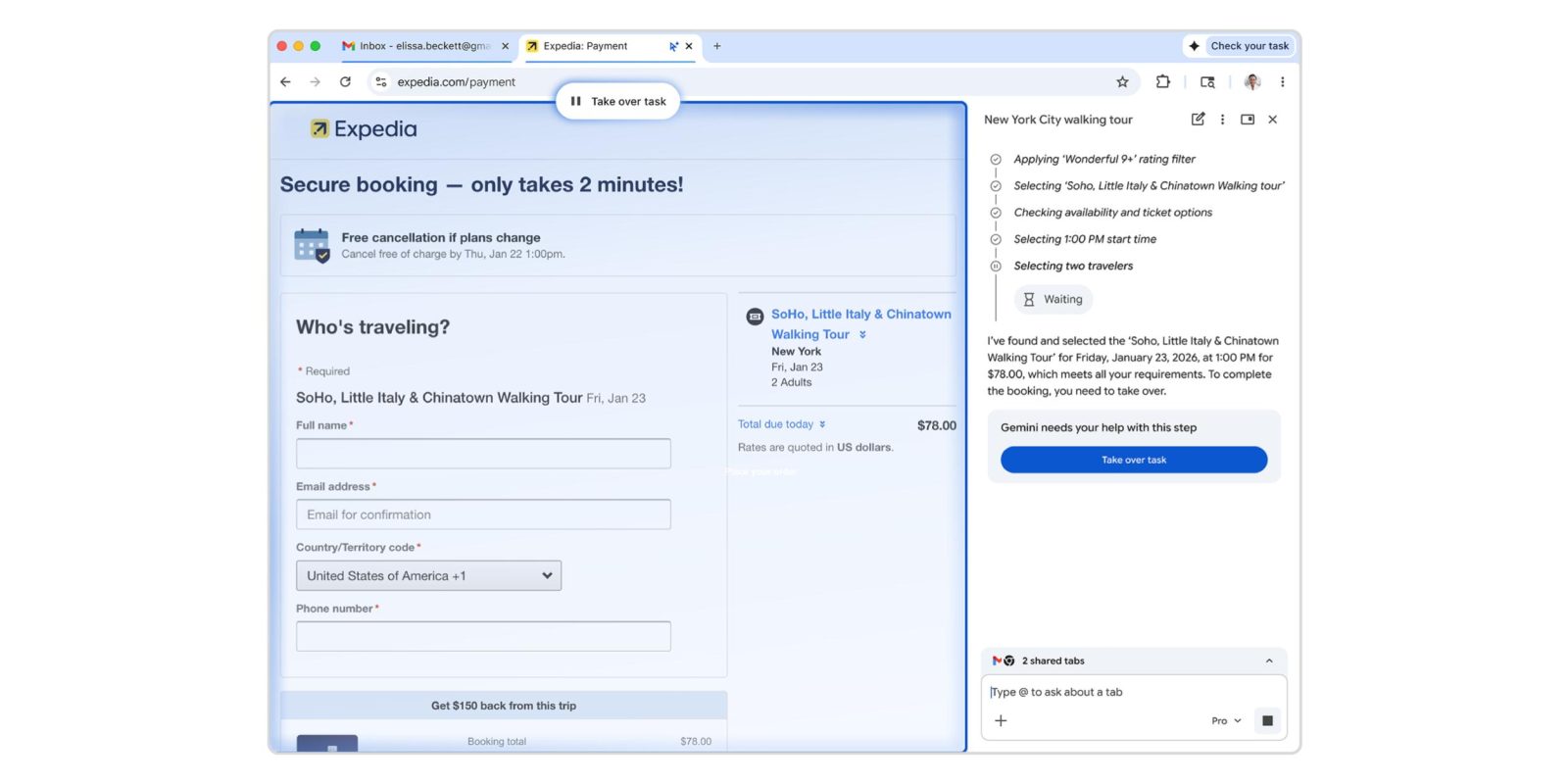
During the task execution, the Gemini side panel provides a step-by-step account of the actions being performed. This transparency allows users to monitor progress and intervene if necessary. For tasks involving sensitive actions, such as entering login credentials or completing purchases, auto browse integrates with Google Password Manager to autofill information securely. However, it requires user authorization for each action, ensuring that control remains firmly in the user’s hands. Notably, for critical steps like finalizing a purchase or posting on social media, users must manually confirm the action, adding an extra layer of security.
Practical Applications of Auto Browse
The versatility of auto browse extends to a wide range of online activities:
– Online Shopping: Users can instruct auto browse to search for specific items within a budget, add them to a shopping cart, and apply available discount codes.
– Appointment Scheduling: By providing details such as preferred dates and times, users can have auto browse navigate to service providers’ websites and book appointments.
– Form Completion: Auto browse can fill out online forms using pre-specified information, streamlining processes like event registrations or application submissions.
– Subscription Management: Users can task auto browse with reviewing and managing online subscriptions, including cancellations or renewals.
– Travel Planning: By analyzing flight and hotel options across multiple dates, auto browse can assist in identifying the most cost-effective travel plans.
User Control and Security Measures
Google emphasizes that while auto browse automates tasks, user control and security are paramount. Users can oversee the process through the Gemini side panel, which details each action taken. At any point, users have the option to Take over task, allowing them to intervene or modify the process as needed. This design ensures that automation enhances convenience without compromising user autonomy or security.
Availability and Access
As of January 28, 2026, Chrome auto browse is being rolled out to subscribers of Google AI Pro and AI Ultra in the United States. To manage server loads and ensure optimal performance, there is a daily limit on the number of agentic actions a user can initiate. This phased rollout allows Google to monitor usage patterns and make necessary adjustments to enhance the feature’s functionality and reliability.
Future Prospects and Enhancements
The introduction of auto browse marks a significant step toward integrating advanced AI capabilities directly into web browsers. Google plans to expand the feature’s availability to a broader user base and introduce additional functionalities based on user feedback and technological advancements. Potential future enhancements may include more complex task automation, deeper integration with third-party services, and expanded language support to cater to a global audience.
Conclusion
Chrome auto browse, powered by Gemini 3, exemplifies Google’s commitment to leveraging artificial intelligence to simplify and enhance the online experience. By automating routine tasks while maintaining user control and security, this feature has the potential to transform how users interact with the web, making online activities more efficient and less time-consuming.