Google Chrome Introduces Vertical Tabs and Fullscreen Reading Mode for Enhanced Browsing
Google Chrome has unveiled two significant updates aimed at improving user experience: vertical tabs and an immersive reading mode.
Vertical Tabs: A New Way to Manage Your Browsing
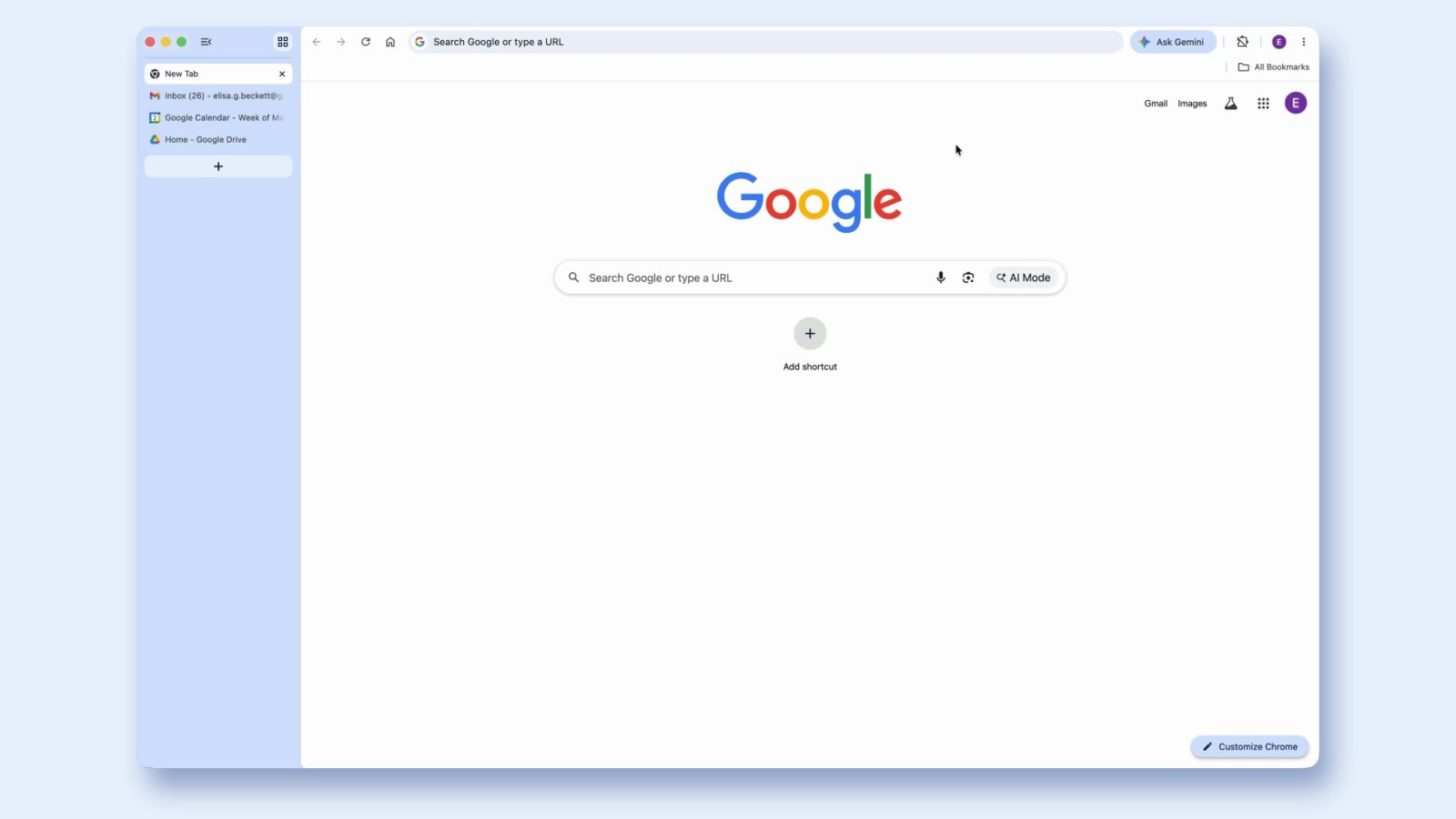
Traditionally, Chrome users have navigated through a horizontal tab strip at the top of the browser. With the introduction of vertical tabs, users can now display their open tabs in a list format along the left side of the screen. This design allows for the full titles of pages to be visible, even when numerous tabs are open, facilitating easier identification and management. Additionally, organizing tabs into groups becomes more intuitive with this layout.
For those who prefer a more compact view, the vertical tabs can be minimized to show only the website icons (favicons). This streamlined appearance is particularly beneficial for multitasking, ensuring that users can quickly locate and switch between tabs without losing track.
To activate vertical tabs, users can right-click on the top of any Chrome window and select the Show Tabs Vertically option. Switching between vertical and horizontal tabs is seamless, allowing users to choose the layout that best suits their browsing habits.
Immersive Reading Mode: Focus on Content
In addition to vertical tabs, Chrome has introduced an immersive reading mode designed to enhance the readability of web content. Unlike previous implementations that utilized a side panel, this new mode offers a full-page interface that eliminates visual distractions, providing a clean and text-focused reading experience.
Users can access this feature by right-clicking on any webpage and selecting Open in reading mode or by clicking the Reading Mode option in the address bar. Once activated, the reading mode not only simplifies the page layout but also offers customization options. From the top-right corner, users can initiate text-to-speech functionality and adjust the view to their preferences, such as changing font size or background color, to further enhance readability.
Rolling Out Now
Both the vertical tabs and immersive reading mode features are being rolled out to Chrome users starting today. These updates reflect Google’s commitment to evolving the browsing experience, offering users more control and flexibility in how they interact with web content.
As these features become available, users are encouraged to explore them and customize their browsing environment to better suit their needs. Whether it’s managing multiple tabs more efficiently or enjoying a distraction-free reading experience, Chrome’s latest updates are designed to make web navigation more intuitive and user-friendly.