Android XR Enhances Galaxy XR with App Pinning, Session Resumption, and Auto-Spatialization
Google has unveiled a significant update to Android XR, introducing a suite of features designed to enhance user experience on the Samsung Galaxy XR headset. This update focuses on improving app management, session continuity, and immersive content interaction.
App Pinning for Personalized Spaces
A standout feature in this update is the ability to pin applications directly to specific locations within the user’s virtual environment. This functionality allows users to anchor apps like calendars or streaming services to designated spots, ensuring they remain fixed and easily accessible during sessions. For instance, one can position a calendar app adjacent to a virtual office desk or place a streaming app in a preferred viewing area, simulating the presence of a large screen TV.
Seamless Session Resumption
Enhancing user convenience, the update introduces automatic session resumption. Upon restarting the headset, Android XR will restore the previous session, including all active applications and their specific layouts. This feature eliminates the need for users to manually reopen and reposition apps, streamlining the transition between sessions.
Enhanced Hand Presence in Home Space
To foster a more natural interaction with virtual content, the update enables users to view their hands within the home space through the headset’s passthrough cameras. This visual integration aims to keep users grounded in their physical surroundings, making gestures like reaching, pinching, and swiping feel more intuitive. Users can activate this feature by navigating to Settings > Advanced > Labs.
Auto-Spatialization for 3D Experiences
Another innovative addition is the auto-spatialization feature, which transforms standard 2D applications, games, websites, images, and videos into immersive 3D experiences. This enhancement adds depth to content such as YouTube videos, 2D games, and web pages viewed in Chrome, maximizing the potential of the headset’s immersive displays. By converting traditional 2D content into 3D, users can enjoy a more engaging and realistic visual experience.
Expanding the XR App Ecosystem
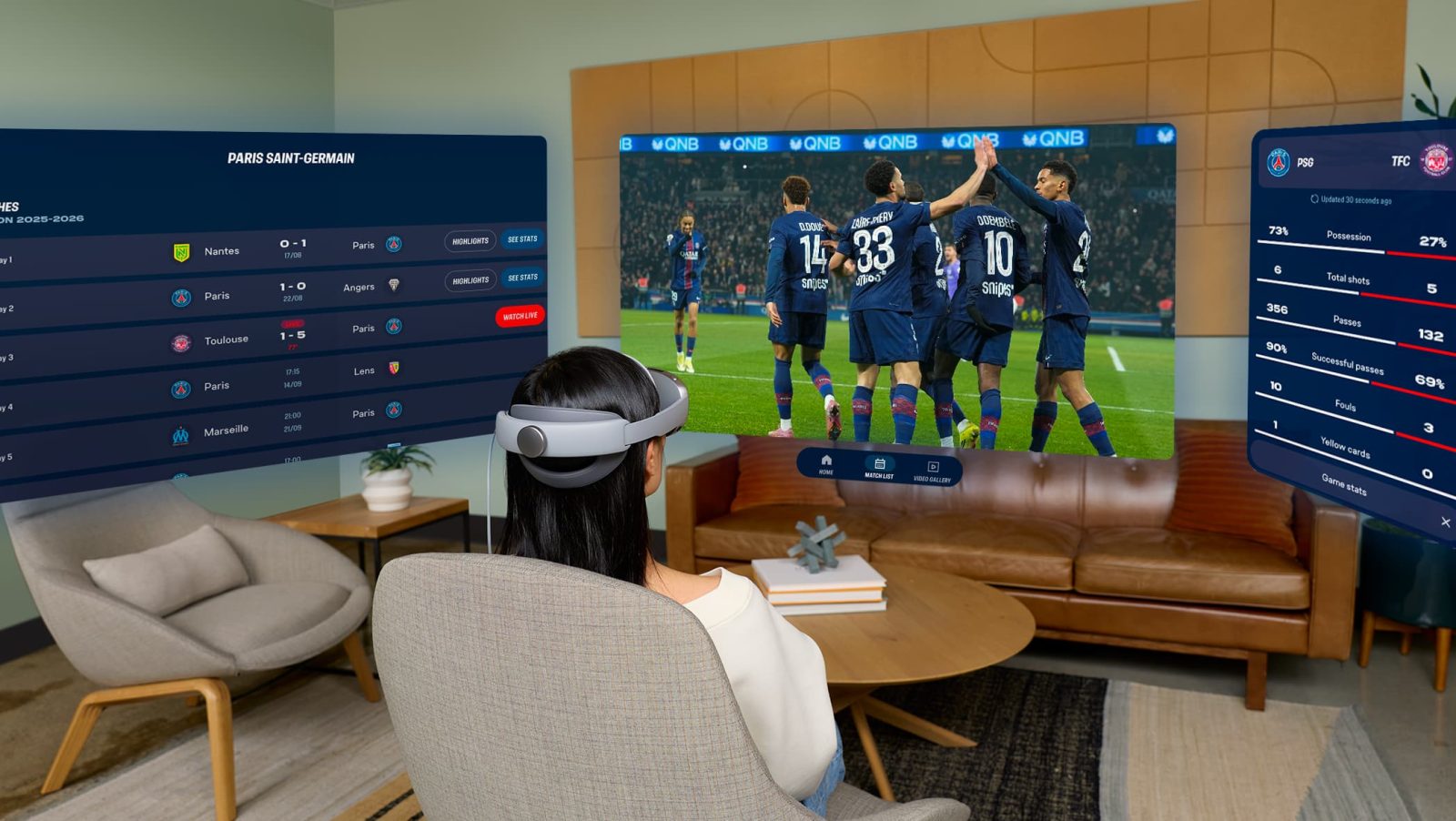
The Android XR platform has seen substantial growth, now boasting over 100 applications optimized for immersive experiences—a twofold increase since the Galaxy XR’s initial launch. New additions like Real VR Fishing and Trombone Champ: Unflattened! offer users diverse entertainment options. Furthermore, existing applications are expanding their offerings; for example, the Paris St. Germain (PSG) Immersion app now allows fans to watch live games as if they were present at the Parc des Princes stadium in Paris, either in full immersive mode or via an overhead tabletop view.
Additional Enhancements
Beyond these features, the update brings improvements in hand tracking, eye tracking, and accessibility, further refining the overall user experience. Samsung has commenced the rollout of this Android XR update to Galaxy XR users, ensuring they can benefit from these advancements promptly.