Cybercriminals Clone CERT-UA Website to Deploy Go-Based Remote Access Trojan
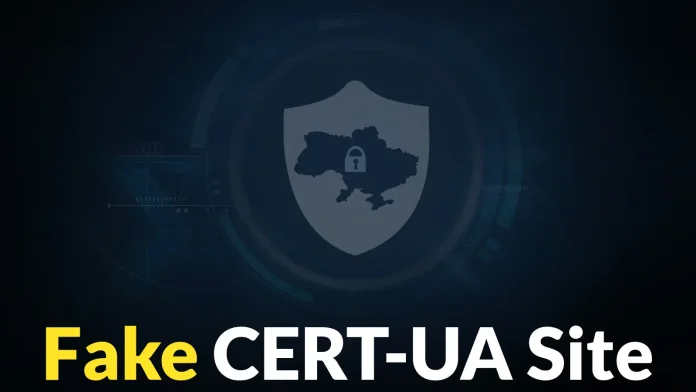
In a recent cyberattack, threat actors created a counterfeit version of Ukraine’s official cybersecurity authority website to distribute a sophisticated remote access trojan (RAT) known as AGEWHEEZE. This campaign, identified as UAC-0255, utilized phishing emails and a cloned government website to infiltrate the systems of government officials, medical personnel, and professionals across various sectors in Ukraine.
Attack Overview
On March 26 and 27, 2026, numerous organizations received emails purportedly from the Computer Emergency Response Team of Ukraine (CERT-UA). These messages urged recipients to download a password-protected archive named CERT_UA_protection_tool.zip or protection_tool.zip from the file-sharing service Files.fm, claiming it contained a critical security tool requiring immediate installation. The targeted sectors included government agencies, medical centers, security firms, educational institutions, financial organizations, and software development companies.
Deceptive Tactics
To enhance the credibility of their scheme, the attackers registered the domain cert-ua[.]tech and developed a fraudulent website that closely mirrored the official CERT-UA site at cert.gov.ua. This counterfeit site provided download links and installation instructions for the alleged security tool. The SSL certificate for the fake site was issued on March 27, 2026, just hours before the phishing emails were disseminated. The site was taken down shortly after its discovery.
Within the HTML source code of the fake website, investigators found a message stating With Love, CYBER SERP, along with a link to a Telegram channel. On March 28, 2026, the group posted in this channel, claiming responsibility for the attack, which led to the assignment of the UAC-0255 identifier to this incident.
Malware Deployment and Functionality
The archive file promoted in the phishing emails contained an executable that, when run, installed AGEWHEEZE—a full-featured RAT developed using the Go programming language. Once executed, AGEWHEEZE installs itself in the AppData folder, using paths such as `%APPDATA%\SysSvc\SysSvc.exe` or `%APPDATA%\service\service.exe`. To maintain persistence, it creates registry entries under `HKCU\Software\Microsoft\Windows\CurrentVersion\Run` and schedules tasks named SvcHelper and CoreService, ensuring it remains active even after system reboots.
After establishing persistence, AGEWHEEZE connects to its command-and-control (C2) server at 54[.]36.237.92 over port 8443 using WebSockets for real-time communication. The malware boasts a wide array of capabilities, including:
– Capturing screenshots
– Simulating mouse clicks and keyboard input
– Managing files and directories
– Listing and terminating active processes
– Controlling system services
– Reading and writing clipboard data
– Opening URLs
– Executing terminal commands
– Performing power actions such as shutdown, restart, or lock
The C2 management panel, referred to as The Cult, was protected by an authentication form. Russian-language text found in its HTML source code provided further clues about the identity of the group behind the operation.
Impact and Response
CERT-UA confirmed that the attack did not achieve widespread infection. Only a limited number of personal devices belonging to staff at educational institutions were compromised. The response team acted swiftly, providing technical assistance and guidance to the affected organizations to mitigate the threat.
Recommendations for Mitigation
To protect against similar attacks, organizations are advised to:
1. Verify Communication Sources: Always confirm the authenticity of emails, especially those requesting the download and installation of software.
2. Educate Employees: Conduct regular training sessions to raise awareness about phishing tactics and the importance of scrutinizing unsolicited communications.
3. Implement Robust Security Measures: Utilize advanced email filtering solutions to detect and block phishing attempts.
4. Maintain Up-to-Date Systems: Ensure that all software and operating systems are updated with the latest security patches.
5. Monitor Network Activity: Regularly review network logs for unusual activities that may indicate a compromise.
By adopting these practices, organizations can enhance their resilience against sophisticated cyber threats and safeguard their critical assets.