Transform Your iPad Pro into a Nintendo Switch 2 Display with a Portable Dock
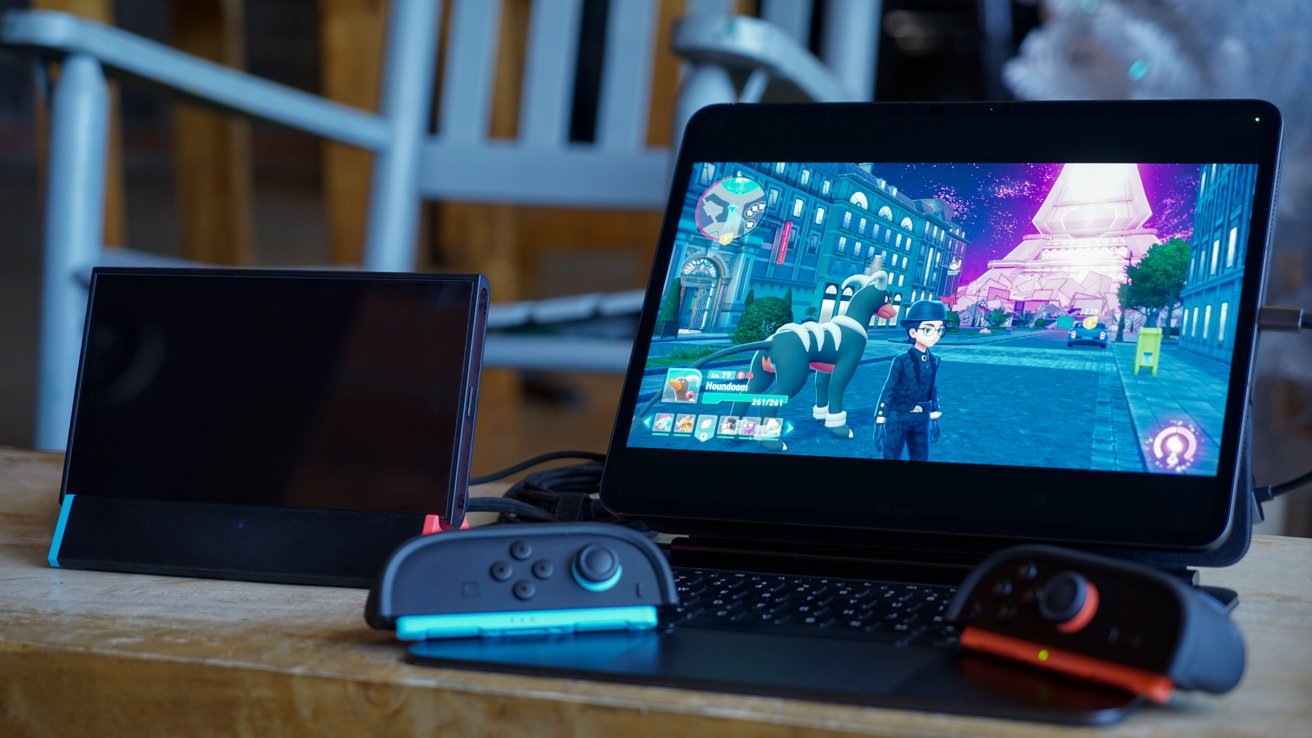
The integration of Apple’s iPad Pro with Nintendo’s Switch 2 has opened new avenues for gamers seeking a versatile and portable gaming setup. By utilizing a compact third-party dock, users can seamlessly transform their iPad Pro into a display for the Nintendo Switch 2, enhancing the gaming experience without the need for a traditional television.
Understanding the Compatibility
With the release of iPadOS 17, Apple introduced support for connecting devices like capture cards via USB-C. This advancement allows the iPad Pro to function as an external display for various devices, including gaming consoles like the Nintendo Switch 2. However, the official Nintendo Switch 2 dock is relatively large, which can be cumbersome for users seeking a more portable solution.
The Role of Third-Party Docks
Third-party docks, such as the Kuxiu portable dock, offer a compact and efficient alternative to the official Nintendo dock. Priced between $25 and $30, depending on the inclusion of a LAN port, the Kuxiu dock provides a cost-effective solution for gamers. Its small size makes it ideal for both desk setups and on-the-go gaming sessions.
Setting Up Your iPad Pro as a Nintendo Switch 2 Display
To utilize your iPad Pro as a display for the Nintendo Switch 2, follow these steps:
1. Gather Necessary Equipment:
– A compatible third-party dock (e.g., Kuxiu portable dock).
– An HDMI to USB-C adapter.
– A USB-C to USB-C cable.
– A power source for the dock.
– The Orion app installed on your iPad Pro.
2. Connect the Dock to the Nintendo Switch 2:
– Place the Nintendo Switch 2 into the third-party dock.
– Connect the dock to a power source.
3. Establish the Connection to the iPad Pro:
– Connect an HDMI cable from the dock to the HDMI to USB-C adapter.
– Plug the USB-C end of the adapter into your iPad Pro.
4. Launch the Orion App:
– Open the Orion app on your iPad Pro.
– The app should automatically detect the Nintendo Switch 2’s video output, displaying it on your iPad Pro screen.
Benefits of This Setup
– Portability: The compact nature of the third-party dock and the iPad Pro allows for a highly portable gaming setup, perfect for travel or limited space environments.
– Cost-Effectiveness: Third-party docks like the Kuxiu offer a more affordable alternative to the official Nintendo dock without compromising functionality.
– Versatility: This setup not only serves as a gaming display but also leverages the iPad Pro’s capabilities for other tasks, making it a multifunctional tool.
Considerations and Limitations
While this setup offers numerous advantages, there are a few considerations to keep in mind:
– Audio Output: Depending on the app used, audio routing may require additional configuration. Some apps may not support simultaneous audio input from the game and a microphone.
– Controller Compatibility: As of now, Nintendo Switch 2 Joy-Cons do not pair directly with Apple devices. Therefore, they must remain connected to the Nintendo Switch 2 console during gameplay.
– App Selection: The Orion app is recommended for its compatibility and features. However, users may explore other apps that support video input via USB-C, keeping in mind potential limitations in functionality.
Conclusion
By leveraging the capabilities of the iPad Pro and a compact third-party dock, gamers can create a flexible and portable gaming setup with the Nintendo Switch 2. This configuration not only enhances the gaming experience but also showcases the versatility of modern technology in adapting to user needs.