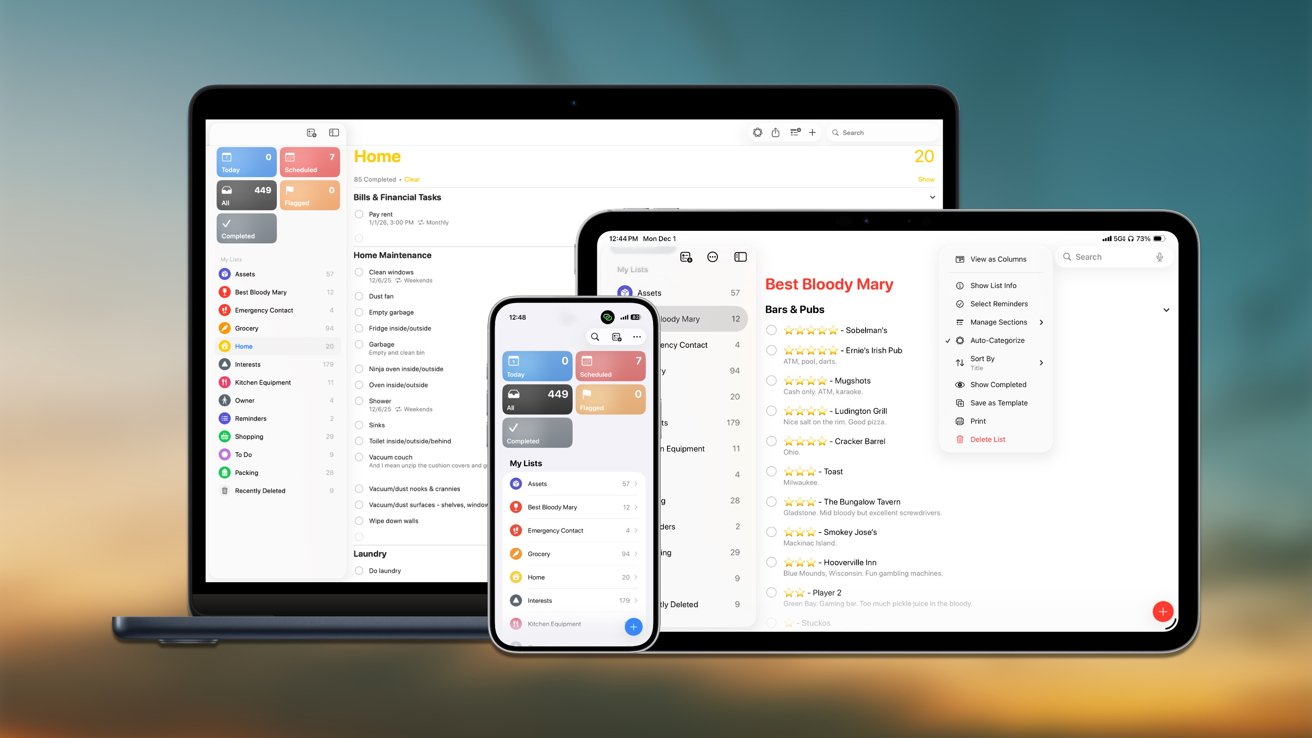
Transform Emails, Webpages, and Notes into Actionable Reminders with Apple Intelligence
In the fast-paced digital era, managing tasks efficiently is paramount. Apple has introduced a groundbreaking feature within its Reminders app, leveraging Apple Intelligence to seamlessly convert highlighted text from emails, webpages, and notes into actionable reminders. This innovation streamlines task management, reducing manual input and enhancing productivity.
Harnessing Apple Intelligence in Reminders
Apple Intelligence enhances the Reminders app by analyzing shared text for actionable elements such as tasks, deadlines, quantities, and instructional phrases. This feature is particularly beneficial when tasks are embedded within extensive content like emails or articles. Instead of manually extracting and inputting tasks, users can highlight relevant text and share it directly to Reminders. The system then suggests tasks for review before adding them to a list, ensuring accuracy and relevance.
Key Features and Benefits
– Automated Task Extraction: By highlighting and sharing text, Apple Intelligence identifies and extracts tasks, minimizing manual data entry.
– Contextual Analysis: The system recognizes patterns indicating actions, deadlines, and instructions, facilitating the creation of precise reminders.
– Efficiency in Task Management: This feature reduces the time spent on organizing tasks, allowing users to focus on execution.
Device Compatibility and Setup
To utilize this feature, ensure your device supports Apple Intelligence. Compatible devices include newer models of iPhone, iPad, and Mac equipped with Apple Silicon hardware. Language and region settings may also influence availability.
Setting Up Apple Intelligence:
1. Access Settings: Open the Settings app on your device.
2. Navigate to Apple Intelligence and Siri: Scroll to find and select Apple Intelligence and Siri.
3. Enable Features: Toggle on the Apple Intelligence features you wish to use.
Once enabled, the Reminders app will automatically integrate Apple Intelligence functionalities without additional configuration.
Creating Reminders from Text on iPhone and iPad
To convert text into reminders on your iPhone or iPad:
1. Open Source Content: Access the email, webpage, or note containing the information you want to track.
2. Highlight Relevant Text: Select the portion of text pertinent to your task.
3. Share to Reminders:
– Tap the Share button that appears above the highlighted text.
– Choose Reminders from the share sheet.
4. Review Suggested Tasks: Apple Intelligence will present suggested tasks based on the highlighted text.
5. Add to List: Confirm and add the desired tasks to your chosen reminder list.
This process allows for the efficient extraction of tasks from lengthy content, ensuring important actions are not overlooked.
Creating Reminders from Text on Mac
The procedure on a Mac mirrors that of iOS devices:
1. Open Source Content: Access the document, webpage, or email containing the desired information.
2. Highlight Relevant Text: Select the text you wish to convert into a reminder.
3. Share to Reminders:
– Right-click the highlighted text or use the Share button in the toolbar.
– Select Reminders from the menu.
4. Review and Add Tasks: Evaluate the suggested tasks and add the relevant ones to your reminder list.
This functionality is particularly advantageous for managing tasks derived from work documents and research materials, where structured writing is prevalent.
Optimal Use Cases
The integration of Apple Intelligence into Reminders is especially beneficial in scenarios involving multiple action items within a single source. For instance:
– Emails with Multiple Requests: Convert various requests within an email into separate follow-up tasks efficiently.
– Recipes and Project Notes: Extract ingredient lists or project steps into organized reminders without manual input.
By automating the extraction process, users can manage tasks more effectively, reducing the cognitive load associated with manual organization.
Tips for Enhanced Results
To maximize the effectiveness of this feature:
– Select Relevant Text: Highlight only the portions of text that are pertinent to the task to improve accuracy.
– Review Suggestions: Before adding tasks to your list, review the suggested reminders to ensure they align with your intentions.
– Edit Titles for Clarity: Modify reminder titles post-import to enhance readability, especially if the source text contains shorthand or jargon.
Supported Languages
Apple Intelligence’s availability is influenced by language support. Currently, supported languages include:
– English
– French
– German
– Italian
– Spanish
– Portuguese
– Japanese
– Korean
– Chinese (Simplified)
– Chinese (Traditional)
– Danish
– Dutch
– Norwegian
– Swedish
– Turkish
– Vietnamese
Conclusion
The integration of Apple Intelligence into the Reminders app marks a significant advancement in task management. By enabling users to convert highlighted text from emails, webpages, and notes into actionable reminders, Apple has streamlined the process of organizing tasks. This feature not only saves time but also ensures that important actions are captured and addressed promptly. As Apple continues to enhance its ecosystem with intelligent features, users can anticipate even more tools designed to boost productivity and efficiency.