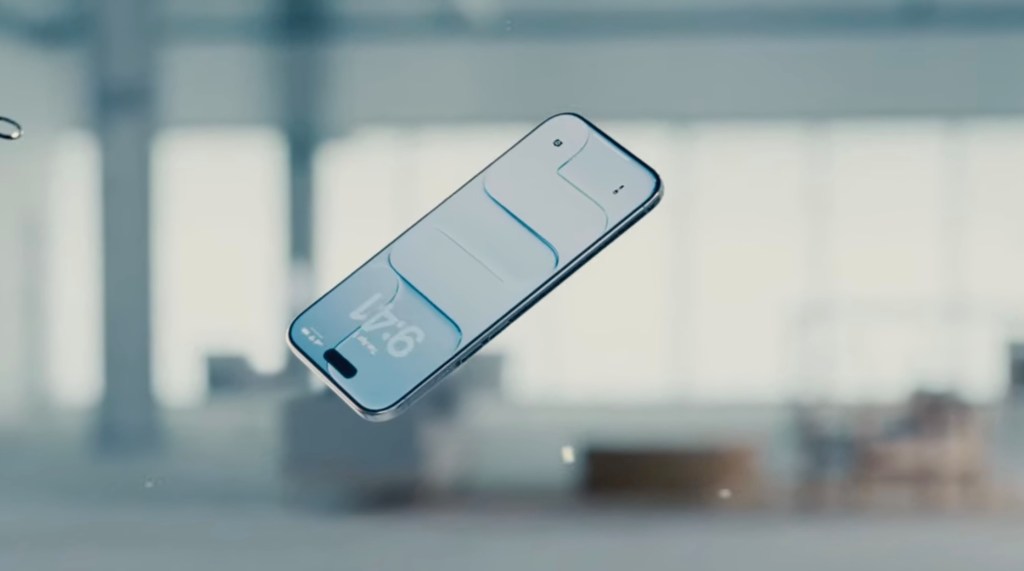
Apple’s iOS 26.2 introduces enhanced customization options for the Lock Screen’s clock transparency, addressing user feedback on the Liquid Glass design.
Article Title:
Apple’s iOS 26.2 Enhances Lock Screen Customization with Liquid Glass Transparency Controls
Article Text:
In its latest update, iOS 26.2, Apple has responded to user feedback by introducing a feature that allows users to adjust the transparency of the Lock Screen’s clock. This enhancement is part of the ongoing refinement of the Liquid Glass design language, which debuted with iOS 26.
The Liquid Glass design introduced semi-transparent interface elements, aiming to provide a modern and sleek aesthetic. However, some users found the increased transparency challenging, particularly when it affected the readability of essential information like notifications and media details. In response, Apple previously released iOS 26.1, which included a tool to reduce the transparency of Liquid Glass elements system-wide.
With iOS 26.2, Apple has taken customization a step further by allowing users to specifically adjust the glassiness of the Lock Screen’s clock. This new slider enables users to fine-tune the opacity, ensuring optimal readability without compromising the design’s aesthetic appeal.
This update also coincides with a significant change in Apple’s design leadership. Alan Dye, the executive behind the Liquid Glass design, has departed for Meta, with Stephen Lemay stepping in as his successor. Lemay’s extensive background in interface and interaction design suggests a continued focus on enhancing user experience and addressing feedback.
Beyond the Liquid Glass adjustments, iOS 26.2 introduces several new features:
– AirDrop Enhancements: Users can now create AirDrop codes to share with individuals not in their contacts, granting them known status for a 30-day period. This feature is particularly useful in professional settings or when sharing files with new acquaintances.
– Reminders App Alarms: The Reminders app now supports alarms, allowing users to set specific times for reminders, ensuring important tasks are not overlooked.
– Apple News Updates: A new Following tab has been added to the Apple News app’s bottom navigation bar, providing quick access to favorites, saved stories, and browsing history.
– Apple Music Offline Lyrics: Listeners can now view song lyrics offline, enhancing the music experience even without an internet connection.
– Podcasts App Improvements: The Podcasts app introduces AI-generated chapters for episodes and a Podcast Mentions feature, which automatically links to other shows referenced during an episode.
– Apple Watch Sleep Score: Apple Watch users will receive a Sleep Score based on their sleep quality and adherence to sleep goals, promoting better sleep habits.
Additionally, Apple has released critical security updates across its product lineup, including iPhones, iPads, Macs, Apple TVs, and Apple Watches, to address vulnerabilities exploited in active hacking campaigns.
These updates underscore Apple’s commitment to refining user experience and responding to community feedback, ensuring that its devices remain both functional and user-friendly.