Apple’s Lockdown Mode: Unparalleled Security for High-Risk Users
In an era where digital security threats are increasingly sophisticated, Apple has introduced a formidable defense mechanism: Lockdown Mode. Designed for individuals at heightened risk of cyberattacks—such as journalists, activists, and government officials—this feature offers an unprecedented level of protection for iPhone, iPad, and Mac users.
Understanding Lockdown Mode
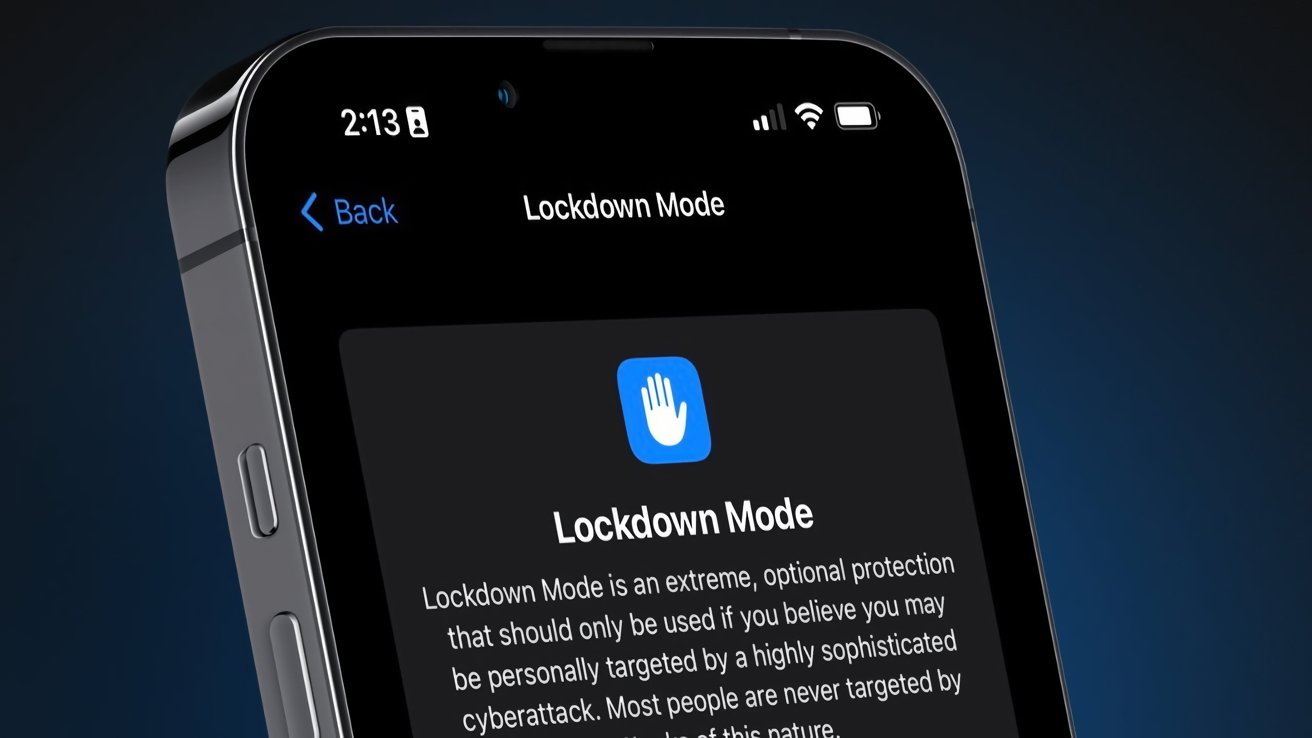
Introduced in 2022, Lockdown Mode is an optional security setting that, when activated, significantly restricts device functionality to minimize potential attack vectors. Apple emphasizes that this mode is intended for users who believe they may be personally targeted by a highly sophisticated cyberattack. For the average user, such extreme measures are typically unnecessary.
Key Features and Protections
When enabled, Lockdown Mode implements several stringent security measures:
– Messages: Most message attachments are blocked, and certain features are disabled to prevent potential exploits.
– FaceTime: Incoming calls from unknown contacts are automatically blocked, reducing the risk of unsolicited attacks.
– Web Browsing: Advanced web technologies, including just-in-time JavaScript compilation, are disabled to thwart web-based vulnerabilities.
– Shared Albums: Shared albums are removed from the Photos app, and new invitations are blocked to prevent unauthorized access to shared content.
– Device Connections: Wired connections with other devices or accessories are blocked when the device is locked, preventing physical exploits.
– Apple Services: Incoming invitations for Apple services from unknown contacts are blocked to reduce phishing attempts.
– Configuration Profiles: The installation of configuration profiles is restricted, preventing unauthorized changes to device settings.
Activating Lockdown Mode
To enable Lockdown Mode on your device:
1. Open the Settings app.
2. Navigate to Privacy & Security.
3. Scroll down and select Lockdown Mode.
4. Tap Turn On Lockdown Mode.
The device will restart to apply the changes. To disable Lockdown Mode, follow the same steps and select Turn Off Lockdown Mode.
Real-World Efficacy
Apple reports a 100% protection rate for devices operating in Lockdown Mode, underscoring its effectiveness. This claim is particularly significant given the increasing prevalence of sophisticated cyberattacks targeting high-profile individuals.
Limitations and Considerations
While Lockdown Mode offers robust security, it’s important to note that it may not protect against all types of vulnerabilities. For instance, a macOS vulnerability discovered in 2022 allowed attackers to bypass Gatekeeper and Lockdown Mode to run malware. Apple has since patched this issue, but it highlights the importance of keeping devices updated and understanding the scope of protection offered by Lockdown Mode.
Complementary Security Measures
In addition to Lockdown Mode, Apple has introduced other security features to protect users:
– Stolen Device Protection: Enabled by default in iOS 26.4, this feature requires biometric authentication for accessing sensitive data and introduces a one-hour delay for critical security changes when the device is outside trusted locations.
– Advanced Data Protection: This optional feature enhances iCloud security by allowing users to manage their encryption keys, ensuring that even Apple cannot access certain data without user consent.
Conclusion
Apple’s Lockdown Mode represents a significant advancement in digital security, offering unparalleled protection for users facing severe cyber threats. While it may not be necessary for the average user, its availability underscores Apple’s commitment to user privacy and security. As cyber threats continue to evolve, features like Lockdown Mode provide a critical line of defense for those who need it most.