Apple’s MacBook Neo: Affordable Innovation with Display Limitations
Apple has unveiled the MacBook Neo, a budget-friendly addition to its laptop lineup, priced at $599. This model is notable for integrating the A18 Pro chip, originally introduced in the iPhone 16 Pro, marking the first time an A-series processor powers a Mac.
External Display Support
A significant consideration for potential buyers is the MacBook Neo’s external display capabilities. The device supports a single external monitor with a maximum resolution of 4K at a 60Hz refresh rate. This limitation stems from the A18 Pro chip’s architecture, which differs from the M-series chips found in other Mac models.
Consequently, the MacBook Neo is incompatible with Apple’s higher-resolution Studio Display and Studio Display XDR, both of which require 5K support. However, users can connect the Neo to more affordable 4K USB-C monitors from manufacturers like LG, Dell, and Samsung.
USB-C Port Specifications
The MacBook Neo features two USB-C ports, each with distinct capabilities:
– USB-C 3 Port: Located closest to the rear of the device, this port supports DisplayPort 1.4 and offers data transfer speeds up to 10 Gb/s. It is the designated port for connecting external displays.
– USB-C 2 Port: Positioned nearer to the trackpad, this port is limited to USB 2 speeds of 480 Mb/s and does not support external display connections.
Notably, the MacBook Neo lacks Thunderbolt support, a feature present in other Mac models that facilitates multiple display connections and higher data transfer rates. Users attempting to connect an external monitor to the incorrect port will receive an alert from macOS, guiding them to use the appropriate USB-C 3 port.
Potential Workarounds
While the MacBook Neo officially supports only one external display, some users might explore third-party solutions like DisplayLink adapters to connect additional monitors. Such methods have been employed with other Macs that have display limitations, but their effectiveness with the MacBook Neo remains untested.
Built-in Display and Design
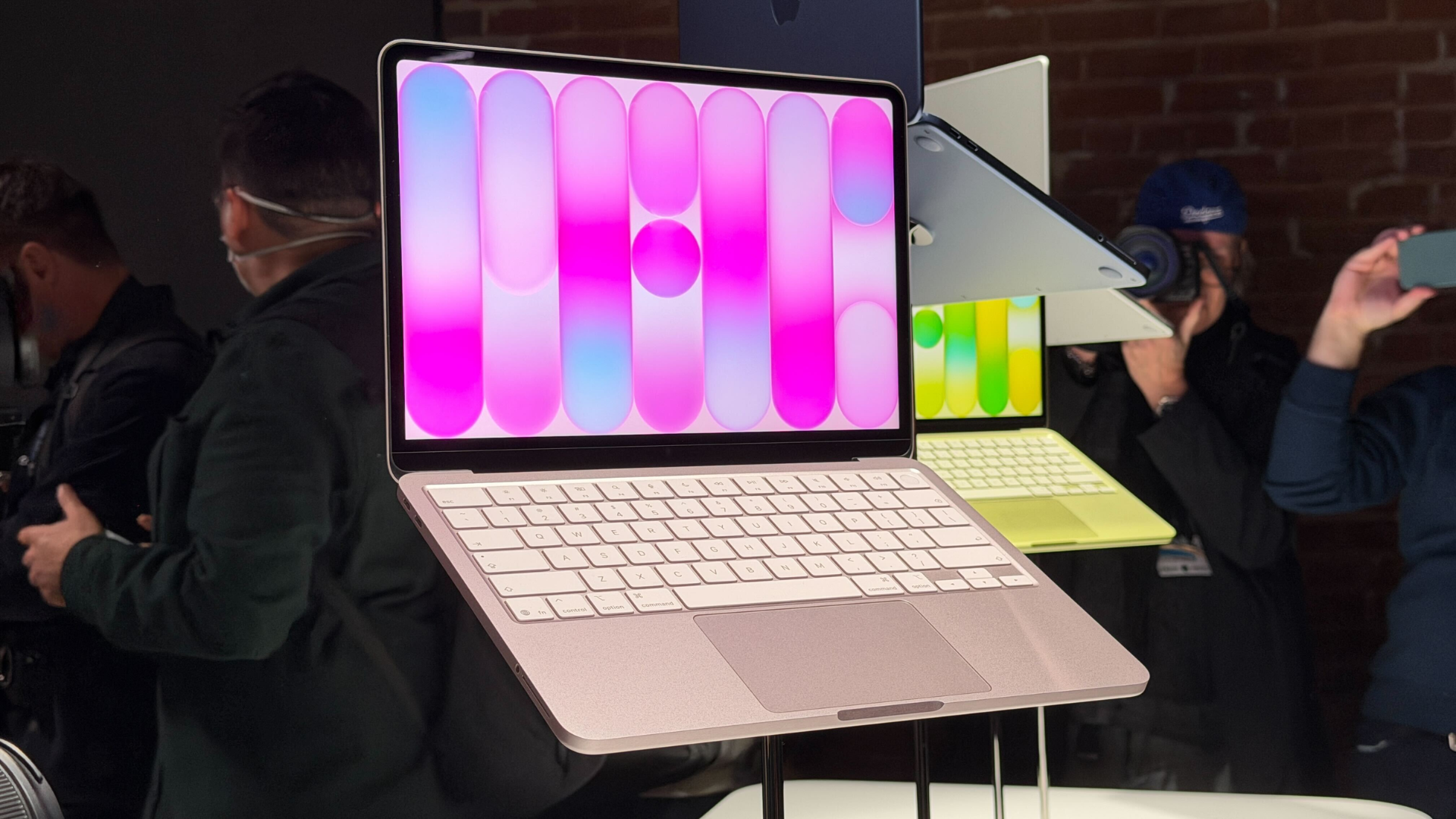
The MacBook Neo boasts a 13-inch Retina display with a resolution of 2408 x 1506 at 219 pixels per inch. The design includes thicker bezels reminiscent of iPad aesthetics, housing a 1080p FaceTime HD camera at the top. Unlike other MacBooks, the Neo does not feature a notch.
Additional Features and Limitations
– Keyboard and Trackpad: The MacBook Neo comes with a color-matched Magic Keyboard without backlighting. The base model lacks Touch ID, but this feature is available with the 512GB storage upgrade. The trackpad is a physical Multi-Touch version, differing from the Force Touch trackpads in other MacBooks.
– Audio and Camera: The device includes dual speakers with spatial audio support and a dual-microphone array. The 1080p FaceTime HD camera does not support Center Stage or Desk View features.
– Connectivity: The MacBook Neo supports Wi-Fi 6E and Bluetooth 6. It lacks a MagSafe charging port, relying solely on USB-C for charging. The device does not support fast charging and comes with a 20W USB-C power adapter in the U.S., while some regions may not include a power adapter.
Conclusion
The MacBook Neo presents an affordable entry point into the Mac ecosystem, blending innovative features with certain limitations. Its reliance on the A18 Pro chip introduces constraints, particularly in external display support and port functionality. Prospective users should weigh these factors against their specific needs to determine if the MacBook Neo aligns with their computing requirements.