Apple Phases Out iTunes Wish List: Steps to Preserve Your Movie and TV Show Selections
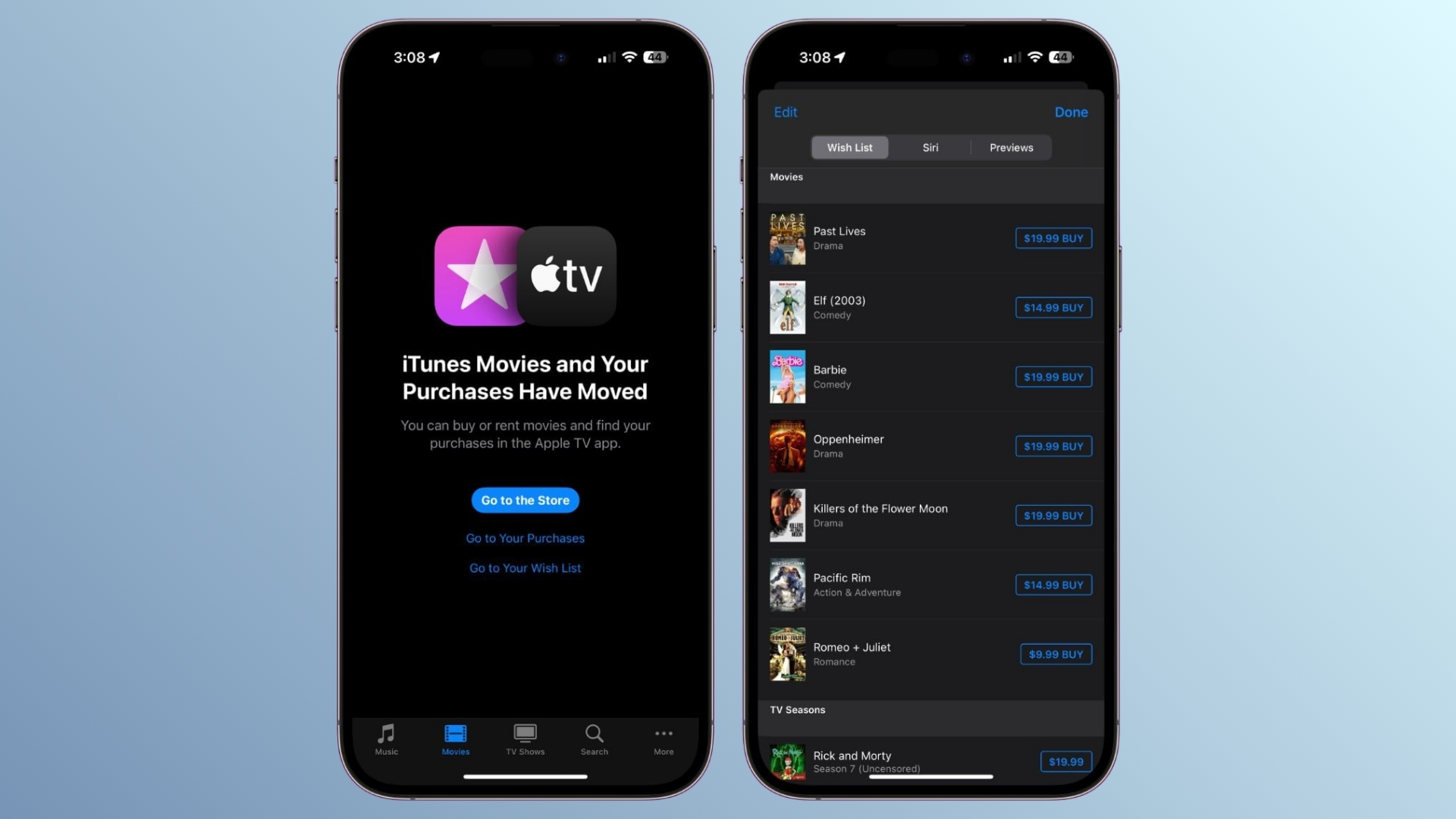
Apple is set to discontinue the iTunes Wish List feature for movies and TV shows, a tool that has long allowed users to bookmark titles for future purchase or rental. This impending change necessitates action from users who wish to retain their curated lists.
Understanding the Change
The iTunes Wish List, also referred to as Favorites on tvOS, has been a convenient way for users to keep track of desired content. However, with Apple’s strategic shift towards integrating streaming and content discovery within the Apple Music and Apple TV apps, the Wish List feature is being phased out as it no longer aligns with the company’s current ecosystem.
In a recent communication to users, Apple stated: Your iTunes Wish List of movies and shows is going away soon and will no longer be accessible. While a specific termination date was not provided, the language suggests that the feature’s end is imminent.
Preserving Your Wish List
To assist users in transitioning their saved titles, Apple has included a PDF attachment in the notification email. This document enumerates all the movies and TV shows from the user’s Wish List, each accompanied by a direct link. By opening these links and selecting the plus button, users can add the items to their Apple TV Watchlist. Once added, these titles will appear in the Continue Watching section on the Apple TV app’s home screen.
Step-by-Step Guide to Transfer Your Wish List
1. Access the Email from Apple: Locate the recent email from Apple regarding the discontinuation of the iTunes Wish List.
2. Download the Attached PDF: Open the email and download the provided PDF file, which contains your saved titles.
3. Open Each Link Individually: Within the PDF, click on each title’s link to open it in the Apple TV app.
4. Add to Watchlist: In the Apple TV app, tap the plus button to add the title to your Watchlist.
5. Verify Your Watchlist: After adding all desired titles, navigate to the Continue Watching section on the Apple TV app’s home screen to ensure all items are present.
Implications of Inaction
If users choose not to transfer their Wish List items, they will lose access to their curated selections once the feature is removed. Apple has clarified that no action is required for those who do not wish to preserve their lists. However, it’s important to note that once the Wish List is discontinued, it cannot be retrieved.
Historical Context
This is not the first instance of Apple modifying its content management features. In a previous update, the company attempted to remove the Wish List without prior notice, leading to user dissatisfaction. The feature was temporarily reinstated, but the current move indicates a definitive step towards its permanent removal.
Apple’s Strategic Direction
The elimination of the iTunes Wish List is part of Apple’s broader initiative to consolidate its services. Since the release of iOS 17.2, the Apple TV app has become the primary platform for purchasing movies and TV shows on iOS devices. By removing the Wish List, Apple aims to streamline user experience and focus on its integrated apps.
Conclusion
For users who have utilized the iTunes Wish List to manage their movie and TV show interests, it’s crucial to act promptly. By following the outlined steps, you can ensure that your curated selections are preserved within the Apple TV app, maintaining continuity in your entertainment experience.