Apple Unveils iPadOS 26.4 Beta 2: Enhancements and New Features for Developers
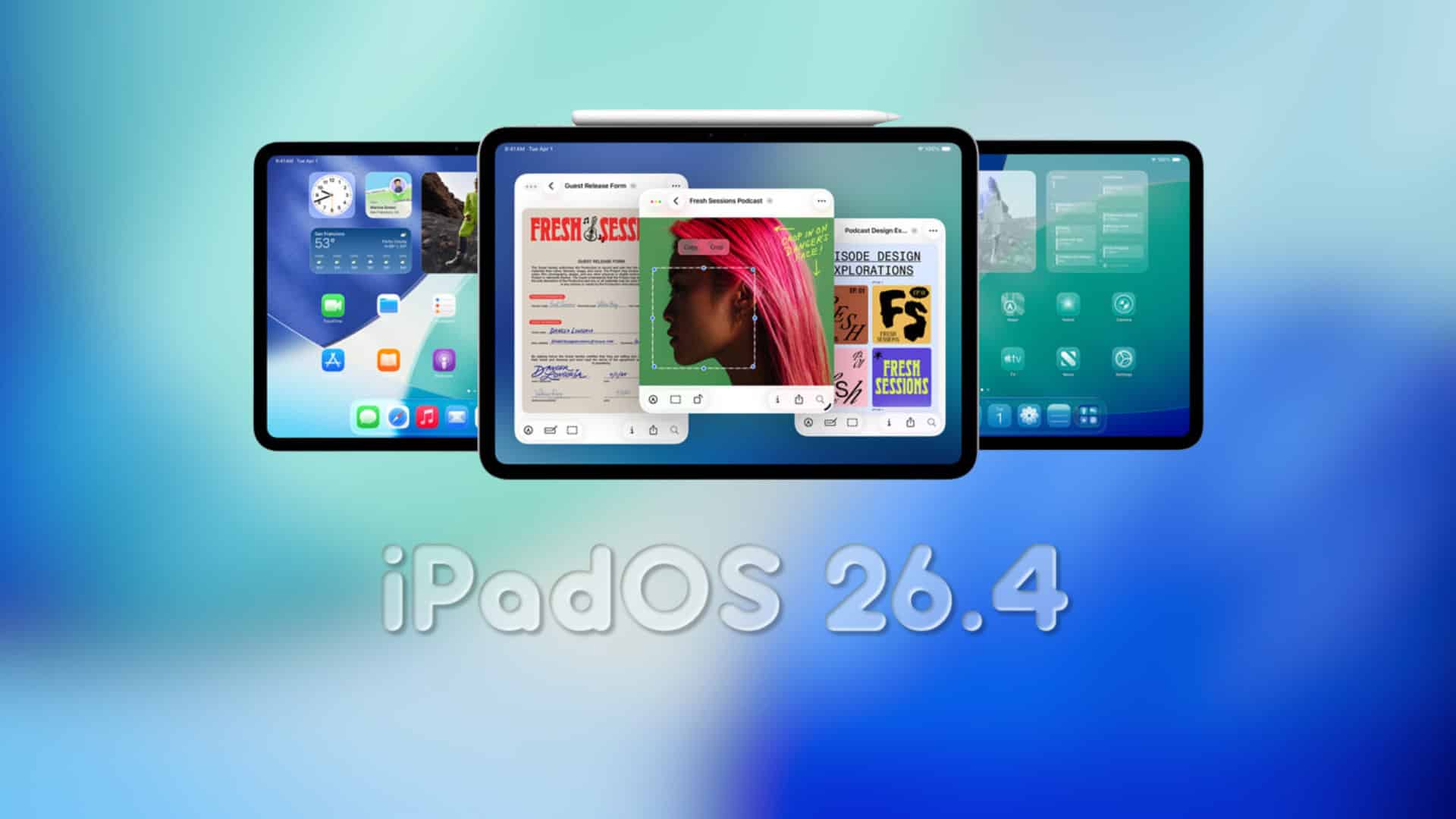
Apple has recently released the second developer beta of iPadOS 26.4, marking a significant step in the ongoing development of its operating system for iPads. This update, identified by build number 23E5218e, follows the initial beta and is now accessible to registered developers through the Software Update section in the Settings app.
How to Update to iPadOS 26.4 Beta 2:
To install the latest beta on your iPad, follow these steps:
1. Open the Settings app.
2. Navigate to General.
3. Select Software Update.
4. If the beta does not appear, tap on Beta Updates and choose the developer beta option, then return to the previous screen.
5. Tap Update Now or Download and Install to begin the installation process.
Key Features and Enhancements in iPadOS 26.4 Beta 2:
While this beta primarily focuses on bug fixes, performance improvements, and stability enhancements, it also introduces several notable features and updates across various system applications:
– Apple Music Enhancements:
– Refreshed Interface: Parts of the Apple Music app have been redesigned for a more intuitive user experience.
– AI-Powered Playlist Creation: The new Playlist Playground feature allows users to generate playlists based on text prompts, such as upbeat workout mix or calm evening. This feature is currently limited to users in the United States.
– Concert Information: Users can now access concert details and tour dates for their favorite artists directly within the app, enhancing the music discovery experience.
– Safari Browser Update:
– Compact Tab Bar Option: The compact tab bar view has been reintroduced, catering to users who prefer a more streamlined browsing interface.
– Wallpaper Gallery Redesign:
– Updated Design: The wallpaper gallery has been revamped, allowing users to download wallpapers from various categories like Weather, Astronomy, and Emoji directly to their iPad.
– Reminders App Improvement:
– Urgent Smart List: A new Urgent section has been added, enabling users to prioritize and manage time-sensitive tasks more effectively.
– Home Screen Widget Addition:
– Ambient Music Widget: A new widget tied to Ambient Music has been introduced, allowing users to play different built-in ambient music options for sleep, productivity, and well-being directly from the Home or Lock Screen.
– Podcasts App Upgrade:
– Video Podcast Support: The Podcasts app now includes support for video podcasts, leveraging HLS technology for flexible streaming and offline viewing. This enhancement allows creators to distribute and monetize video content more effectively.
– Freeform App Enhancement:
– Creator Studio Features: Subscribers to Creator Studio can now access new features within the Freeform app, providing additional tools for creative projects.
Security and Privacy Enhancements:
– Stolen Device Protection:
– Enabled by Default: This feature adds an extra layer of security by requiring biometric authentication (Face ID or Touch ID) for sensitive actions such as accessing saved passwords or making certain account changes. This measure aims to reduce the risk of unauthorized access if a device is stolen and the passcode is compromised.
Messaging Improvements:
– Encrypted RCS Messaging:
– End-to-End Encryption Testing: Apple is testing end-to-end encryption for Rich Communication Services (RCS) messages sent between iPhones and Android devices. Encrypted conversations will display a lock icon, indicating that the messages are secure. This feature is currently in the testing phase and is expected to be publicly released in a future update.
Additional Changes:
– Home Screen Edit Menu:
– Transparent Liquid Glass Design: The Edit menu on the Home Screen now utilizes a more transparent Liquid Glass design, offering a visually appealing interface.
– Games App Update:
– Search Bar Relocation: The search bar in the Games app has been moved from the bottom to the top of the display for improved accessibility.
– App Store and Apple Music Account Hub:
– Unified Design: The Apple Account wording is now left-aligned and features the same rainbow logo as seen in the Settings app, providing a consistent user experience across applications.
– Accessibility Improvement:
– Reduce Highlighting Effects: A new option under the Display and Text Size section in Accessibility settings allows users to reduce highlighting effects, catering to individual visual preferences.
– Beta Update Management:
– Automatic Public Release Switch: If beta updates are toggled on but not installed for a four-month period, Apple will automatically switch the device to the public release audience, ensuring users remain on stable software versions.
Compatibility:
iPadOS 26.4 is compatible with a range of iPad models, including:
– iPad Pro (M4)
– iPad Pro 12.9-inch (3rd generation and later)
– iPad Pro 11-inch (1st generation and later)
– iPad Air (M2 and later)
– iPad Air (3rd generation and later)
– iPad (A16)
– iPad (8th generation and later)
– iPad mini (A17 Pro)
– iPad mini (5th generation and later)
It’s important to note that while these devices support iPadOS 26.4, some advanced features may be limited to newer iPads with faster processors, such as the A17 Pro and the M1 and later.
Conclusion:
The release of iPadOS 26.4 Beta 2 underscores Apple’s commitment to enhancing the iPad user experience through continuous improvements in functionality, security, and design. Developers are encouraged to explore these new features and provide feedback to help refine the operating system ahead of its public release. As always, it’s advisable to install beta software on devices designated for testing purposes to avoid potential disruptions on primary devices.