AirPods Pro 3 Receive Latest Firmware Update: What You Need to Know
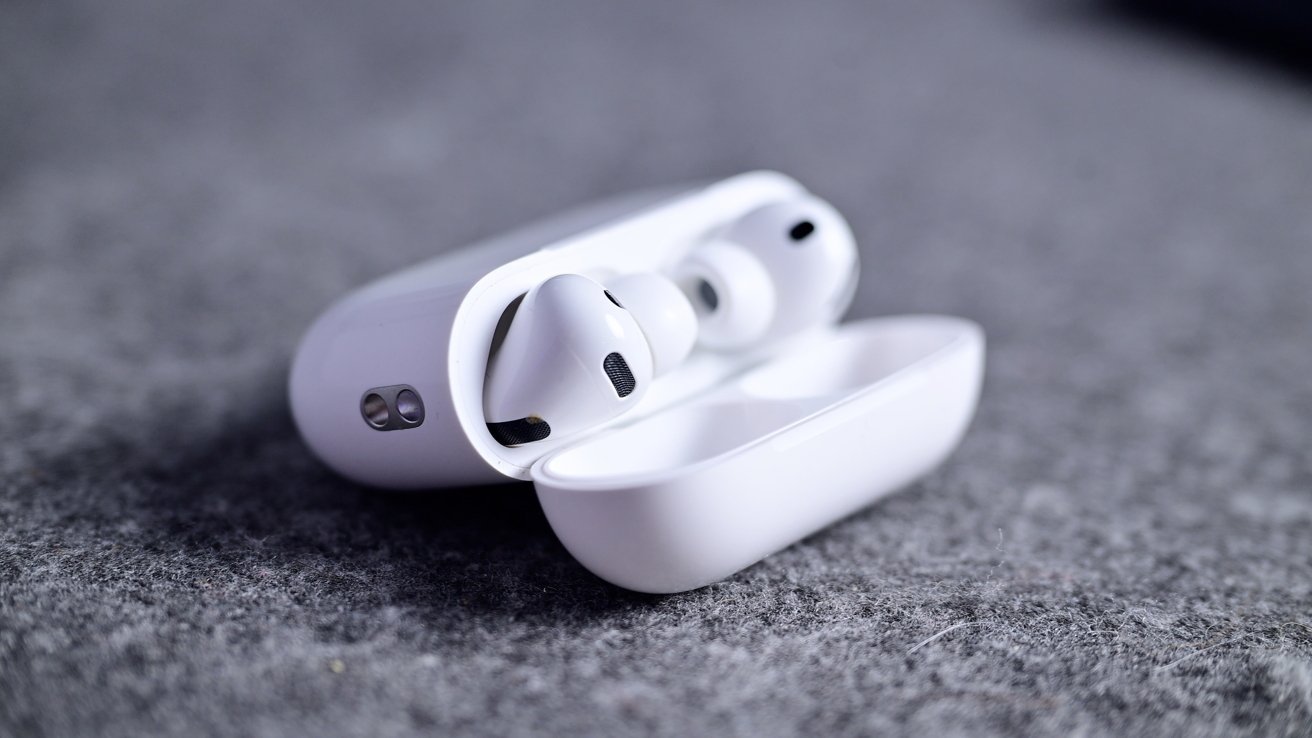
Apple has recently rolled out a new firmware update for the AirPods Pro 3, elevating the build number to 8B34 from the previous 8B30. This update was released shortly after the second iOS 26.3 developer beta, underscoring Apple’s commitment to enhancing user experience through regular software improvements.
Understanding the Update
While Apple has not provided specific release notes detailing the contents of this firmware update, such updates typically focus on:
– Bug Fixes: Addressing known issues to ensure smoother performance.
– Performance Enhancements: Optimizing existing features for better efficiency.
– Security Patches: Strengthening the device against potential vulnerabilities.
It’s important to note that this update is exclusive to the AirPods Pro 3 and does not extend to other models like the AirPods Max or earlier versions lacking the H2 chip.
Key Features of AirPods Pro 3
Introduced in September 2025, the AirPods Pro 3 brought several advancements to Apple’s wireless earbud lineup:
– Enhanced Active Noise Cancellation (ANC): Improved algorithms and hardware components provide a more immersive listening experience by effectively reducing ambient noise.
– Foam-Infused Eartips: Designed for a more comfortable and secure fit, these eartips adapt to the unique contours of each user’s ears.
– Heart Rate Sensing: A novel feature that allows users to monitor their heart rate directly through the earbuds, integrating health tracking seamlessly into daily activities.
Automatic Firmware Updates
Apple’s ecosystem is designed for user convenience, and this extends to firmware updates for devices like the AirPods Pro 3. The update process is entirely automatic:
1. Charging: Place your AirPods Pro 3 in their charging case.
2. Connectivity: Ensure the charging case is connected to a power source.
3. Proximity: Keep your iOS device (iPhone or iPad) nearby with an active internet connection.
Under these conditions, the firmware update will install without any manual intervention. This seamless process ensures that users always have the latest software enhancements without the need for technical know-how.
Verifying Your Firmware Version
If you’re curious about which firmware version your AirPods Pro 3 are running, you can easily check through your iOS device:
1. Open Settings: Navigate to the Settings app on your iPhone or iPad.
2. General: Tap on ‘General.’
3. About: Select ‘About.’
4. AirPods: Scroll down and tap on your AirPods Pro 3.
Here, you’ll find detailed information about your device, including the current firmware version. This transparency allows users to stay informed about their device’s software status.
The Importance of Regular Updates
Firmware updates are crucial for several reasons:
– Enhanced Functionality: They can introduce new features or improve existing ones, enriching the user experience.
– Stability Improvements: Regular updates address bugs and glitches, ensuring the device operates smoothly.
– Security Enhancements: Updates often include patches that protect against emerging threats, safeguarding user data and privacy.
By keeping your devices updated, you ensure optimal performance and security.
Conclusion
The release of the 8B34 firmware update for the AirPods Pro 3 highlights Apple’s dedication to continuous improvement and user satisfaction. While the specifics of this update remain undisclosed, users can rest assured that their devices are receiving the latest enhancements. To benefit from these updates, ensure your AirPods Pro 3 are regularly charged and connected to your iOS device. Staying updated not only enhances your listening experience but also ensures your device remains secure and efficient.