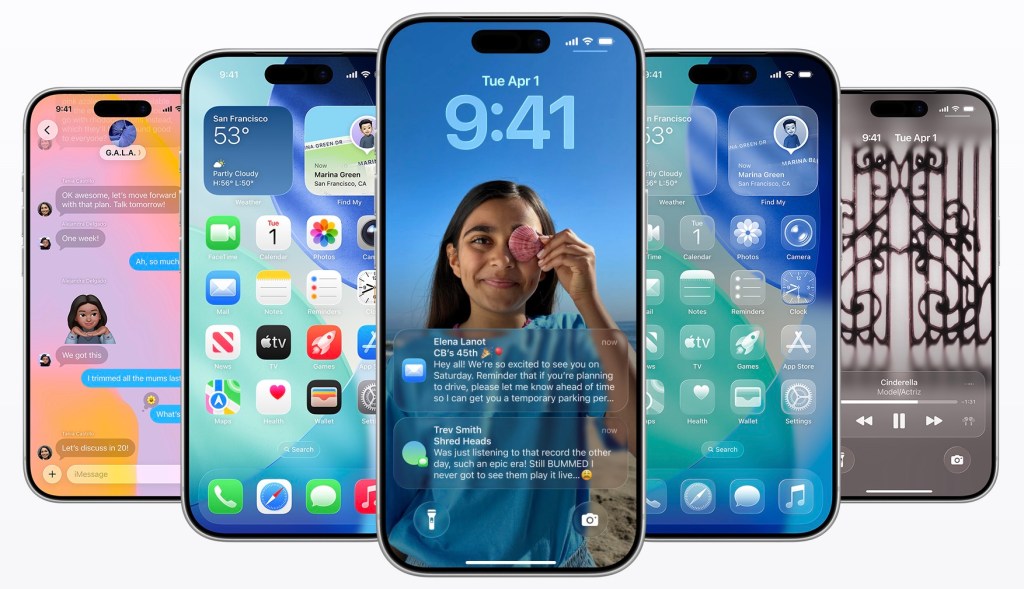
Apple Unveils iOS 26.4 Public Beta: AI-Powered Playlists, Video Podcasts, and Enhanced Security Features
Apple has recently released the public beta of iOS 26.4, introducing a suite of innovative features designed to enhance user experience across its ecosystem. This update brings significant advancements to Apple Music, Apple Podcasts, messaging security, and more.
Apple Music’s AI-Driven Playlist Creation
A standout feature in iOS 26.4 is the Playlist Playground in Apple Music. This AI-powered tool allows users to generate custom 25-song playlists by simply entering text prompts such as upbeat workout mix or calm evening. Users can further refine these playlists and select matching cover art, offering a personalized music experience. Additionally, Apple Music’s interface has been refreshed to display full-screen artwork for albums and playlists, providing a more immersive visual experience.
Discover Live Music with ‘Concerts Near You’
Enhancing music discovery, Apple Music introduces the Concerts Near You section. This feature helps users find live performances by their favorite artists in their vicinity. Users can filter events by date and genre or adjust the location settings if traveling, making it easier to plan and attend live shows.
Apple Podcasts Embraces Video Content
In response to the growing popularity of video podcasts, Apple Podcasts now supports video episodes. Creators can publish video content using HTTP Live Streaming (HLS), allowing listeners to seamlessly switch between audio and video within the same episode. The integration includes personalized recommendations and editorial curation, ensuring a cohesive user experience. HLS technology also adjusts video quality based on network conditions and enables offline viewing by allowing users to download episodes.
Enhanced Messaging Security with Encrypted RCS
iOS 26.4 begins testing end-to-end encryption (E2EE) for Rich Communication Services (RCS) messages. This development aims to provide secure messaging between iPhone and Android users, ensuring that conversations are protected from unauthorized access. Currently, the feature is in beta testing between iPhones, with plans to extend it to cross-platform messaging in future updates.
Stolen Device Protection Enabled by Default
To bolster device security, the Stolen Device Protection feature is now enabled by default. This enhancement requires biometric authentication, such as Face ID or Touch ID, for accessing sensitive areas like saved passwords and making account changes. By adding this layer of security, Apple aims to reduce the risk of unauthorized access if a device is stolen and the passcode is compromised.
CarPlay Introduces In-Car Video Playback and AI Integration
CarPlay users will notice significant updates, including support for in-car video playback through select apps like the Apple TV app. This feature is accessible only when the vehicle is parked, ensuring safety while providing entertainment options during stops. Additionally, CarPlay now offers access to third-party AI services such as OpenAI’s ChatGPT, Google’s Gemini, and Anthropic’s Claude, allowing users to engage with AI-driven applications hands-free.
Audio Zoom Enhances Video Recording
The Camera app introduces Audio Zoom, a feature that focuses the microphone on the subject when zooming in during video recording. This functionality reduces background noise and enhances audio clarity, making it ideal for capturing speeches, performances, or interviews without external audio equipment.
Ambient Music Widget for Quick Access
The Ambient Music feature, designed to help users relax or focus, is now accessible through a Home Screen widget. This addition allows users to instantly play soundscapes tailored for focus, sleep, or relaxation directly from the Home Screen, enhancing convenience and accessibility.
‘Urgent’ Reminders for High-Priority Tasks
The Reminders app gains a new Urgent section, grouping high-priority tasks and triggering prominent alerts as deadlines approach. Setting a reminder as urgent automatically adds an alarm, ensuring that critical tasks are not overlooked.
Unified Apple Account Hub
A new unified Apple Account Hub replaces the previous profile feature across Apple apps like the App Store and Apple Music. This redesign streamlines access to account settings and common actions, providing a consistent and user-friendly interface.
Additional Features and Enhancements
– Redesigned Wallpaper Gallery: The Wallpaper Gallery has been updated with a cleaner layout and clearer category separation, improving navigation and user experience.
– Personal Hotspot Data Usage: The Personal Hotspot feature now includes a Data Usage section, displaying how much data has been used and which devices have connected, offering better monitoring and control.
– Live Captions Support for Chinese (Taiwan): Live Captions now support Chinese (Taiwan), expanding accessibility for a broader range of users.
– Set Battery Charge Limit in Shortcuts: A new action in the Shortcuts app allows users to set a battery charge limit, helping to prolong battery lifespan by capping charging between 80% and 100%.
– App Store Search Bar Placement: The App Store’s search bar has been repositioned to the top of the screen, enhancing usability and search efficiency.
– Direct Access to iCloud.com: The link to iCloud.com now has a more prominent section within the iCloud settings, facilitating easier access to cloud services.
Conclusion
The iOS 26.4 public beta showcases Apple’s commitment to integrating advanced technologies and user-centric features into its operating system. From AI-driven music playlists and video podcast support to enhanced security measures and user interface improvements, this update offers a comprehensive enhancement to the iOS experience. Users interested in exploring these features can participate in the public beta program, with the official release expected in the coming months.