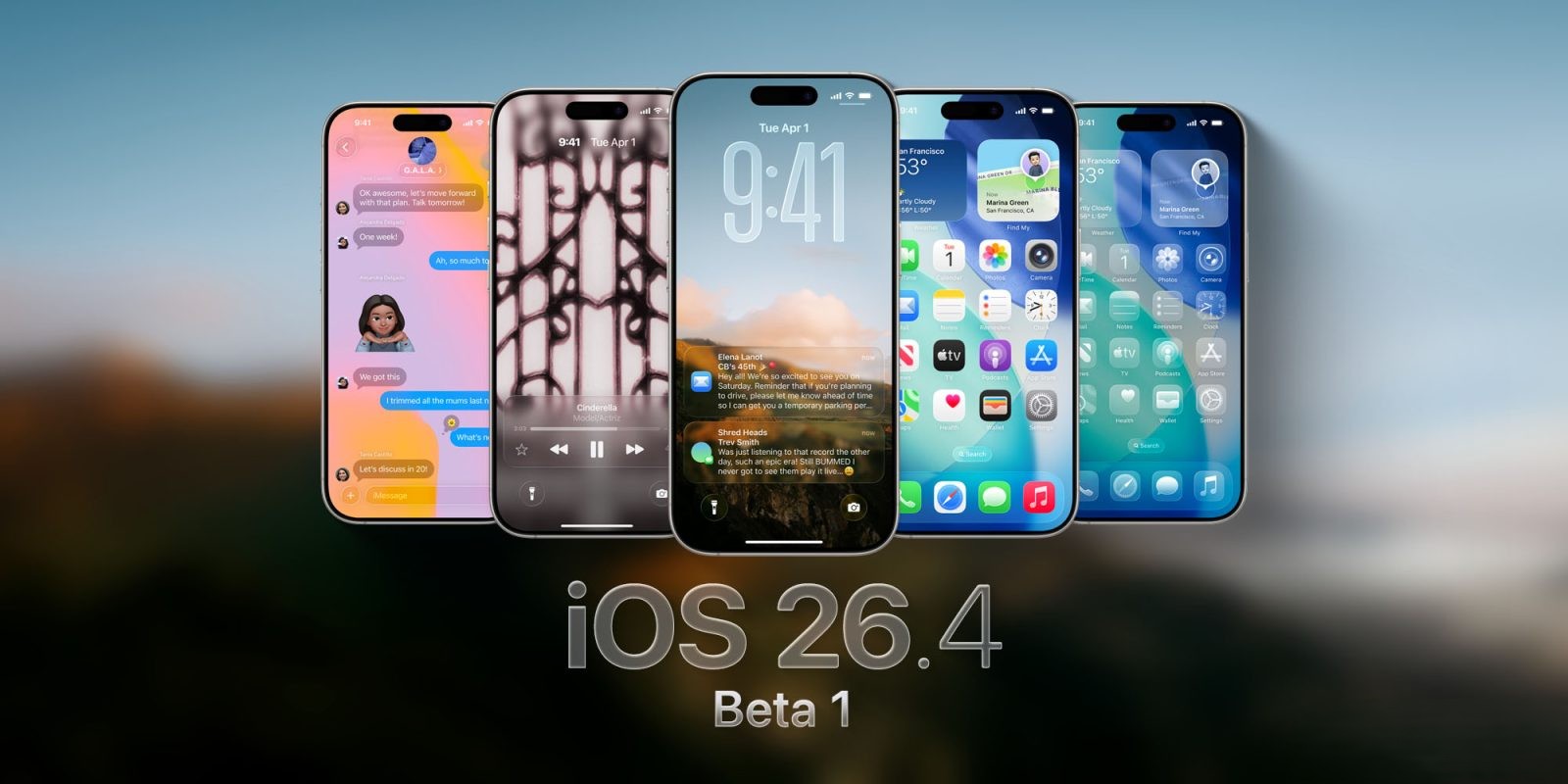
Apple Unveils iOS 26.4 Beta 1: A Glimpse into Upcoming iPhone Enhancements
Apple has recently introduced the first beta of iOS 26.4 for iPhone, marking a significant step in the evolution of its mobile operating system. This release offers developers and tech enthusiasts an early look at the forthcoming features and improvements slated for public release.
Anticipated Siri Enhancements on Hold
Initial expectations suggested that iOS 26.4 would bring substantial upgrades to Siri, Apple’s voice-activated assistant. However, these enhancements are not present in the current beta. In January, Apple finalized an agreement with Google to integrate Gemini AI technology into Siri, aiming to bolster its capabilities. While the development of these features has been underway for two years, the recent partnership indicates that the enhancements are still in progress and will be introduced in a future update.
Contextualizing iOS 26.4 Beta 1
The release of iOS 26.4 beta 1 follows the official launch of iOS 26.3, which was relatively modest in terms of new features. The previous update focused on:
– Simplified Device Transition: Facilitated a smoother switch between Android and iPhone devices.
– Wallpaper Gallery Adjustments: Made refinements to the Astronomy and Weather wallpaper collections.
– Enhanced Location Privacy: Introduced a feature for devices equipped with Apple C1 and C1X modems to limit precise location tracking via cellular networks with select service providers.
Exploring the New Features in iOS 26.4 Beta 1
While the anticipated Siri enhancements are absent, iOS 26.4 beta 1 introduces several noteworthy features and improvements:
1. Messages: Testing Encrypted RCS Messaging
Apple has initiated support for testing end-to-end encrypted Rich Communication Services (RCS) messaging within iOS 26.4 beta 1. Currently, this feature is limited to iPhone-to-iPhone communication for testing purposes, signaling a move towards more secure messaging protocols.
2. Apple Podcasts: Advanced Video Capabilities
The Apple Podcasts app receives significant upgrades, including:
– Enhanced Video Podcast Experience: Users can seamlessly switch between video and audio versions of podcasts, with automatic quality adjustments based on network conditions.
– Dynamic Video Ads: Introduction of dynamic video advertisements, offering a more personalized listening experience.
3. Apple Music: Visual and Functional Enhancements
Apple Music sees several updates aimed at enriching user engagement:
– Full-Screen Artwork: Select albums and playlists now feature immersive full-screen artwork.
– Concert and Tour Information: Users can access nearby concert details and tour dates for artists in their library.
– Redesigned Profile Section: A streamlined interface provides easier access to user profiles and related tasks.
4. Playlist Playground: AI-Driven Music Curation
A new feature, Playlist Playground, leverages Apple Intelligence to allow users to create playlists based on text descriptions or selected prompts, offering a personalized music experience.
5. Wallpaper Gallery: Refined User Interface
The Wallpaper Gallery undergoes a redesign, presenting a cleaner and more responsive interface that categorizes options more distinctly, enhancing user navigation.
6. Reminders: Introduction of ‘Urgent’ Smart List
The Reminders app adds a new Smart List for tasks marked as Urgent. This feature builds upon the urgency settings introduced in iOS 26.2, setting alarms to remind users of critical tasks.
7. Home Screen Widget: Quick Access to Ambient Music
A new Home Screen widget provides users with immediate access to ambient music playlists in Apple Music, facilitating a more convenient listening experience.
8. Stolen Device Protection: Enhanced Security Measures
Stolen Device Protection is now enabled by default. This feature requires biometric authentication when the device is away from trusted locations, adding a time delay for certain sensitive actions to enhance security.
9. App Store: User Interface Adjustments
The App Store sees minor tweaks, including:
– Search Bar Placement: The search bar returns to the top of the search tab for improved accessibility.
– Integrated Navigation: The search tab is now part of the bottom navigation bar, streamlining the user interface.
Additional Changes
– Shortcuts Enhancements: New actions for setting charge limits and managing Weather locations.
– Safari on iPadOS: Reintroduction of the compact tab bar for a more efficient browsing experience.
– Freeform App: Updated icon and a new splash screen highlighting Apple Creator Studio.
Conclusion
The release of iOS 26.4 beta 1 offers a preview of the upcoming features and refinements Apple plans to introduce. While the anticipated Siri enhancements are still in development, the current beta provides a range of updates across various apps and system functionalities, aiming to enhance user experience and security. As with all beta releases, users are encouraged to provide feedback to assist in the refinement of these features ahead of the official public release.