Apple Enhances iPhone Security: Stolen Device Protection Now Enabled by Default in iOS 26.4
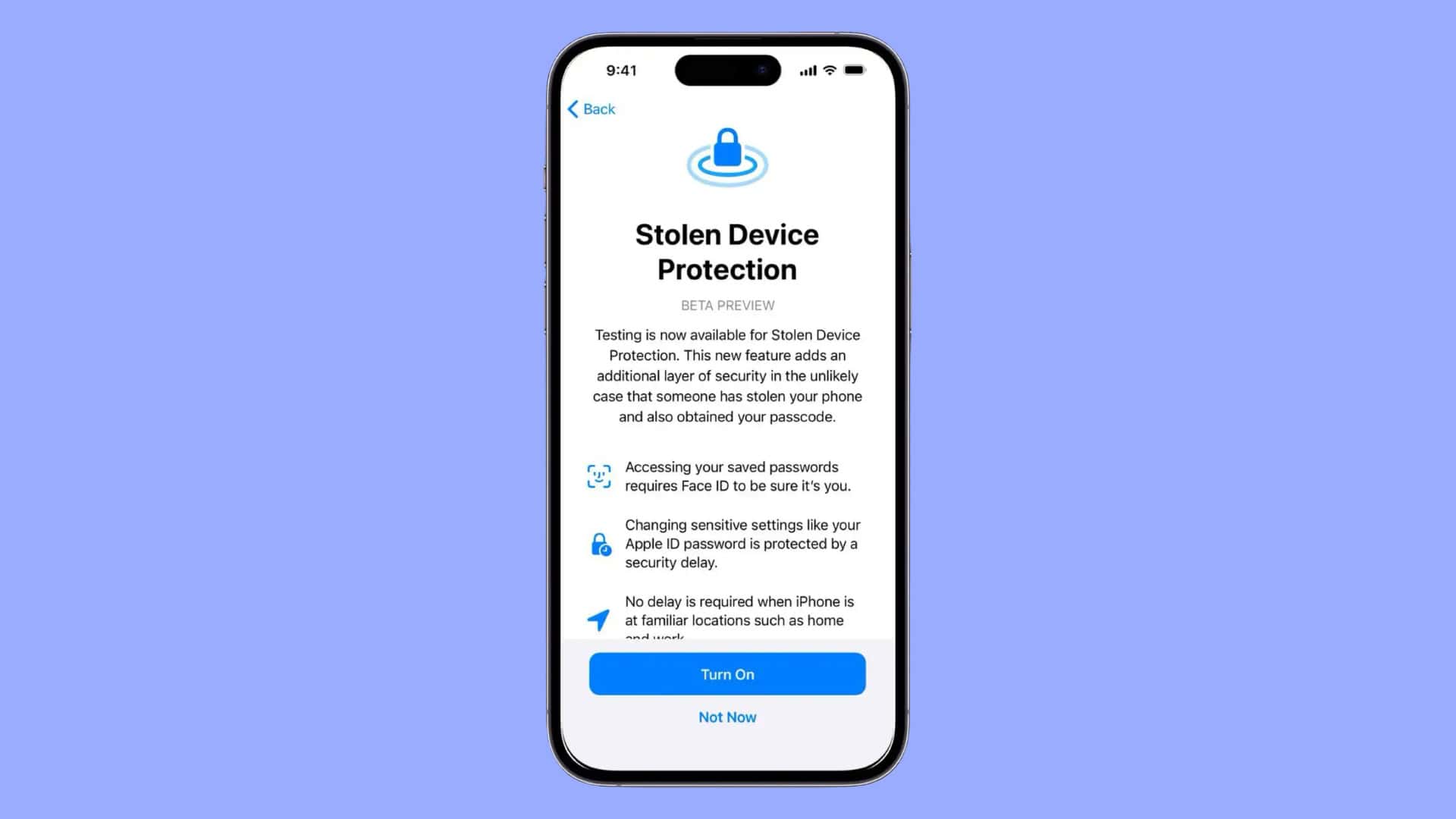
In a significant move to bolster user security, Apple has announced that with the release of iOS 26.4, the Stolen Device Protection feature will be automatically activated on all iPhones. This proactive measure aims to safeguard sensitive user data, even in scenarios where an unauthorized individual gains access to both the device and its passcode.
Addressing Real-World Theft Scenarios
The decision to enable Stolen Device Protection by default stems from increasing incidents where thieves observe users entering their passcodes in public settings, subsequently stealing the device to exploit personal information. By integrating this feature, Apple seeks to mitigate such risks by ensuring that critical system actions require biometric authentication, thereby reducing reliance on passcodes alone.
Enhanced Security Measures
Once Stolen Device Protection is active, the iPhone imposes stringent security protocols for various sensitive operations. Notably, actions such as viewing saved passwords in iCloud Keychain, applying for a new Apple Card, disabling Lost Mode, erasing content and settings, utilizing payment methods in Safari, setting up a new device using the iPhone, and making specific changes to Apple Cash and Wallet now mandate Face ID or Touch ID verification, with no option to use the passcode as an alternative.
For more critical account modifications, the system introduces a one-hour security delay coupled with dual biometric confirmations. This protocol applies to tasks like changing the Apple ID password, altering the iPhone passcode, turning off the Find My feature, adding or removing trusted devices or recovery contacts, and disabling Stolen Device Protection itself. This deliberate delay is designed to thwart potential thieves from swiftly locking out the legitimate owner from their accounts.
Managing Stolen Device Protection
Users retain the flexibility to manage this feature according to their preferences. To disable Stolen Device Protection:
1. Open the Settings app.
2. Navigate to Face ID & Passcode.
3. Enter the device passcode.
4. Select Stolen Device Protection.
5. Toggle the feature off.
Additionally, users can configure the feature to remain active only when the device is away from familiar locations, such as home or work, thereby balancing security with convenience.
Implications and User Considerations
Prior to the iOS 26.4 update, enabling Stolen Device Protection was a manual process, and many users overlooked it due to the additional authentication steps involved. By activating this feature by default, Apple underscores its commitment to user security, acknowledging that the benefits of enhanced protection outweigh the minor inconveniences of extra verification steps.
The iOS 26.4 update is currently available to developers, with a public beta expected soon and a general release anticipated in the spring. Users are encouraged to familiarize themselves with the new security protocols and adjust their settings as needed to ensure both security and usability.