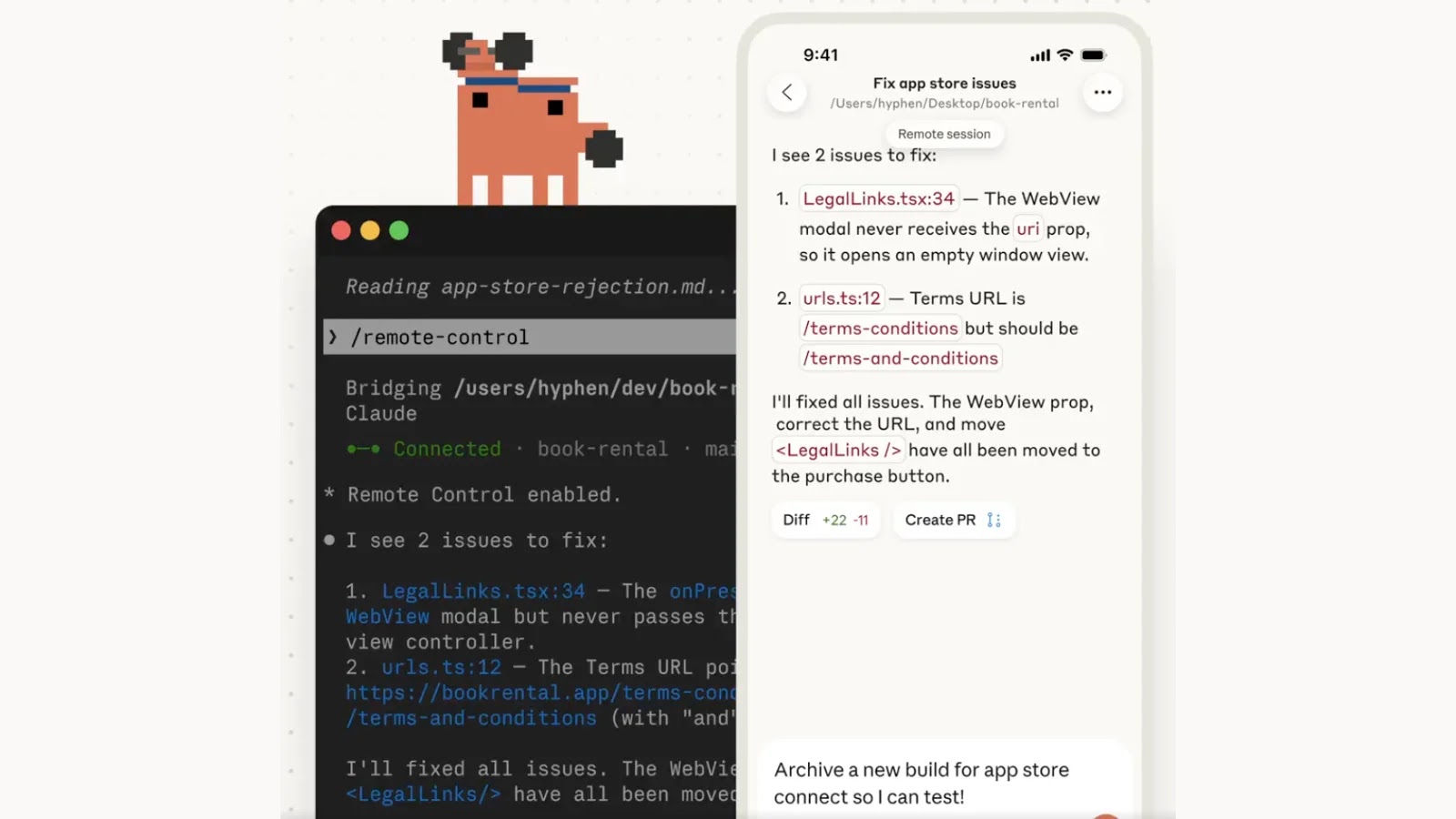
Anthropic has unveiled a groundbreaking feature for its agentic terminal tool, Claude Code, called Remote Control. This innovation empowers developers to initiate tasks within their local terminal and seamlessly manage them via a mobile device or web browser. Currently in Research Preview for Max users, this feature introduces unprecedented flexibility in development workflows.
## Architecture and Implementation
To activate the Remote Control feature, users can execute `claude rc` or `claude remote-control` within their terminal environment. For those who prefer automatic activation, the feature can be set to run by default by using the `/config` command and enabling the Enable Remote Control for all sessions option.
It’s important to note that this feature does not migrate execution to the cloud. When a session is initiated, the Claude Code agent continues to operate entirely on the host machine. This ensures that all local Model Context Protocol (MCP) servers, environmental variables, and project configurations remain intact and accessible. The mobile app or web interface serves solely as a remote front-end for the local session.
However, there are specific limitations to consider. Each Claude Code instance supports only one remote session at a time. Additionally, the local terminal process must remain active; if the terminal is closed or experiences a network outage lasting more than 10 minutes, the remote session will automatically time out and terminate.
## Security and Connection Protocol
Opening a local terminal session for remote web control inherently raises security concerns. Anthropic has meticulously designed the connection model to minimize network exposure. The local Claude Code session relies exclusively on outbound HTTPS requests and does not open any inbound listening ports on the host machine.
Upon initiating Remote Control, the local agent registers with the Anthropic API and begins polling for tasks. When a user connects via the mobile client, the server routes messages through a secure streaming connection. All traffic is encrypted over TLS, utilizing short-lived, single-purpose credentials that expire independently to reduce the risk of token theft or session hijacking.
Understanding the distinction between Anthropic’s new execution modes is crucial for threat modeling:
| Feature | Execution Location | Resource Access | Best Use Case |
|—————–|——————–|——————————-|———————————–|
| Remote Control | Local machine | Full local file and tool access | Remote monitoring and debugging |
| Code on the Web | Cloud VM | Sandboxed, limited access | Safe testing and parallel tasks |
While the TLS and outbound-only architecture provide robust network security, local agent vulnerabilities remain a concern. Recent reports have highlighted critical remote code execution (RCE) vulnerabilities in Claude Desktop Extensions, affecting connectors for Chrome, iMessage, and Apple Notes. These flaws, stemming from unsanitized command injection, could allow attackers to execute arbitrary code on users’ machines through seemingly innocent interactions with the AI assistant. Anthropic has since patched these issues, but the incident underscores the importance of rigorous security practices in AI platforms.
In conclusion, Anthropic’s Remote Control feature in Claude Code offers developers enhanced flexibility by enabling remote management of terminal sessions. However, users must remain vigilant about potential security risks and ensure they are operating within a secure environment.