Apple’s latest watchOS 27.3 beta introduces a much-anticipated feature called Siri Recap for Apple Watch Series 12 and Ultra 4 models, aiming to help users revisit important conversations without storing full recordings. After trying it out over a couple of weeks, it’s clear that while Siri Recap emphasizes privacy, its usefulness still leaves a lot to be desired. The experience is mixed—some moments shine; many fall short.
What Siri Recap Does and How It Works
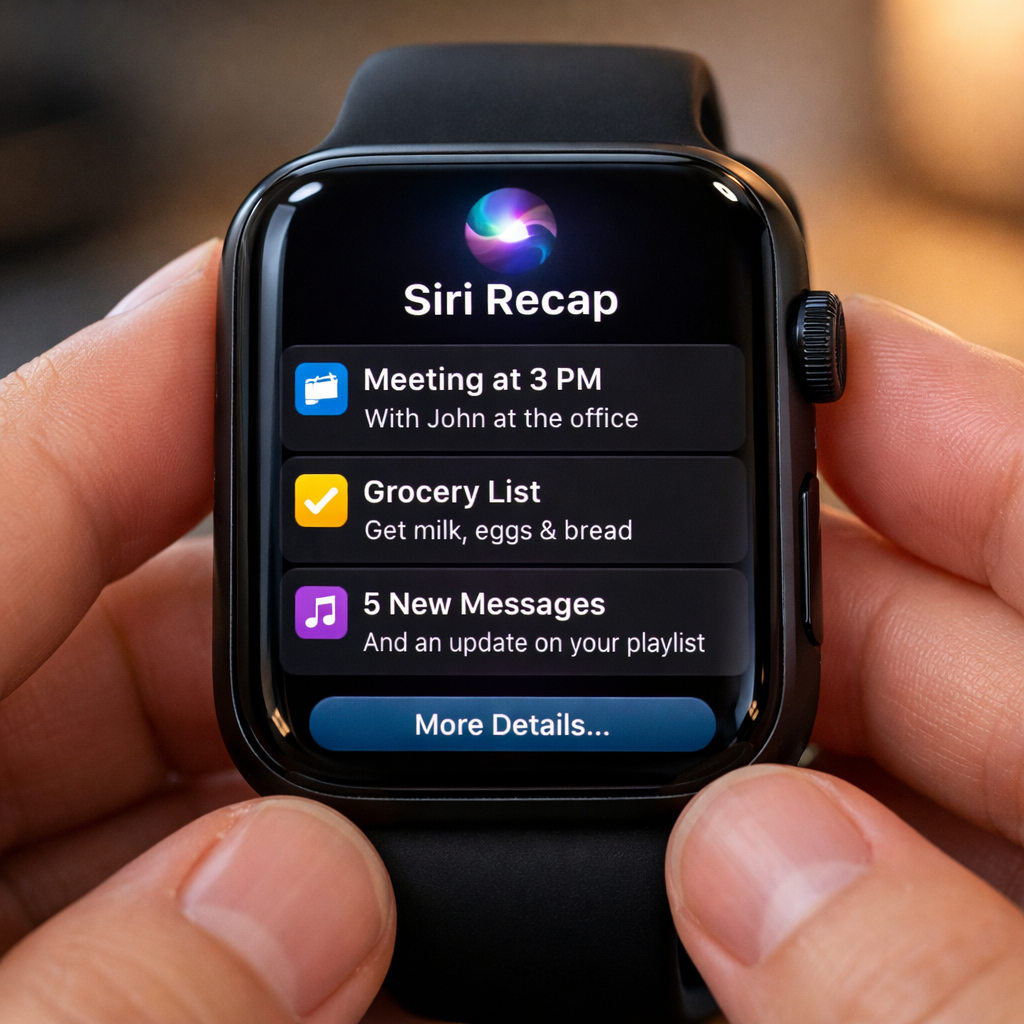
Siri Recap listens to ambient speech throughout the day and generates brief summaries with titles and key points. It doesn’t save transcripts, doesn’t record full conversations, and has no speaker labels. The idea is to jog your memory rather than produce a detailed record. Users can schedule when Recap is active—by time or location—or turn it on or off manually. Summaries auto-delete after up to seven days unless you save them. All this is opt-in, requires an Apple Intelligence-enabled iPhone, and is tied to newer hardware. These features come alongside Live Rewind, which lets you double-press the Digital Crown to see what was said in the last 15 seconds. Both are built with privacy safeguards: audio is buffered in the Secure Exclave on the S11 chip, and any server-side processing uses Private Cloud Compute. Sensitive content like financial or identifying data is filtered out. Users under age 13—and child accounts under 18 without parental approval—can’t use the feature. Apple is launching Recap in English first.
The Good, the Bad, and the Missing
When it works, Siri Recap can get surprisingly accurate details. In tests of structured, information-rich conversations—appointments, vet visits—it captured things like medication names, dates, and bill amounts correctly. Those moments are useful. But many summaries seem too short, vague, or even confusing. I had a vet visit where two topics were merged: dietary issues and hydration concerns combined in a way that altered meaning. Another time, a conversation about a rabbit was attributed to me simply because the vet mentioned having rabbits. No indication of who said what. And because Recap doesn’t label speakers—by design—these mix-ups happen.
Features designed to protect privacy are strong in concept, but some trade-offs are hard to ignore. For example, because Recap doesn’t record raw audio or retain transcripts, there’s no way to review what was left out. During a surgery consultation, serious medical risks and options weren’t included in the summary, and I couldn’t tell whether Recap filtered them out or deemed them unimportant. That lack of visibility makes Recap harder to trust. It also amplifies the influence of what the AI considers “key points,” possibly reshaping memory more than helping it. There’s also the creep factor. Recap sometimes summarizes unrelated or background audio from YouTube or Instagram videos like real conversations. Because the system treats anything audible as possible conversation, it can feel like it’s eavesdropping.
Will Users Actually Use It?
There’s a subtle tension at play. Those who love automation and are okay delegating memory might find value here. But users who want control—or accuracy—may feel frustrated. The feature performs best with fact-heavy discussions where details matter: appointments, medical instructions, plans. Less so in casual conversation. And some people worry moments with emotional or subjective importance get lost in translation. The inability to verify the summary against real audio or transcripts becomes a limitation when precision matters.
Siri Recap is designed to delete recaps after seven days unless saved, keeping data minimal. And control over when it runs—time, location, or manually—helps users limit its intrusion. But those who choose not to use it shouldn’t worry: it remains strictly optional. For those who try it, setting clear boundaries (only during meetings, certain places, etc.) could make it more useful without over-sharing.
The feature is currently in beta and slated to ship publicly with watchOS 27.3, expected in December. Apple Intelligence and Siri AI need to be enabled on both watch and phone. Recap is only for Series 12 and Ultra 4, in English to start. Users in other regions or locales will have to wait.
This isn’t a polished launch, but it’s a clear signal of where Apple is headed. Siri Recap attempts a balance between utility and privacy—but errs toward caution. If the final version can offer better control over what it captures, more user customization, and clearer indication of what’s omitted, it could be a breakthrough. If not, it may feel more like a surveillance feature thinly veiled as help. Either way, likely many users will adopt selectively or not at all—especially those who have grown wary of always-listening AI. Still, this development may mark a turning point in how wearables assist with memory and presence. What to keep an eye on: improvements in accuracy, user feedback setting the record straight, and whether similar features become more common across Apple’s ecosystem beyond just the Watch.