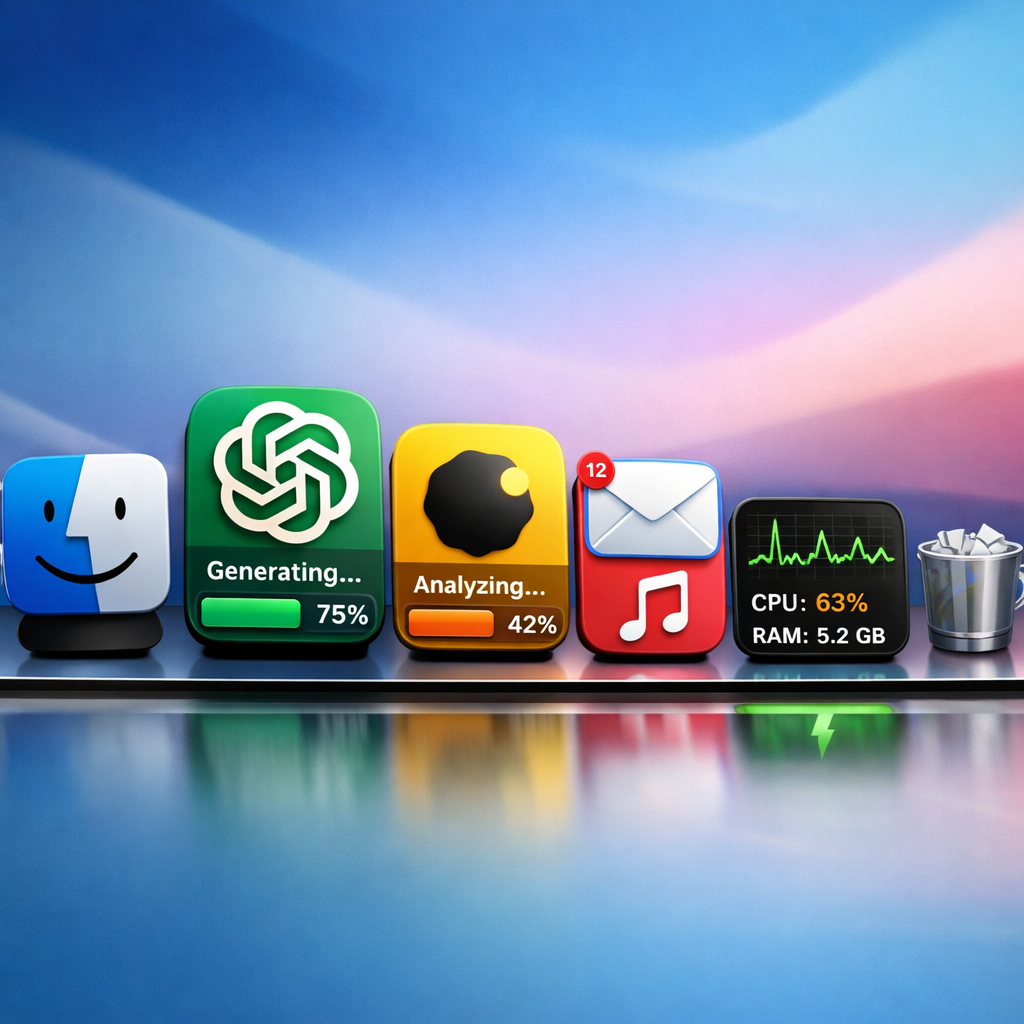
Want to see how much you’re using AI tools like ChatGPT or Claude at a glance? A new app for Mac called IconSwapper lets you display real, live usage directly on app icons. It’s built to work with AI services but also supports creative and animated icon changes for any app.
What IconSwapper Does
IconSwapper makes it possible to take an existing app icon—say for ChatGPT, Claude, or Cursor—and turn it into a live data display. That means usage stats, account limits, or other relevant metrics appear visually on the icon. It’s not just for AI tools: built-ins like Messages, Safari, Finder, Mail, Music, as well as third-party apps like Chrome and Spotify, can also be customized—for instance, Safari’s compass can animate during downloads or Finder’s mascot can track your cursor. It’s playful by design.
How the Tech Works
The creator, designer Michael Flarup, has built IconSwapper using a renderer that applies custom Metal shaders in real time to the icon artwork. It doesn’t replace system icons outright (which macOS doesn’t officially allow), but instead draws on them. The icons still behave naturally—respecting Dock magnification, the Command-Tab app switcher, and other macOS movements—while displaying live effects tied to whatever data source you choose.
When installing, users select which app they want to give a “live” icon. Then they decide what information the icon reflects—AI usage, for example. Beyond that, IconSwapper includes a large library of alternate icons and works with your own uploads. Everything from motion effects to shaders to custom shading is included.
Pricing, History & Designer Background
IconSwapper is available now as a one-time purchase for $19 during its launch period; this will rise to $29 later. Its creator, based in Copenhagen, has been working with app icons since the early 2000s and even written a book on the subject. The project grew out of frustration that macOS doesn’t officially support theming, or treat system icons as modifiable; to get around those restrictions, IconSwapper takes an indirect approach—drawing over the icons rather than swapping file paths.
The live renderer continuously generates updated icon imagery based on live data and applies it dynamically—so when an AI tool’s usage resets, or when a download completes, the icon reflects that change without you touching anything.
Some customizations are purely aesthetic—eye-tracking icons, hover effects, animated shaders—while others serve real utility. For those who juggle multiple AI account-based usage limits, this gives a way to monitor usage without opening an app or hitting account dashboards.
IconSwapper taps into both functionality and fun. It transforms how people see apps—not as static tiles, but as dynamic windows into usage behavior. And by using Metal shaders and live rendering, it stays performant while delivering visual feedback in real time.
As for what this means: if you’ve ever thought your Mac apps could show you more—your limits, your progress, your status—IconSwapper delivers. It blends personalization, aesthetic flair, and data-driven design into your dock and desktop. It may not replace your usage dashboard, but it turns the icons you click every day into a window to your AI habits and workflows. Worth watching is how this kind of ambient feedback evolves—will macOS adapt to officially support theming, or will third-party tools like this become your standard for monitoring usage from the desktop?