Earlier this month, Google began activating a “Family” section in the Settings menu on Pixel phones. Dubbed “Family Hub,” this feature is arriving via a server-side update, likely tied to Google Play Services. It already appears on devices including a Pixel 11 Pro XL running the October 2026 patch, and some Pixel 10 Pro models are also showing it. This rollout doesn’t seem to depend on Android 17 QPR2.
What Is Family Hub and What Can It Do?
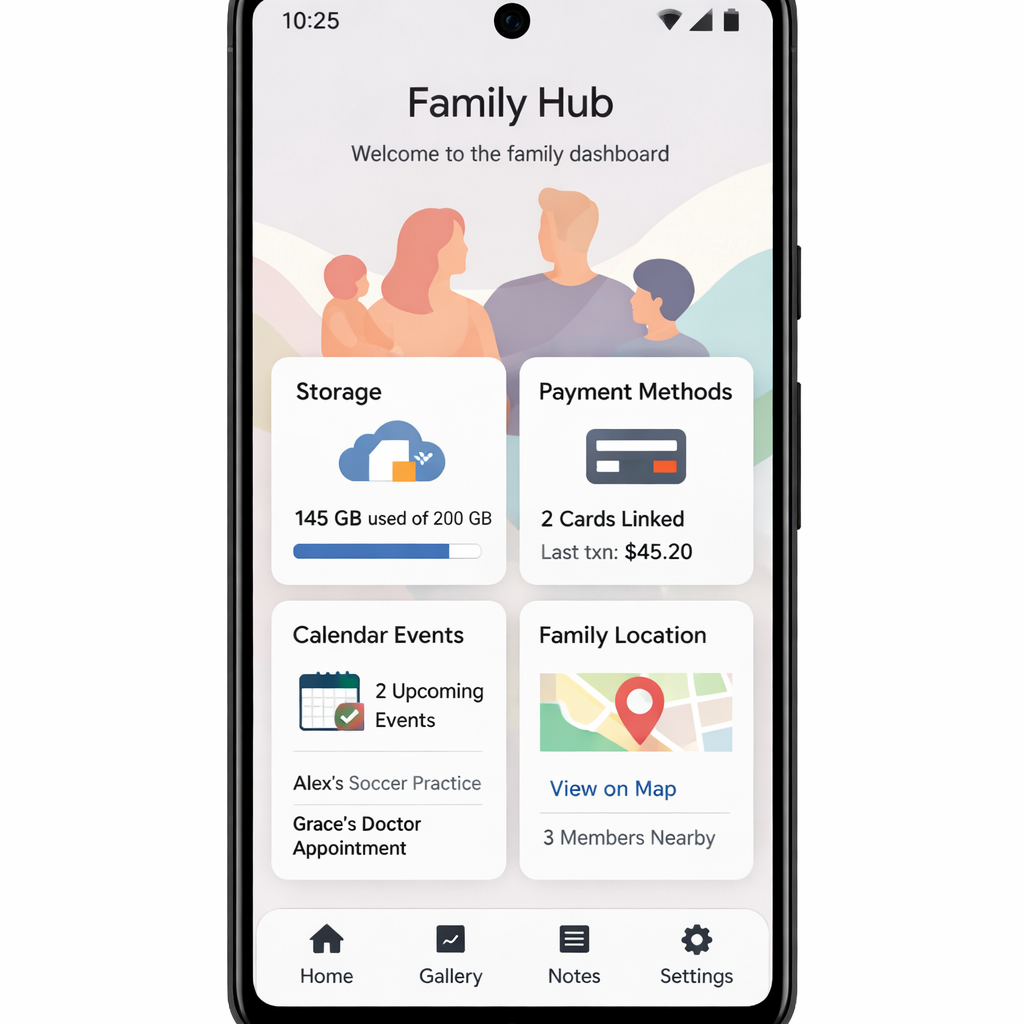
The new “Family” tab consolidates family-related tools in one place. Users tied into a Google One family plan or who manage child accounts will find access to storage sharing, the Google Play Family Library, shared payment methods, and “Family events” in Google Calendar. It also shows which family members are designated as “parent” with options to remove or transfer those roles.
On top of settings, the Hub offers live location sharing for any family member you’ve chosen to share location with. It includes the ability to add or remove members from your family plan directly in this new menu. Each person in your family setup gets their own page displaying benefits shared with them, their location if shared, and their family role.
Rollout Status and Availability
The feature seems to be broadly rolling out: it’s already active on several devices without requiring the latest system update. Reports from users and tech observers indicate Pixels across multiple models have access. While ideal for users carrying family responsibilities through Google services, it’s likely less relevant for those not sharing benefits or payments.
This addition follows Google’s push to consolidate family tools into a smoother user experience—converting piecemeal settings scattered across apps and services into a centralized dashboard. With this, tasks like managing storage quotas, payment methods, and parental roles become more straightforward and less layered.
Why It Matters: Having a centralized “Family Hub” means fewer menus to navigate when managing shared services. It simplifies what was once a patchwork of controls across Google One, Play, Calendar, and account settings. As Google continues expanding its family-oriented features—location sharing, content access, device management—this kind of integration becomes increasingly useful.
What to Watch For:
- Whether this feature comes to non-Pixel Android phones, perhaps via Play Services.
- New tools being added—like screen time, device management, or parental controls built in.
- User feedback around privacy (especially location sharing) and transparency over what family-level roles can do.
All in all, Family Hub could mark a significant step toward making family feature management in Android cleaner and more intuitive. Pixel users should soon see more control and visibility in just one place.