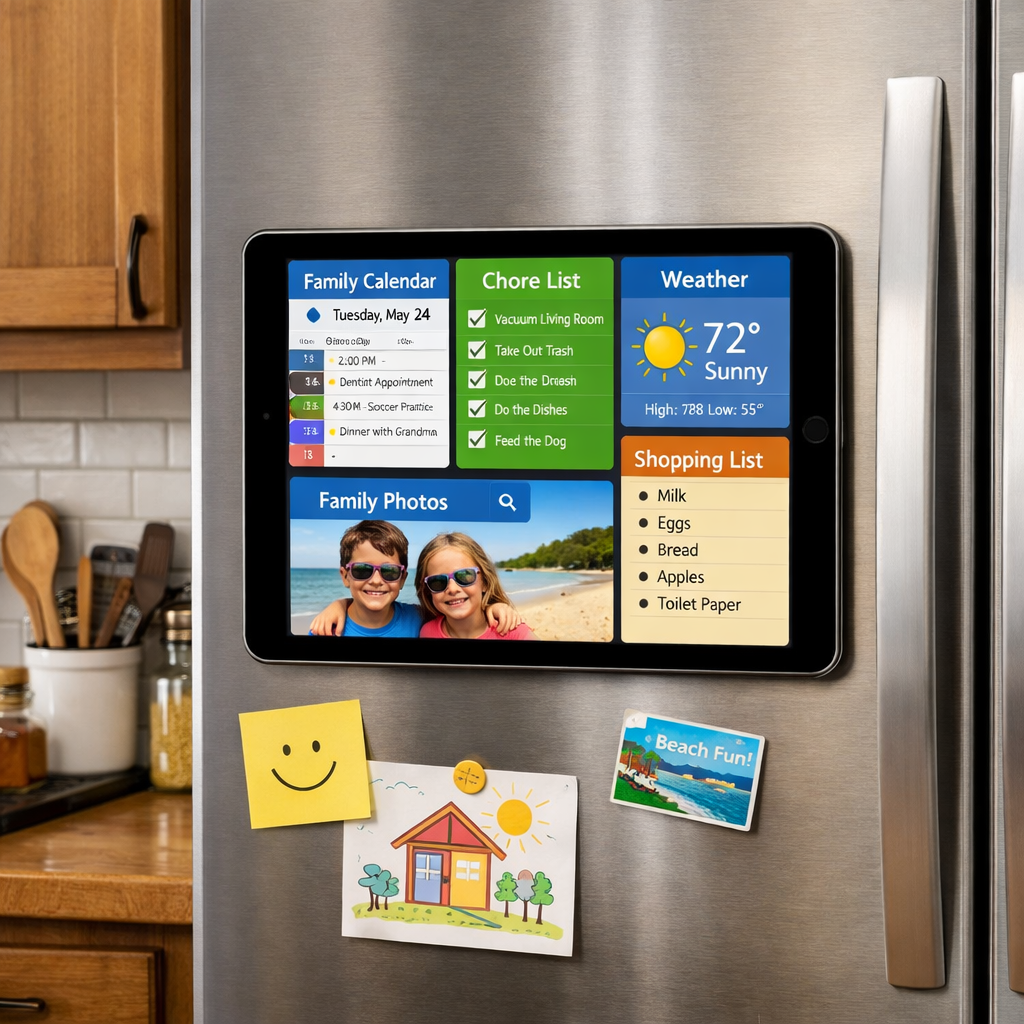
Rather than buying Apple’s new HomeView smart display, there’s a way to reuse older iPads you already own—and keep things family-focused. Meet Milton, an app for iPads running iPadOS 17 or later, developed by Deschutech LLC, that turns a retired tablet into a central home dashboard packed with organization tools. Everything from chores and calendars to recipes and routines gets laid out in a customizable grid that lives on the wall—or wherever you prop your device.
All the Features That Make It a True Home Hub
Milton’s main view is called the “wall,” a highly configurable grid where you can drag cells to shape the layout—wide, tall, square—and choose what content goes in each: weather, meals, the clock, family chores, a photo frame, countdowns, and more. The same arrangement appears on any synced device like iPhones or Apple Watch.
Tasks and chores work beyond just checkboxes: you get a board with “To Do,” “Doing,” and “Done” columns, and unfinished items roll over automatically so nothing gets lost. Chores can be recurring, assigned across family members, and some require parental approval to mark complete. Other tools like meal planning let you take photos of cookbooks—Milton parses the text—and missing ingredients signal an update to your shopping list. Want to be punctual? A “Leave By” tile estimates drive time using actual traffic, and displays Live Activities on Lock Screen or Dynamic Island. Siri, Apple Watch, and widget integrations round out the system.
Cost Structure & Why It’s Not Just Another Subscription
You can install Milton for free, with full access to the core organizing tools on a single device and with one family member. For everything else—adding more people, syncing across devices, or sharing with a broader group—there are two one-time purchase tiers: Milton Individual (for one extra person or helper) and Milton Family (for full Family Sharing support). No subscriptions or recurring fees.
The iPad doesn’t need to be the latest Pro model; Milton runs on basically any iPad with iPadOS 17, regardless of chip or screen size. Even budget or older units can become hubs. When buying the paid version, your data lives in iCloud—there’s no external server storing what you add.
Why Milton Is a Smart Move for Families
The app was born out of one home’s pain point: needing a single place for things like dinners, chores, calendars, and shopping lists. The developer’s family had an unused iPad, mounted it to the fridge, and built Milton around their routine. It’s designed to bring multiple people together—and help kids build responsibility—through points, goals, and shared tasks visible in one spot.
Milton joins a trend where spare iPads—no matter their condition—are being repurposed as central control panels for digital and analog daily life. It competes with both DIY setups and pricey hardware by leveraging what many families already own.
Why it matters:Milton reflects a shift toward more sustainable tech usage—maximizing hardware already in homes—and more frictionless family coordination. It skips subscriptions, keeps data in iCloud rather than a server farm, and leans on existing Apple features (Siri, Live Activities, Apple Watch) rather than reinventing the wheel. What to watch: how well it performs over time on older iPads, whether the user experience remains snappy, and if feature support expands—especially around accessibility. This could turn any spare iPad into an affordable, family-friendly home command center.