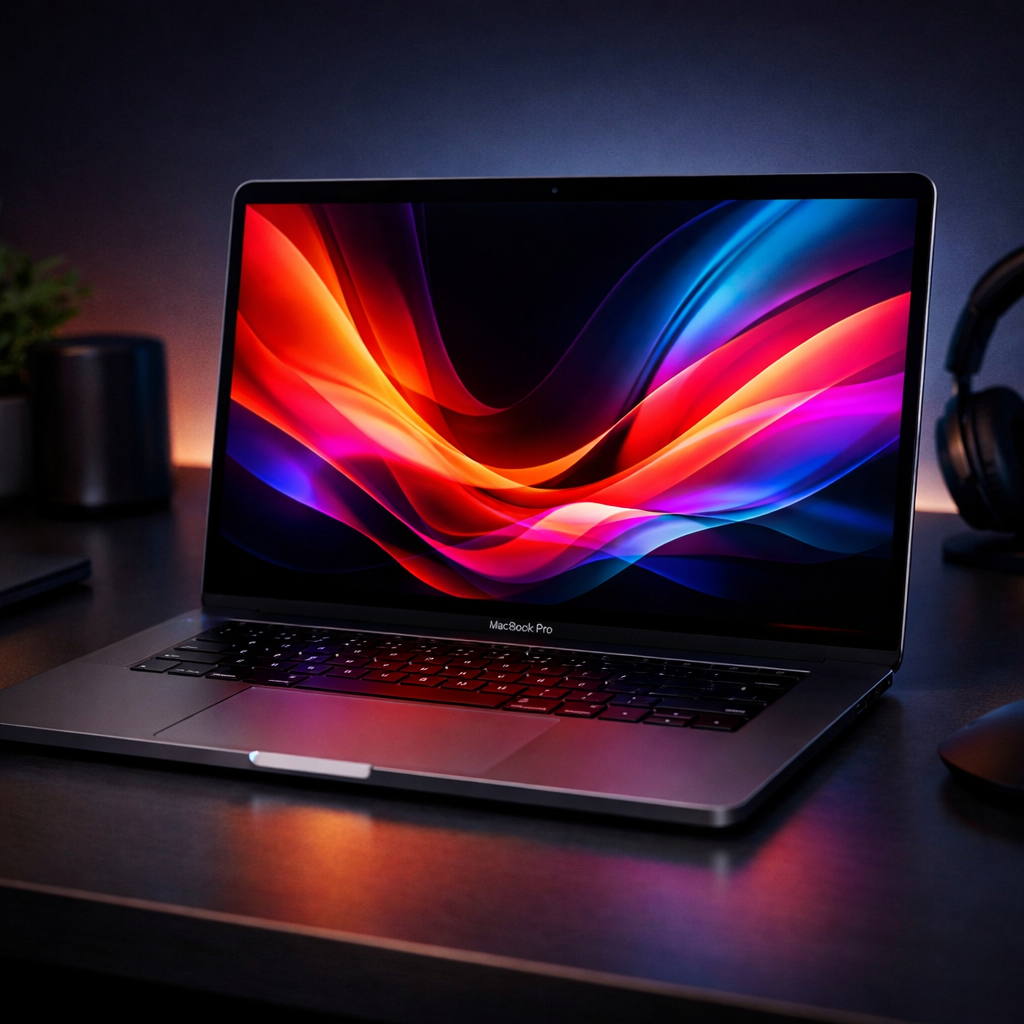
Apple’s newest MacBook Pro models, featuring the PROLED XDR Display line, offer more than just the addition of touch—they represent a sweeping redesign that shifts foundational aspects of its pro laptop identity. Between the move to OLED, a lighter chassis, brighter screen, and the return of a glowing Apple logo, there’s a lot to dig into. Here’s how the new MacBook Pro stacks up in real use, what’s changed, and what still may matter depending on what you do.
Design Shift: Lighter Frame, Elegant Details
Since 2021, Apple’s MacBook Pro design emphasized performance over portability—thicker, heftier cases, more powerful internals, but also more bulk. The PROLED models, unveiled in early November 2026, reclaim some of that portability without giving up the power. The 14-inch model drops from 3.5 lbs to just about 3.0 lbs; the 16-inch model goes from 4.7 lbs down to 4.0 lbs. Thickness sees a small trim: the 14-inch drops to 0.59 in and the 16-inch to 0.63 in. Despite having larger OLED displays and upgraded hardware, they weigh about the same as the older 13- and 15-inch Pros from 2016, yet preserve the performance and build quality established in 2021.
Other touches reinforce the redesign. Bezels are slimmer, the bottom edge of the display is aligned with the others, and, most surprisingly, the Apple logo on the lid now glows again—its luminosity tied to display brightness and ambient lighting. It’s largely cosmetic, but it signals a visual return to pre-2016 traits.
PROLED XDR Display: From Mini-LED to OLED Greatness
The headline feature is the display. Apple swaps the mini-LED from 2021 for a full OLED panel, integrating touch via on-cell technology to avoid layering sensors atop the display. The difference is clear: richer contrast, deeper blacks, more saturated colors, and viewing angles that hold up even when you’re off to the side.
Brightness sees major gains: HDR peaks reach 2,000 nits (vs. 1,600 in earlier mini-LED Pros), maximum outdoor SDR is now 2,000 nits, up from 1,000, and full-screen HDR remains at 1,000 nits. Reflectivity drops too—the glossy screen reflects only about 1% of ambient light thanks to both the OLED panel and a new antireflective glass coating. A nano-texture option is available, now etched precisely into the cover glass, offering better glare control.
A potential concern with OLEDs is burn-in. Apple has added software monitoring of pixel usage, temperature, and more to help mitigate this. While long-term durability is yet unknown, initial usage did not show noticeable burn-in, paralleling the company’s positive experience with its OLED iPads.
Touch Input & macOS Integration
This is Apple’s first MacBook Pro with touchscreen support—something many users have long asked for. It isn’t meant to replace the trackpad or keyboard, but to enhance interaction. macOS adjusts when touch is used: contextual menus spread out, buttons increase in touch targets, and certain UI elements adapt dynamically when fingers are involved.
You’ll be able to pinch-to-zoom, swipe with four fingers to switch Spaces or open Mission Control, drag and drop via touch, and even use a multitouch Dynamic Island that shows Live Activities, playback controls, and iPhone interactions. For some workflows—using graphics apps, iPhone mirroring, or code simulation—touch adds real value. In everyday tasks, though, many will still prefer the precision of the trackpad.
Performance, Speakers, Battery: Power & Longevity
Internally, these PROLED Macs are powered by the same M5 Pro and M5 Max chips already seen in earlier 2026 models, paired with a redesigned thermal system to support sustained performance. In review testing—on a 16-inch with M5 Pro, 18-core CPU, 20-core GPU, 48 GB unified memory—benchmarks and real-world use matched the non-OLED counterparts, with no abnormal heat or noisy fans.
Audio steps forward too—a newly designed six-speaker setup delivers about 50% deeper bass. When the lid is closed and using an external display, the sound is noticeably improved—louder, clearer, and less muffled.
Battery performance, Apple claims, is broadly unchanged relative to non-OLED models. Predicted runtimes include: up to 22 hours video and 14 hours web browsing (14-inch M5 Pro), up to 24 / 17 hours for the 16-inch M5 Pro, slightly less for M5 Max configurations. In practical use, the 16-inch M5 Pro generally matches Apple’s web-browsing estimate.
Where It Lands & Final Thoughts
All these upgrades carry a price. The PROLED XDR Display models cost roughly $400 more than the still-available mini-LED MacBook Pros. Apple now runs parallel product lines—one with mini-LED, one with OLED/touch—creating complexity in both choice and inventory.
Even so, this feels like the most meaningful evolution of the MacBook Pro design since its 2021 revival. OLED brings industry-leading display tech to MacBooks, touch is well executed without compromising legacy features, and the lighter form makes the largest model a more practical choice.
What to watch for: its real long-term performance—especially burn-in durability and how well the OLED handles heavy workloads over hours—will be key. Next year’s arrival of M7 silicon promises substantial gains in AI and chip power, which might make for a smarter buy if you’re not chasing the latest design today.