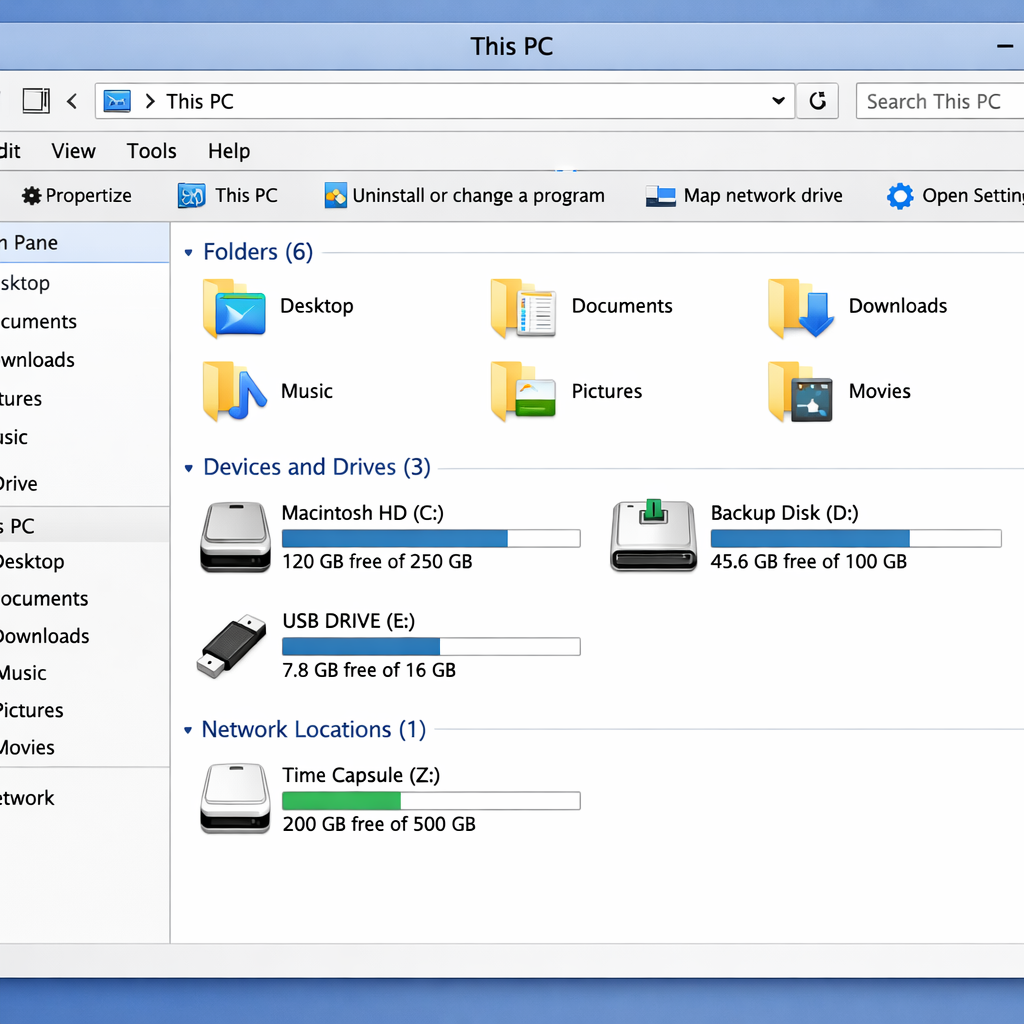
One of the most common complaints from people switching to Mac is the lack of a File Explorer-style file manager similar to Windows. CrossDriver Files aims to fill that gap by offering a near-identical alternative to Windows File Explorer, straight out of the box.
CrossDriver Files is free, with no ads, no telemetry, no account required, and no in-app purchases. It’s fully sandboxed to ensure safety and privacy, and its interface and workflow closely mirror what long-time Windows users expect. That makes it especially useful for anyone grappling with the shift from Windows to macOS.
Why It Resonates With Windows Migrants
Switching from Windows to macOS often means adapting to Finder, which many say lacks the familiarity, flexibility, or detailed interface of File Explorer. CrossDriver Files bridges that usability gap, offering layout, navigation, and organization that feel immediate and comfortable to lapsed Windows users.
It replicates a look and feel that includes sidebar and tree structures, more visible directory hierarchies, and other interface cues that make it feel like File Explorer. The goal is to reduce friction in day-one productivity for people who are on unfamiliar terrain.
No Hidden Cost or Tracking
Privacy and transparency are baked in. CrossDriver Files is open about what it asks from users—nothing. No sign-ups, no tracking or telemetry, no nag-screens; everything works as expected without extra overhead. For many newcomers, that’s a significant relief.
It being sandboxed adds a layer of macOS security, keeping the app’s permissions and access tight and reducing risk compared to less restricted solutions. That makes it safer for people to experiment with tools outside of Apple’s built-in utilities.
While Finder remains macOS’s default file management tool, not everyone loves it. For folks who yearn for the functionality and interface of Windows’ File Explorer, this alternative offers a compelling option.
Why this matters: switching platforms isn’t just about learning new gestures — it’s often about how familiar tools work. When essential tools like file managers feel alien, the adjustment period lengthens. CrossDriver Files meets users halfway, letting them keep their muscle memory while adapting to macOS. Moving forward, I’d watch for how deeply it integrates with macOS features like tagging, metadata support, and file-sharing protocols — those will define whether it’s a stopgap or a long-term toolbox staple for switchers.