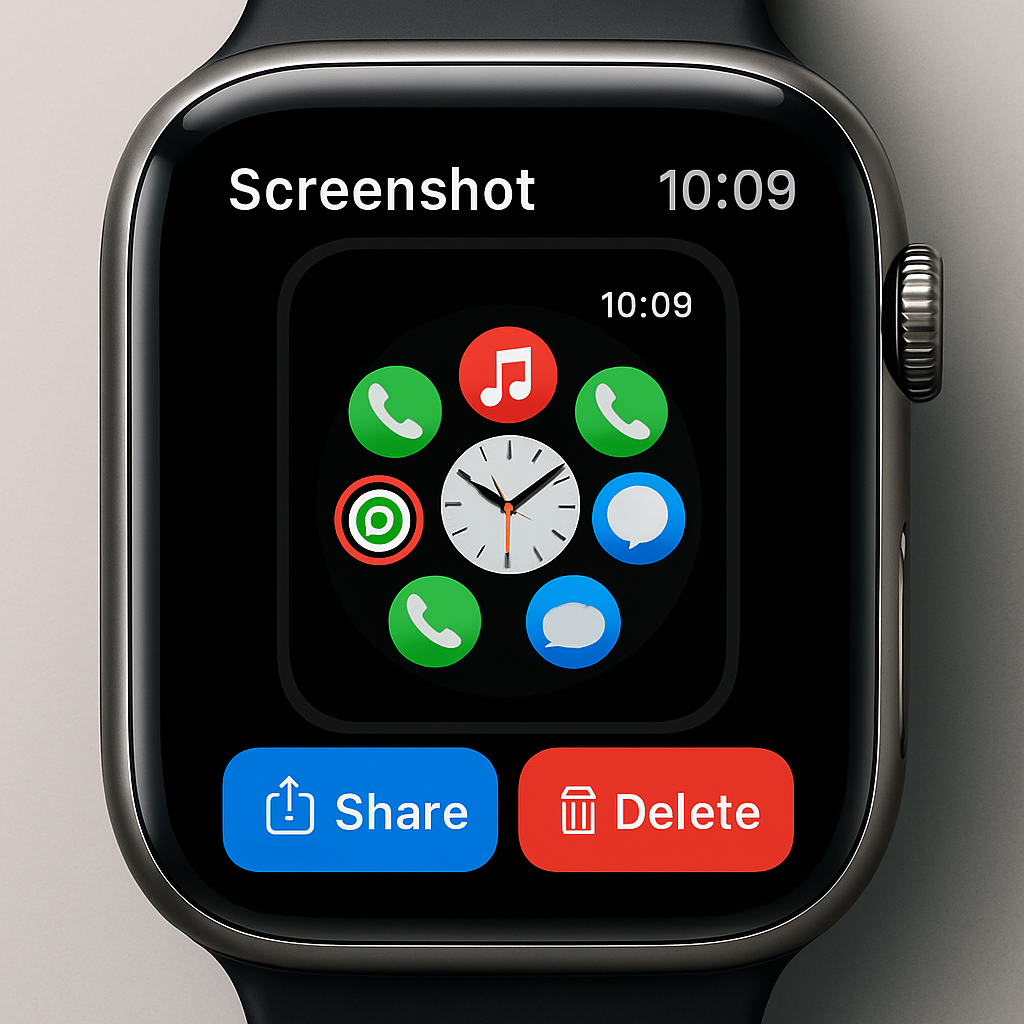
Apple is working on a more dynamic screenshot workflow for the Apple Watch in the upcoming watchOS 27.2 release. Hidden in the latest beta code behind a developer-only feature flag, this overhaul brings the screenshot experience closer to what users already enjoy on iPhones and iPads. Instead of just seeing the screen flash when you capture an image, soon you’ll get options to preview, share, or remove the screenshot immediately after snapping it.
How It Works—and Why It Matters
Currently, when you capture a screenshot on an Apple Watch, all that happens is a brief screen flash, and the image gets saved automatically into your Photos library. That ends there—no prompt, no chance to get rid of it without navigating into the Photos app. The new flow, discovered by leaker pdfu, adds a screen that lets you interact with the image right away. Preview it, send it somewhere, or delete it if you don’t need it.
This kind of feature is already standard on iPhone and iPad, so it’s a logical next step for the watchos lineup. It could reduce clutter in your photos and make sharing quick moments easier, especially considering the watch’s more fleeting usage patterns.
What’s Still Unknown
As of now, it’s not confirmed whether this feature will ship in the final watchOS 27.2 release. It’s tucked behind a feature flag in the beta—often an indication that Apple is still testing functionality or performance before rollout. If it doesn’t make the cut this time, insiders believe it’s still likely to arrive soon.
This change is part of a larger stream of updates seen in watchOS 27, including early revelations about the Readiness app and Siri AI’s HomePod integration—both also flagged by pdfu.
What to Watch For:Pay attention during the next watchOS 27.2 beta cycle—Apple may enable this screenshot flow for wider testing. If it makes it through, version 27.2 will offer one of the more polished improvements for daily Apple Watch users in a while.
This update signals more than just convenience. It reflects Apple’s drive to harmonize user experience across its ecosystem. If Apple continues smoothing out these UI rough edges, the Apple Watch—already strong in health, fitness, and notifications—could become even tighter integrated with the rest of your Apple gear.