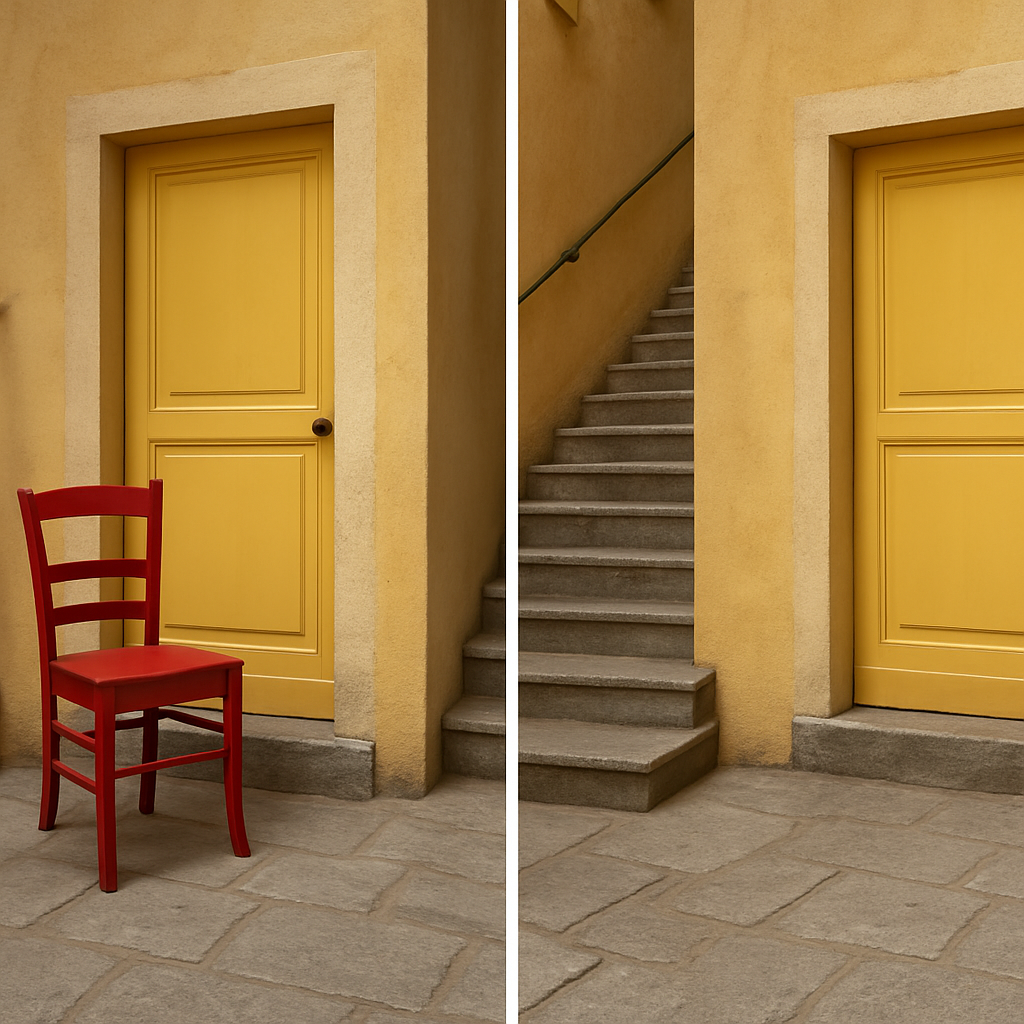
Apple’s iOS 27 introduces upgraded AI-powered photo tools—“Clean Up” and a new “Extend” feature—that aim to challenge Adobe Photoshop’s Generative Fill & Expand. In a recent several-photo comparison using travel images edited on iPhone 18 Pro Max (Photos app, iOS 27) and Photoshop 27.10.0 on a Mac, Apple’s tools often outperformed, though with caveats. The tests measured object removal and image extension under real-world conditions.
Object removal: Clean Up vs Generative Fill
For removing unwanted elements, Apple’s Clean Up earned high marks. When tasked with eliminating a red chair from a yellow door setting, Clean Up removed not only the object but also recreated the door’s texture and shadow convincingly. Photoshop, in comparison, left artifacts: a shadow remained, door details were misaligned, and replacement texture looked rough. In another photo, Clean Up perfectly handled a red plate against a red table, even reproducing reflections and preserving a spoon handle—Photoshop removed the plate effectively but struggled with shadow artifacts and texture irregularities.
That said, Clean Up wasn’t flawless. When removing people amid foliage and floral elements, the tool left visual glitches: distortion of leaves, odd “ghost” shapes, and a woman’s white hair blended into flowers poorly. Here, Photoshop’s Generative Fill proved more capable—better identifying edges, avoiding stray shadows, and managing complex background continuity.
Extending images: Apple’s new Extend tool vs Photoshop’s Expand
The tests of image extension painted a clearer picture. Apple’s Extend does a strong job continuing patterns and context—staircases stretched outward naturally, windows repeated believably, bridge edges maintained structural realism. Photoshop’s equivalent often stumbled: stair ends morphed into fan-like shapes, bridges lacked proper arches, horizons shifted oddly, and the flow of rivers or lines betrayed AI artifacts.
There were also cases where both tools showed limitations. In scenarios with ornate décor or complex structures like architecture interiors, Apple occasionally inserted random objects—radiators or cords—or created ceiling sections that seemed mismatched. Photoshop’s attempts often broke pattern consistency, struggled with texture or structural continuity, and produced mismatched repeat elements.
Subscription, limits, and real-world value
Photoshop’s Generative Fill & Expand require a subscription—but the specific model used in this test didn’t consume extra AI credits. Apple hasn’t imposed per-use charges yet either, though it acknowledges there may be usage limits or fees for expanded access in the future.
Overall, iOS 27 represents a meaningful leap for Apple’s AI editing tools. Clean Up has transformed from underwhelming to often superior, especially in scenes with simpler backgrounds and strong lighting. Its Extend tool holds its own, particularly where Photoshop struggles with context comprehension. Yet in extremely detailed or chaotic scenes, Photoshop’s tools still show strengths, especially in edge detection and cleaner background fills.
What this means going forward: Apple is closing the gap in mobile AI photo editing. For casual users or creators relying on quick touch-ups and expansions, iOS 27 may be all they need. Photoshop still has its place for heavy-duty edits, precise control, and complex compositions—but Apple’s improved baseline undeniably raises expectations. As AI photo tools proliferate, photo editing may become far more accessible and less reliant on desktop-grade software. Watch for Apple’s pricing decisions and how both companies continue to handle artifacts, pattern continuity, and edge realism in future updates.