Attackers are increasingly using Google’s legitimate infrastructure to carry out phishing schemes that steal corporate credentials and, in certain cases, deploy remote-access tools. The threat actors route victims through trusted Google services—such as Meet, Search, DoubleClick, Tag Manager, Analytics, Custom Search, and regional Image Search—before sending them on to attacker-controlled pages designed to exfiltrate sensitive data. This method leverages well-known domains to bypass suspicion and evade automated defenses. (KnowBe4)
How the Attack Chain Operates
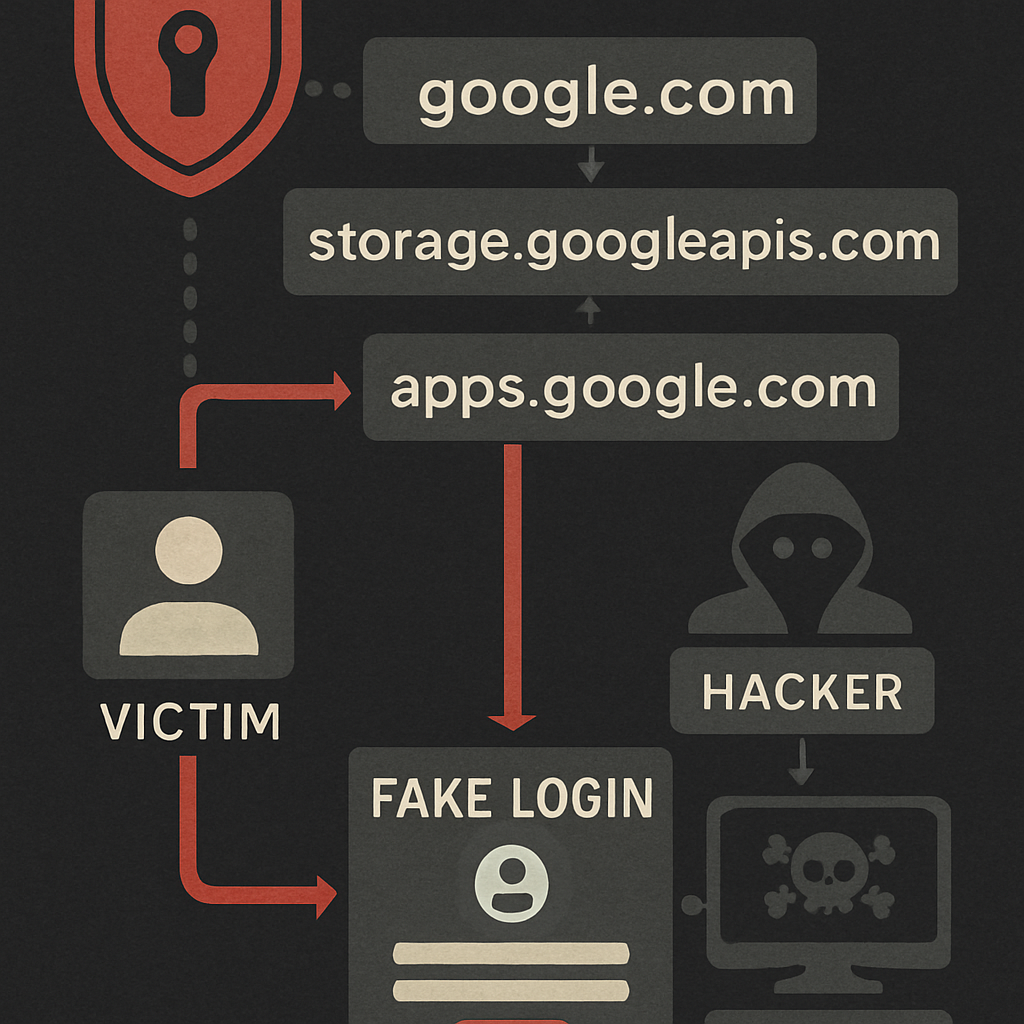
The campaign uses familiar workplace lures—notifications about package deliveries, expiring mailboxes, payment alerts, voicemails, government benefits, and document reviews. Once an email lands in a target’s inbox, it directs them to click links that initially lead to Google-owned services. Some redirect chains move through Meet, then Search, then DoubleClick’s ad tracking; others go from Custom Search or Analytics, passing through Tag Manager or regional Image Search domains. In many chains, URL fragments following “#” include the recipient’s email, sometimes encoded in Base64, a clever trick because URL fragments are not sent to servers or captured in many logs or scanners. (KnowBe4)
After navigating through the Google infrastructure, visitors face detective work: scripts check their location, browser fingerprint, validate email domains, and maybe even block automated analysis. Once the visit is confirmed as legitimate, the final page is personalized—logo, company-specific graphics, pre-filled email, localized text—to resemble a trusted login prompt. Victims may also be shown fake “human verification” steps to heighten realism. When victims submit credentials, the data is sent via Telegram bot; even if initially told the password is invalid, they may be asked to try again—this form of false rejection is used to harvest additional login pairs. (KnowBe4)
Remote Access via Legit Tools
Some versions of the attack avoid immediate credential theft and instead mimic identity verification workflows to install legitimate remote-support software—specifically ScreenConnect. Once installed, this provides attackers with permission to maintain ongoing access to compromised systems. (KnowBe4)
Defense Measures & Indicators
Organizations in manufacturing, government, finance, and non-profits are among those targeted. To respond, companies should consider resetting credentials for affected accounts, scanning environments for unauthorized ScreenConnect installations, and blocking known malicious URLs at the DNS or proxy level. Monitoring Telegram Bot API traffic may help spot data exfiltration in progress. Reporting abusive redirect URLs to Google Safe Browsing is also advised. (KnowBe4)
A list of domains involved in credential harvesting—such as vazquezfleytas[.]com, velvorra[.]com, and others—is available as indicators of compromise. These should be used in threat intelligence and network defense tools to improve detection and response across endpoints. (KnowBe4)
This style of attack combines trusted domain names, customized phishing kits, and multi-step redirects to evade typical detection tools. The use of Google services gives malicious emails a veneer of legitimacy, fooling both users and common security filters. (KnowBe4)
Analytically speaking, this trend underscores how security by domain reputation alone is no longer sufficient. As threat actors grow more sophisticated, organizations must move toward behavioral heuristics, real-time endpoint checks, and zero-trust practices. What’s to watch: tighter scrutiny of link redirects, enhanced visibility into URL fragments, and more aggressive filtering/blocking of remote access software provisioning via phishing flows.