Back in 2011 with iOS 5, the Notification Center debuted as a central hub for alerts, letting users pull it down from the top of their iPhone or iPad screens anytime. That gesture—swipe from top-center—has stuck around as a reflex for 15 years. With the release of iOS 27, Apple is turning that instinct upside down.
The Long-Standing Swipe Gesture Gets Reshaped
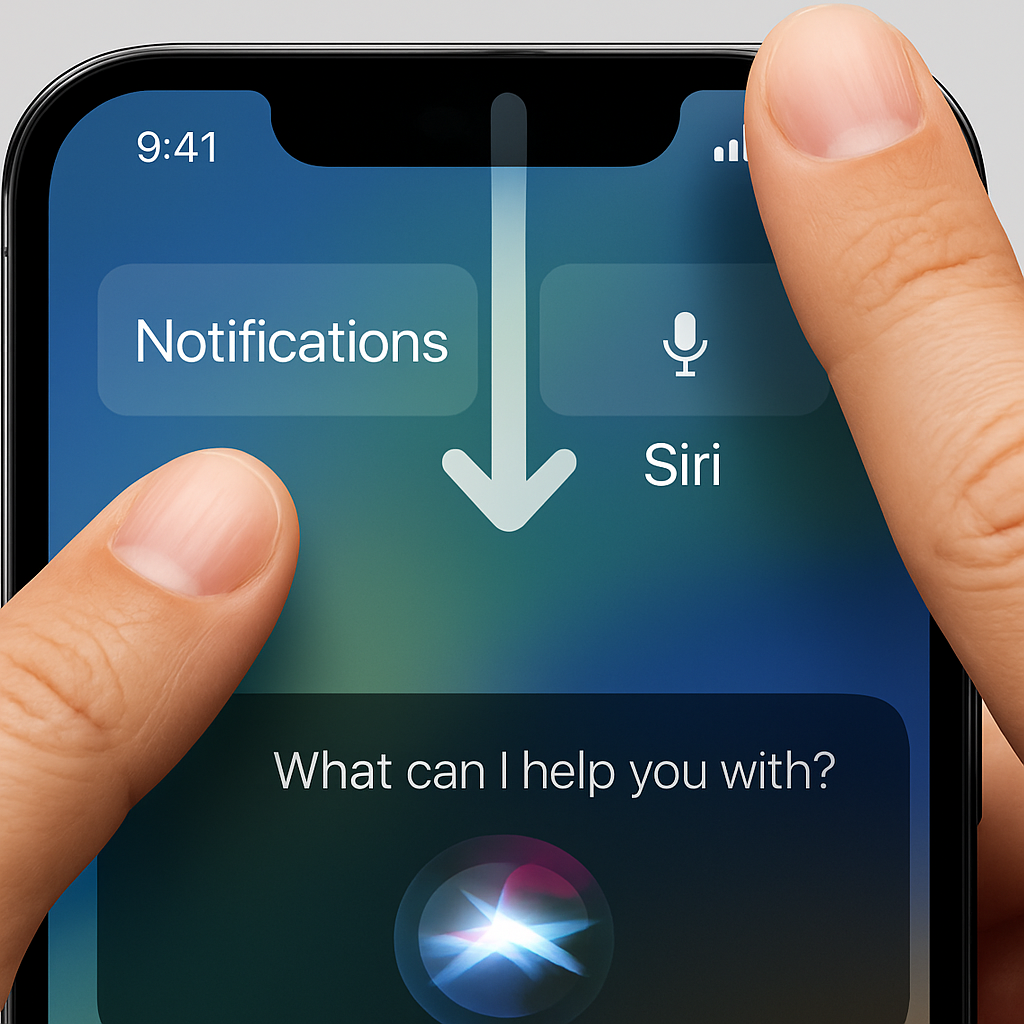
In iOS 27 (now in public and developer beta), things work differently once Siri AI is enabled. The what was once the default swipe-from-center gesture now summons Siri. To see your alerts, you’ll need to swipe down from the top-left corner. The animation has also shifted: notifications will now slide in from the left. This adjustment subtly shrinks the active region dedicated to Notification Center, especially on devices where date or AM/PM displays are turned off.
On iPadOS 27 beta 1, the top region is mostly reserved for SirAI AI gestures, with only a sliver allocated to Notifications—and that shrinks even further under certain settings. A correction in beta 2 makes the layout more balanced: there’s now a clearer region on the left for notifications and a corresponding region on the right for Control Center, with the swipe-from-center primarily assigned to Siri-only functions.
Why Users Will Notice a Change
This is currently one of the biggest gesture changes since Control Center was moved in iPhone X from a bottom swipe to a top-right swipe down. Users who’ve built muscle memory over a decade will need to retrain those instincts: avoid swiping through the center if you don’t mean to call up Siri, and aim for the top left for notifications. There’s no toggle to restore the old behavior, meaning the adjustment is essential if the feature’s on.
The change is rolling out this month with the official iOS 27 release. Feedback so far is leaning positive, especially around Siri AI’s improvements, but responses also suggest many are going to miss—or resent—the old way of doing things.
Analytical Angle: This update underscores Apple’s growing confidence in placing Siri AI front and center—literally—on iPhones and iPads. It shows that gestures, long considered sacrosanct, aren’t immune to redesign when new features demand priority. Users will have to adapt, but this could set the tone for more mid-gesture shifts in future updates as voice and AI controls take precedence over established touch patterns.