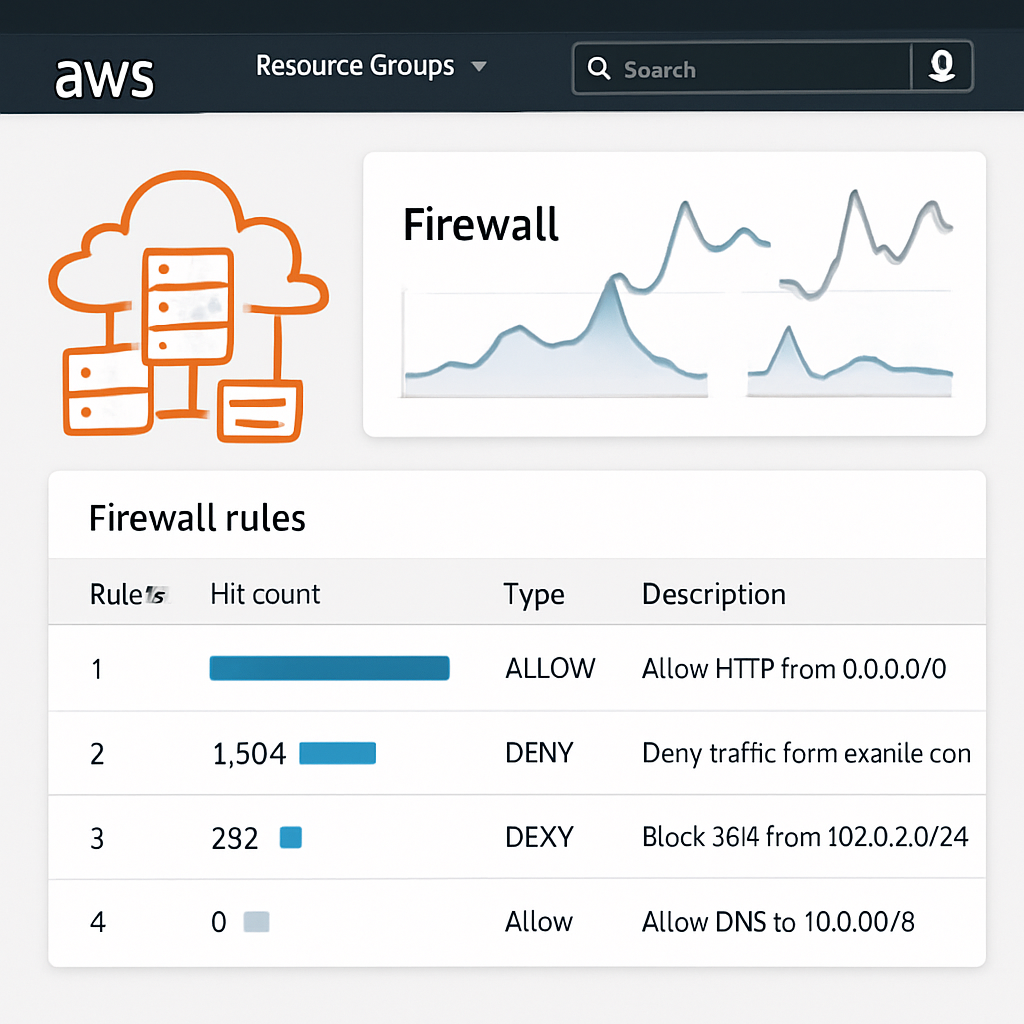
AWS has rolled out a new feature in its Network Firewall service that reveals which stateful firewall rules are being matched by live network traffic. Dubbed “rule hit count,” the functionality illuminates which security controls are active, idle, or misconfigured without the need to wade through raw logs.([cybersecuritynews.com](https://cybersecuritynews.com/aws-network-firewall-hit-counts/))
By default, rule hit count is now enabled across AWS accounts. It builds on existing alert logs: whenever a stateful rule fires an alert, an associated hit count increases. That count—available in the console—is paired with indication of when the rule last triggered, its percentage of total hits, the signature ID, description, and the resource ARN.([cybersecuritynews.com](https://cybersecuritynews.com/aws-network-firewall-hit-counts/))
This visibility helps security teams quickly see which rules are being used—and which are not. Rules that never appear during the selected lookback period may be redundant, misordered, or otherwise ineffective. Policies suffer over time as rules accumulate: some may no longer apply, others hidden behind higher-priority rules, making policy cleanup tedious without such metrics.([cybersecuritynews.com](https://cybersecuritynews.com/aws-network-firewall-hit-counts/))
How It Works & What’s Measured
The rule hit count feature focuses on stateful rules—these are rules that track the state of network connections. It excludes stateless rules for now. Only rules configured to trigger alert, drop, or reject actions are included by default, since those actions generate alert logs. “Pass” or “allow” rules normally don’t show up unless an alert keyword is added manually.([cybersecuritynews.com](https://cybersecuritynews.com/aws-network-firewall-hit-counts/))
Alert logs include key metadata such as the ARN of the rule group or firewall policy behind the event, and the signature ID (SID) from Suricata. Teams can route these logs into CloudWatch Logs or S3 and analyze them via CloudWatch Logs Insights or Athena. If information is needed fast, a native dashboard surfaces which rules are firing most often.([cybersecuritynews.com](https://cybersecuritynews.com/aws-network-firewall-hit-counts/))
Regions, Costs & Limitations
This capability is free—there’s no additional AWS Network Firewall fee—but of course standard charges for log storage and querying still apply.([cybersecuritynews.com](https://cybersecuritynews.com/aws-network-firewall-hit-counts/)) It works across most AWS regions except for the Middle East Bahrain and UAE zones, where it’s not yet supported.([cybersecuritynews.com](https://cybersecuritynews.com/aws-network-firewall-hit-counts/))
One nuance: AWS notes that system-generated rules—such as default drop rules for established traffic that weren’t matched by any explicit rule—may show up with rule policy ARNs instead of specific rule group ARNs.([cybersecuritynews.com](https://cybersecuritynews.com/aws-network-firewall-hit-counts/))
The new logic can play a role in incident response—such as tracing rules triggered during suspicious outbound traffic—or in regulatory compliance, showing auditors that firewall rules are exercised. Teams managing many business units or large numbers of policies can use hit counts to remove dormant rules and reduce complexity.([cybersecuritynews.com](https://cybersecuritynews.com/aws-network-firewall-hit-counts/))
Visibility into which rules fire—and how often—is a major step forward. Security policies evolve, accumulate cruft, and obscure critical controls. This tool gives AWS users a clearer lens on what’s actually protecting them in real time.