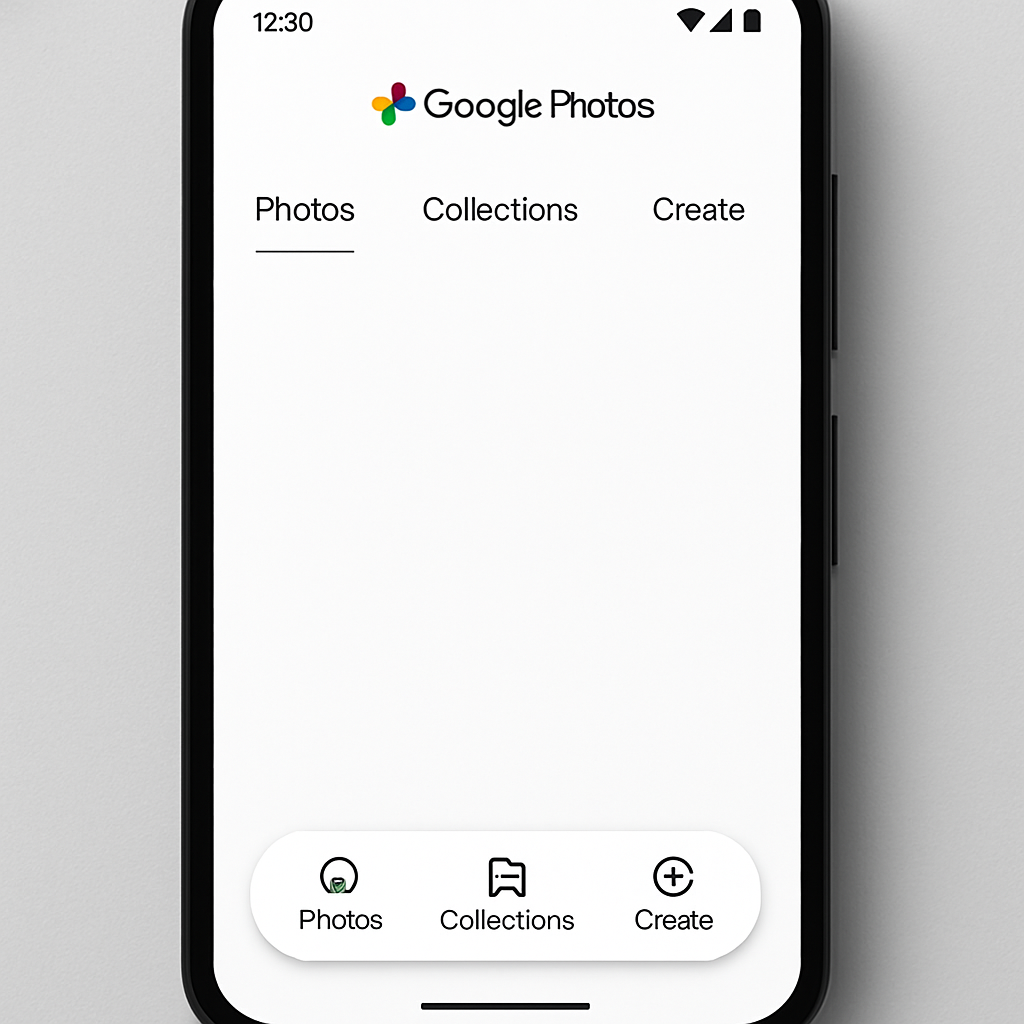
Google Photos has introduced a floating bottom navigation bar on Android, enhancing the app’s interface and user experience. This update replaces the traditional bottom bar with a floating pill-shaped design, allowing users to view more content beneath and around the navigation elements.
The new navigation bar includes tabs for Photos, Collections, and Create. An icon on the left indicates the current feed, while a circular button on the right provides access to the search function and the Gemini-powered ‘Ask Photos’ feature.
In addition to the navigation bar update, the day indicator has been relocated to a floating pill at the top of the screen. This indicator appears when users scroll and disappears shortly after. Users who prefer the previous design can enable the ‘Show dates in grid’ option through the three-dot overflow menu in the top-right corner, which centers the date indicators.
This floating bottom bar aligns Google Photos with other Google applications like Google Chat and Google Finance, which have adopted similar designs. The update is being rolled out via a server-side update on version 7.82 of Google Photos. Users who do not see the update can force stop the app from the App info settings to prompt the change. Notably, this design has been available on iOS since February.
The introduction of the floating bottom bar in Google Photos reflects a broader trend in app design towards more dynamic and space-efficient navigation elements. By adopting this design, Google aims to provide a more immersive and user-friendly experience, allowing users to focus more on their content with fewer distractions.