Apple’s iOS 27 introduces significant enhancements to the Calendar app, focusing on user-friendly features and a refreshed design.
Natural Language Input for Events and Reminders
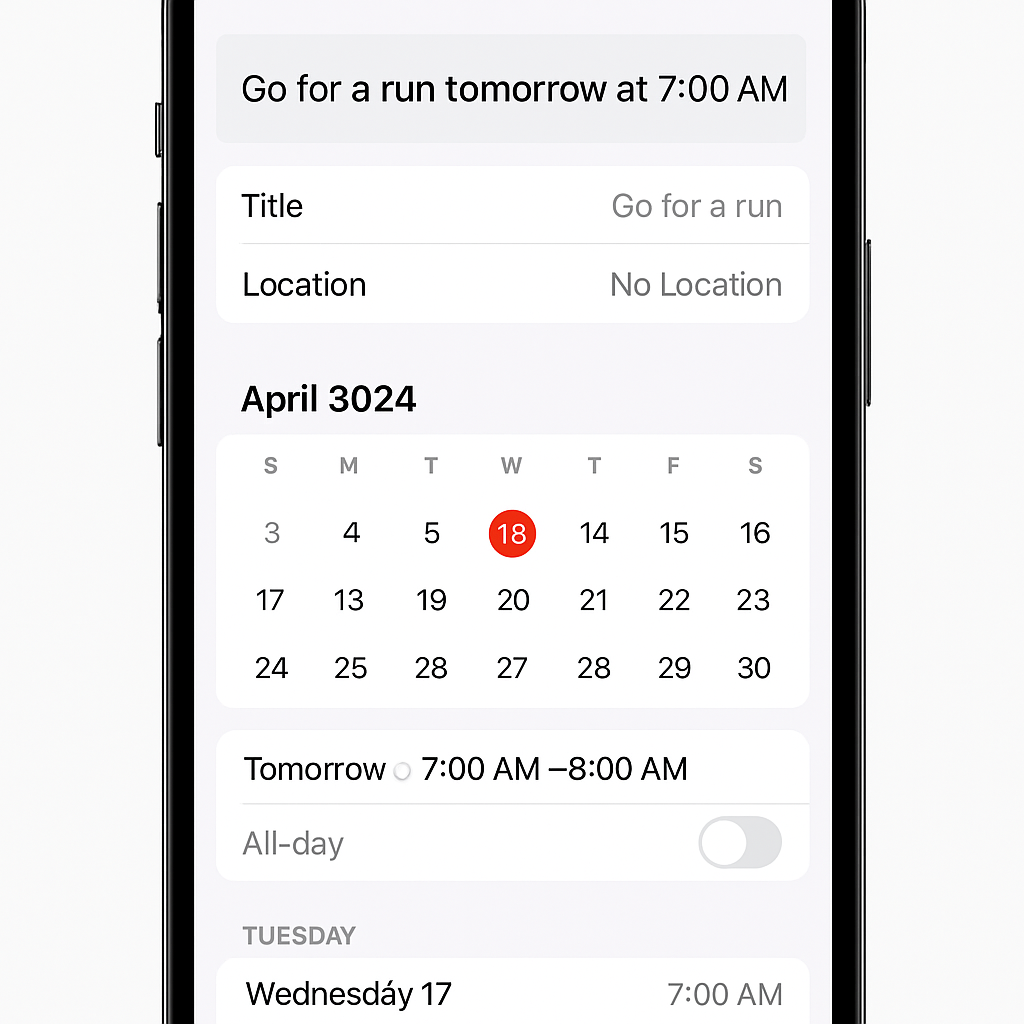
One of the standout additions is ‘Smart Event Details,’ powered by Apple Intelligence. This feature allows users to create events and reminders using natural language. For instance, typing “Lunch with Alex at 1pm on Friday” will automatically populate the event’s title, time, and invitees. This streamlines the scheduling process, reducing the need for manual data entry. Users who prefer traditional methods can disable this feature in the settings.
Design Updates
The Calendar app’s interface has undergone a notable redesign. Event details now appear in a card overlay with reorganized options accompanied by icons, enhancing visual clarity. Similarly, the event creation and editing screens have been updated, offering a more intuitive layout with categorized options and corresponding icons.
Show as Busy/Free Option for iCloud Calendars
Addressing a longstanding omission, iOS 27 introduces the ability to mark events as ‘Busy’ or ‘Free’ within iCloud calendars. Previously available only for third-party calendars like Google, this feature now allows iCloud users to better manage their availability.
Extra-Large Widgets
With iOS 27, users can add extra-large widgets to their Home Screen and Today View. The Calendar app supports ‘List’ and ‘Up Next’ widgets in this new size, providing a comprehensive view of upcoming events and reminders. While these widgets occupy more screen space, they are particularly beneficial for users with busy schedules and are optimized for larger displays, such as the anticipated iPhone Ultra.
Siri AI Enhancements
Siri has received substantial upgrades in iOS 27, enhancing its integration with the Calendar app. The assistant now possesses on-screen awareness and a deeper understanding of personal context, making it more effective in managing events and reminders. Additionally, a new visual intelligence feature allows users to scan event flyers using the Camera app’s Siri mode, which then creates events with the extracted details.
These updates reflect Apple’s commitment to improving user experience by leveraging artificial intelligence and thoughtful design. The introduction of natural language processing and enhanced Siri capabilities simplifies event management, while the design refinements and new widget options offer a more personalized and efficient interface. As iOS 27 becomes widely available, users can anticipate a more intuitive and responsive Calendar app that aligns with their daily needs.