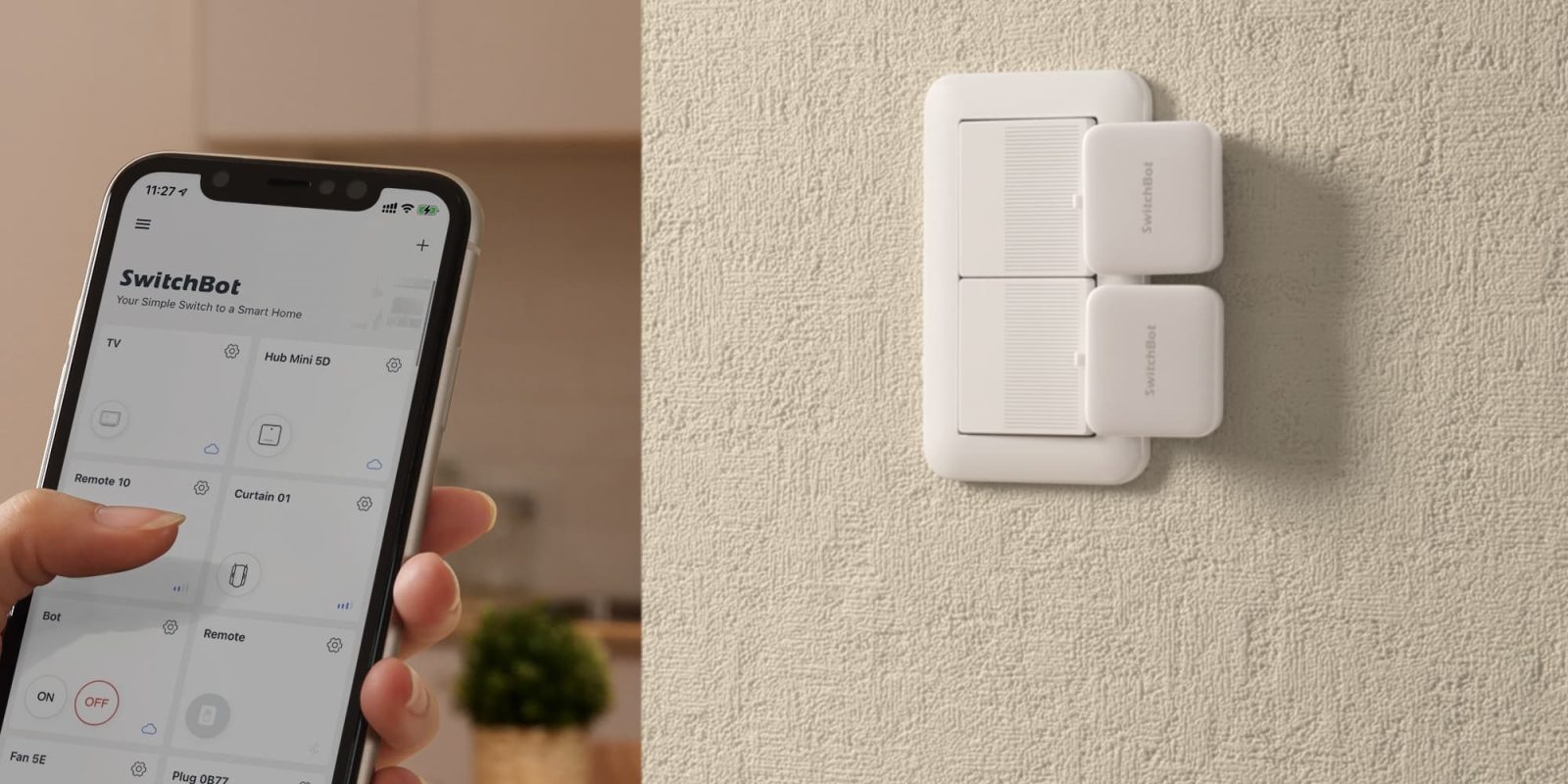
The SwitchBot Button Pusher has revolutionized smart home automation by integrating seamlessly with Apple Home through Matter support. This advancement simplifies the process of automating devices that require physical button presses, such as coffee makers, without the need for complex setups.
Understanding the SwitchBot Button Pusher
The SwitchBot Button Pusher is a compact device designed to mechanically press buttons on various appliances, enabling automation of devices that lack built-in smart capabilities. The latest model features a 370 mAh lithium-ion rechargeable battery, offering up to six months of operation on a single charge, and is equipped with a USB-C port for convenient recharging.
Seamless Integration with Apple Home via Matter
Previously, integrating the SwitchBot Button Pusher with Apple Home required intricate procedures involving third-party platforms like HOOBS, API keys, and MAC addresses. The introduction of Matter support has streamlined this process, allowing for direct and native integration with Apple Home.
Setting Up the SwitchBot Button Pusher with Apple Home
To integrate the SwitchBot Button Pusher with Apple Home, follow these steps:
1. Gather Necessary Devices: Ensure you have the SwitchBot Button Pusher and a Matter-compatible SwitchBot Hub, such as the SwitchBot Hub 2 or Hub Mini Matter Enabled.
2. Install the SwitchBot App: Download and install the latest version of the SwitchBot app on your iPhone.
3. Add Devices to the App: Open the SwitchBot app and add both the Button Pusher and the Matter-compatible Hub to your device list.
4. Enable Matter Support: Within the app, navigate to the settings of your Matter-compatible Hub, select Matter Setup (Beta), and add the Button Pusher as a secondary device.
5. Pair with Apple Home: The app will generate a Matter pairing code. Open the Apple Home app, tap the + icon to add a new accessory, and scan the provided code. The Button Pusher will appear as a standard switch within the Home app.
Automating Your Morning Routine
With the Button Pusher integrated into Apple Home, you can create automations to enhance your daily routine. For instance, to automate your coffee maker:
1. Install a Motion Sensor: Place an Apple Home-compatible motion sensor in your bedroom or hallway.
2. Create an Automation: In the Apple Home app, navigate to the Automations tab, select Add Automation, choose A Sensor Detects Something, and select your motion sensor.
3. Set Time Parameters: Define the time frame during which the automation should be active, such as your typical wake-up hours.
4. Assign the Button Pusher: Set the action to turn on the SwitchBot Button Pusher when motion is detected during the specified time.
Once configured, the motion sensor will detect your movement in the morning, triggering the Button Pusher to press the coffee maker’s power button, ensuring a fresh cup of coffee awaits you as you start your day.
Expanding Automation Possibilities
The integration of the SwitchBot Button Pusher with Apple Home opens up numerous automation possibilities beyond coffee makers. You can automate devices like air conditioners, fans, or any appliance with a physical button, enhancing convenience and energy efficiency in your home.
Conclusion
The native integration of the SwitchBot Button Pusher with Apple Home via Matter support marks a significant advancement in smart home automation. This development simplifies the process of automating traditional appliances, making smart home technology more accessible and user-friendly.
Twitter Post:
Transform your home with the SwitchBot Button Pusher’s native Apple Home integration! Effortlessly automate devices like coffee makers for a smarter, more convenient lifestyle. #SmartHome #AppleHome #Automation
Focus Key Phrase:
SwitchBot Button Pusher Apple Home integration
Article X Post:
Hashtags:
Article Key Phrase:
Category: Apple News