Microsoft Defender for Endpoint has introduced a groundbreaking feature: automatic device isolation. This proactive containment capability disconnects compromised workstations from the network immediately upon detecting a high-confidence attack, effectively halting the spread of threats like ransomware without waiting for human intervention.
Understanding Automatic Device Isolation
The automatic device isolation feature is part of Microsoft’s broader Automatic Attack Disruption framework. When Defender for Endpoint identifies an active ransomware campaign or a sophisticated intrusion, it promptly severs the affected device’s network connections. This action cuts off the attacker’s access while maintaining the device’s communication with the Defender for Endpoint service, ensuring that security analysts continue to receive telemetry and maintain visibility into the compromised machine during isolation.
Currently, this capability targets end-user workstations that are onboarded and managed by Microsoft Defender for Endpoint. It does not apply to servers or unmanaged devices under the current scope of this feature.
How Automatic Attack Disruption Operates
Microsoft Defender XDR correlates millions of signals across endpoints, identities, email, and SaaS applications to build a comprehensive, high-confidence incident view. Upon confirming an active attack, such as ransomware propagation or Business Email Compromise (BEC) credential harvesting, the system automatically triggers containment actions at the incident level.
For device isolation, Defender for Endpoint disconnects the compromised asset from the broader network, preventing the attacker from using it as a launchpad for lateral movement, data exfiltration, or ransomware deployment to adjacent systems. This isolation is scoped to specific devices involved in the incident, minimizing disruption to business operations.
Safeguards and Operational Considerations
To prevent isolation from becoming an operational bottleneck, Microsoft has embedded several safeguards:
– Time-Limited Containment: Isolation is automatically reversed after a defined time window, ensuring devices are not permanently cut off.
– Operator Override: Security teams can manually release isolation at any point after completing investigation and remediation steps.
– Scoped Targeting: Only devices directly implicated in the attack chain are isolated, not the entire environment.
– Exclusion Support: Organizations can configure exclusion rules for critical business machines, ensuring that high-priority assets use selective isolation based on defined rules rather than full network disconnection.
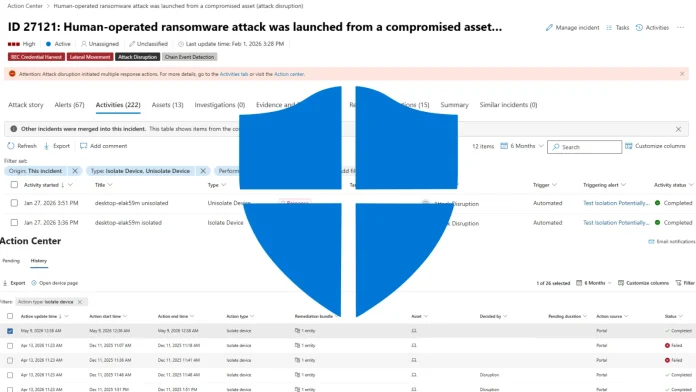
After automatic isolation is applied, security operators can audit the full activity trail directly in the Microsoft Defender portal. The Activities tab within the incident view logs each isolation and unisolation event, including the timestamp, the triggering alert, and the automated action performer (Attack Disruption). The Action Center provides a historical log of all isolation actions, including their status (Completed or Failed), action source, and the deciding entity.
The Importance of Rapid Response
Ransomware groups rely heavily on speed; the faster they move laterally, the more damage they can inflict. By automatically isolating compromised devices, Microsoft Defender for Endpoint significantly reduces the attacker’s window of opportunity, effectively halting the spread of ransomware and other malicious activities.
Conclusion
The introduction of automatic device isolation in Microsoft Defender for Endpoint marks a significant advancement in proactive cybersecurity measures. By swiftly disconnecting compromised devices from the network upon detecting high-confidence attacks, this feature effectively halts the spread of threats like ransomware, providing organizations with a robust defense mechanism against rapidly evolving cyber threats.