Explore the Evolution of Operating Systems with the Virtual OS Museum
For technology enthusiasts and historians alike, the Virtual OS Museum offers an unparalleled journey through the annals of computing history. This ambitious project, spearheaded by developer Andrew Warkentin, provides users with the unique opportunity to experience over 1,700 pre-installed operating systems and standalone applications, spanning more than 250 platforms and approximately 600 distinct operating systems from 1948 to the present day.
A Comprehensive Digital Archive
The Virtual OS Museum is the culmination of over two decades of meticulous collection and curation. Warkentin began this endeavor in 2003, during a time when digital archives of software images and documentation were scarce. His dedication has resulted in a comprehensive repository that not only preserves but also makes accessible a vast array of operating systems that have shaped the computing landscape.
Diverse Editions for Varied Needs
To cater to different user preferences and system capabilities, the Virtual OS Museum is available in two distinct editions:
1. Full Edition: This version offers a complete 121GB download (expanding to 174GB when unzipped), with all content pre-downloaded for seamless offline use. It is ideal for users who prefer immediate access to the entire collection without the need for an internet connection.
2. Lite Edition: Designed for users with limited storage or those who prefer a more streamlined approach, this 14GB download (21GB unzipped) retrieves guest virtual machine (VM) images on-demand, downloading them the first time they are run. This edition balances accessibility with efficient use of system resources.
Both editions support automatic and manual updates, ensuring that users have access to the latest additions and improvements without the need to re-download the entire VM.
A Glimpse into Computing’s Rich Tapestry
The Virtual OS Museum’s extensive collection encompasses a wide array of operating systems, each representing a significant chapter in computing history. Highlights include:
– Early Mainframes: Experience the dawn of computing with systems like the Manchester Baby test/demo programs, Mark 1 Scheme A/B/C/T (among the earliest examples of system software that could be considered operating systems), and various EDSAC software.
– Mainframes and Minicomputers: Delve into systems such as CTSS, MVS, VM/370, TOPS-10/20, ITS, Multics, RSX, and RSTS, which played pivotal roles in the development of modern computing.
– Workstations and Unix Variants: Explore operating systems like PERQ OSes, SunOS, IRIX, OSF/1, A/UX, NeXTSTEP, Plan 9, various BSDs, and a range of Linux distributions that have influenced contemporary computing environments.
– Home Computers: Revisit the era of personal computing with systems like various CP/M variants, Apple II, Commodore 8-bit machines, Atari 8-bit, MSX, Tandy TRS-80, BBC Micro, ZX Spectrum, and Sharp MZ.
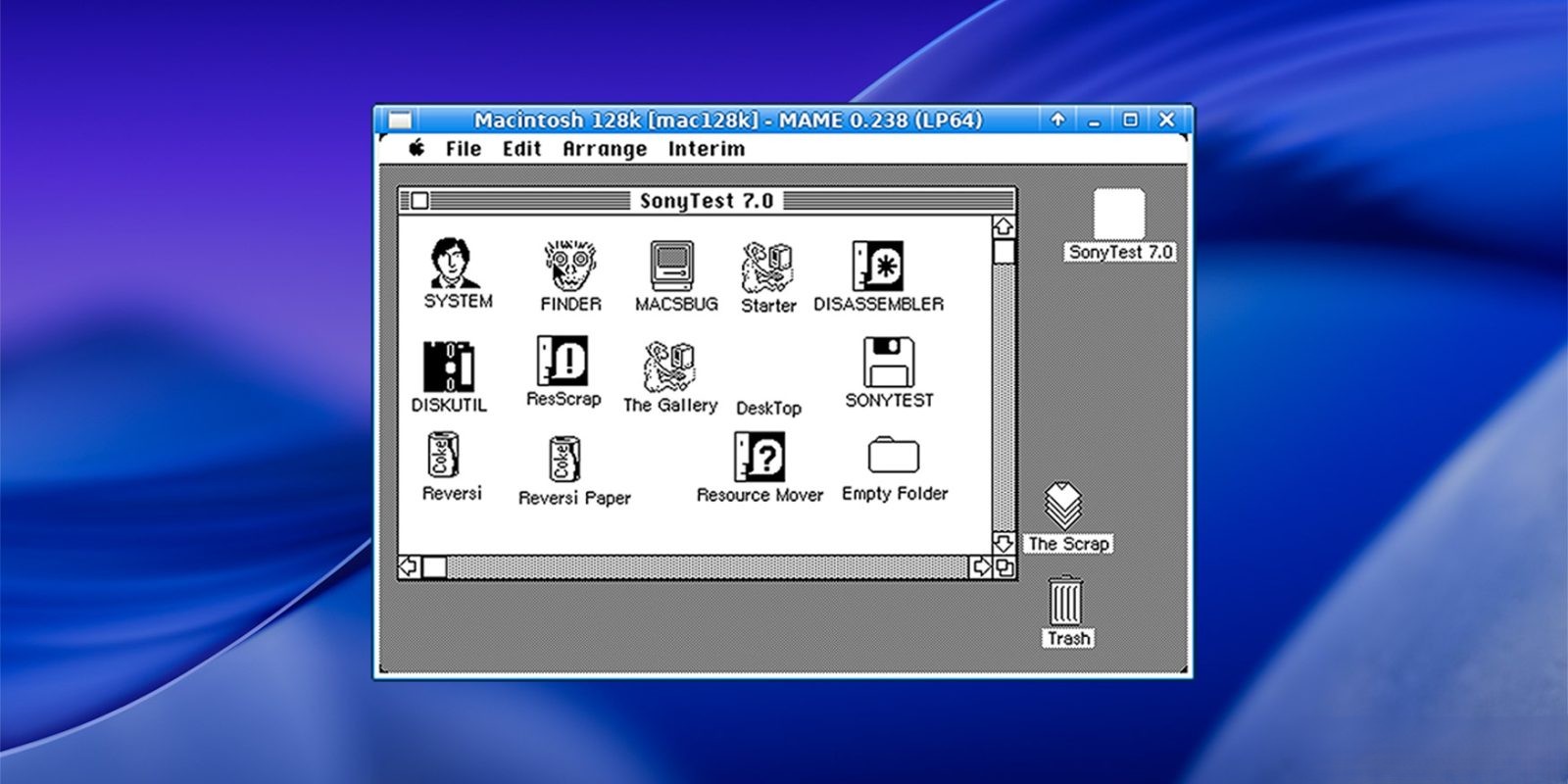
– Personal Computer Operating Systems: Trace the evolution of desktop computing through various DOS variants, OS/2, BeOS, Windows versions from 1.0 to early Longhorn betas, classic Mac OS through Mac OS X 10.5 PPC, and more.
– Mobile and Embedded Systems: Examine the foundations of mobile computing with operating systems like PalmOS, EPOC/Symbian, Windows CE, Newton OS, early Android and iOS versions (where emulation permits), and QNX.
– Research and Obscure Systems: Discover lesser-known but influential systems such as ZetaLisp, Smalltalk environments, Oberon, and Plan 9, offering insights into experimental and academic contributions to operating system development.
Emulation and Performance Considerations
While the Virtual OS Museum strives to provide accurate and functional emulations, users should be aware that not every system is guaranteed to operate flawlessly. The project is currently in a preliminary release phase, and some operating systems may only run in specific emulator versions. Additionally, the host VM is currently x86-only, which may result in limited performance on non-x86 platforms, such as Apple silicon Macs.
A Testament to Digital Preservation
The Virtual OS Museum stands as a testament to the importance of digital preservation and the value of making historical computing resources accessible to a broader audience. By offering a hands-on experience with a vast array of operating systems, the project not only educates but also inspires curiosity about the technological advancements that have shaped our digital world.
Conclusion
Whether you’re a seasoned developer, a student of computer science, or simply a technology enthusiast, the Virtual OS Museum offers a unique and immersive way to explore the rich history of operating systems. By providing access to a diverse range of systems, it serves as both an educational resource and a nostalgic journey through the evolution of computing.