For cat enthusiasts who often find their feline companions prancing across their Mac keyboards, leading to unintended keystrokes and potential disruptions, a new solution has emerged. Cats Lock is a Mac application designed to address this very issue, allowing your cat to roam freely without causing any keyboard-related disturbances.
How Cats Lock Operates
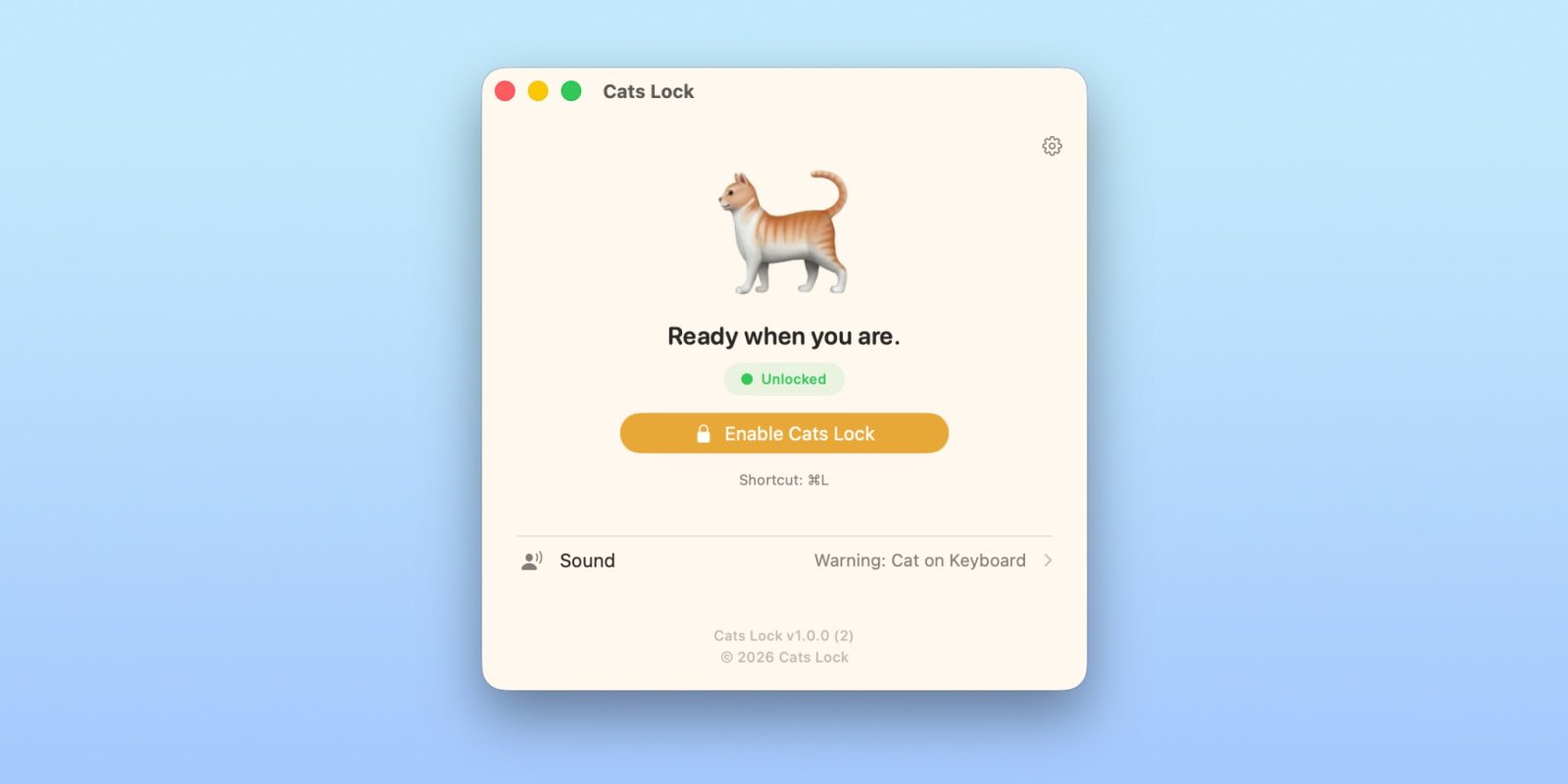
Activating Cats Lock is straightforward. By pressing the Command (Cmd) and L keys simultaneously, the application instantly disables the keyboard. This feature ensures that even if your cat decides to lounge or walk across the keys, no unintended inputs will occur. For added convenience, Cats Lock also integrates a menu bar icon, enabling users to toggle the keyboard lock with a simple click.
To enhance the user experience, Cats Lock introduces auditory feedback. When the keyboard is disabled, each keystroke produces a custom sound. This means that even if you’re in another room, you can hear when your cat is interacting with the keyboard. Additionally, by default, the screen blurs when the keyboard is locked, providing a visual cue that the keyboard is inactive.
For scenarios where discretion is required, such as during virtual meetings, Cats Lock offers a stealth mode. In this mode, the keyboard is disabled without the accompanying blur or sound effects. The same Command + L shortcut can be used to deactivate Cats Lock, restoring normal keyboard functionality.
Acquiring Cats Lock
Cats Lock is available for a one-time purchase of $2.99 on the Mac App Store. The application is free from in-app purchases or subscriptions, ensuring a straightforward user experience. Moreover, it prioritizes user privacy by being tracking-free and fully sandboxed, meaning it operates in a restricted environment to enhance security.
Conclusion
For Mac users who share their workspace with feline friends, Cats Lock offers a practical and user-friendly solution to prevent unintended keyboard inputs. By providing both functional and aesthetic features, it ensures that both the user and their cat can coexist harmoniously in the digital workspace.