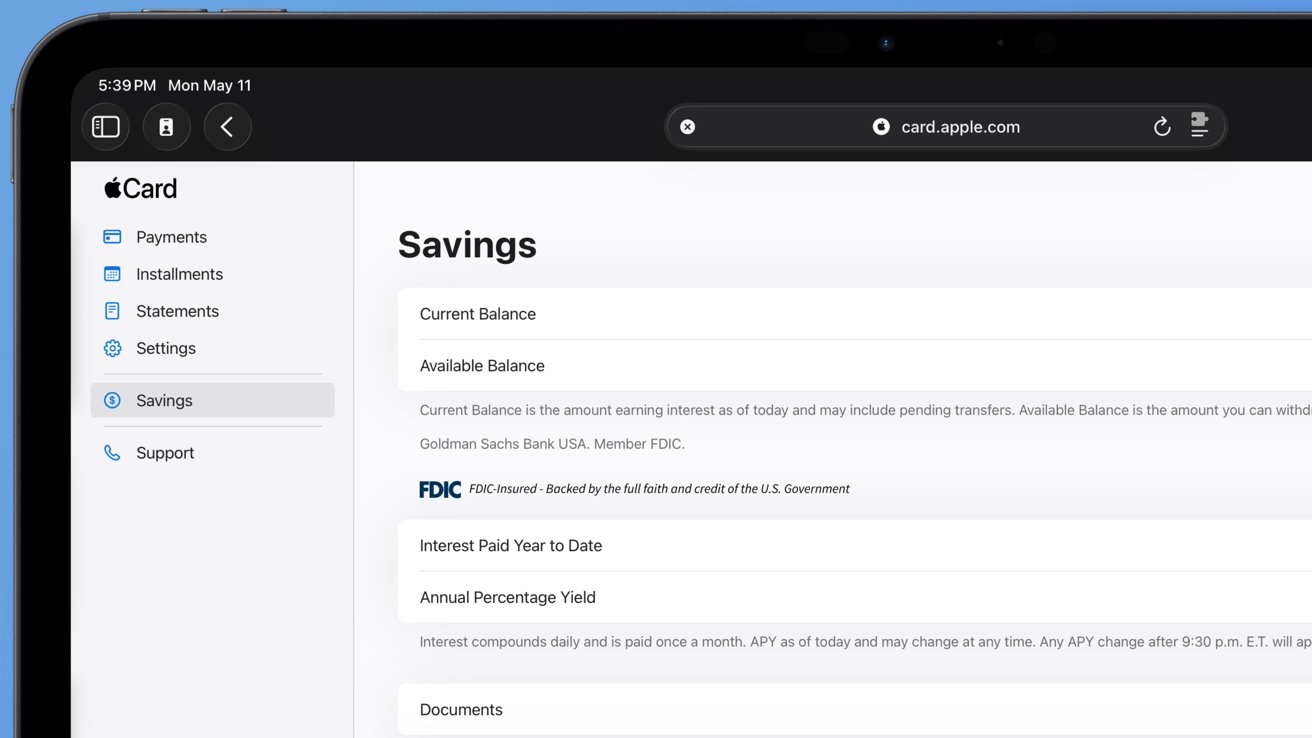
Apple Introduces Web Portal for Savings Account Document Access
Apple has launched a new web portal, accessible at [card.apple.com/savings](https://card.apple.com/savings), allowing Apple Card holders to manage their Apple Savings accounts online. This development provides users with the ability to download statements and tax documents directly from the web, complementing the existing functionalities available through the Wallet app on iPhone.
Key Features of the Apple Savings Web Portal:
– Document Access: Users can download monthly statements and tax documents, facilitating easier record-keeping and financial management.
– Account Overview: The portal offers a comprehensive view of current and available balances, year-to-date interest earned, and the annual percentage yield (APY).
This web-based access is particularly beneficial for users who prefer managing their finances on larger screens or need to access their account information from devices other than their iPhone.
Background on Apple Savings:
Apple Savings, introduced in April 2023, is a high-yield savings account integrated with Apple Card. It offers an initial APY of 4.15%, with no fees or minimum balance requirements. The account is designed to automatically deposit Daily Cash rewards earned from Apple Card purchases, allowing users to earn interest on their cashback. Additionally, users can add funds from a linked external bank account or Apple Cash.
How to Access the Web Portal:
1. Navigate to [card.apple.com/savings](https://card.apple.com/savings) using a web browser.
2. Sign in with your Apple ID associated with your Apple Card.
3. Once logged in, you can view your account details, download statements, and access tax documents.
Managing Your Apple Savings Account:
While the web portal provides essential document access, the Wallet app on iPhone offers a more comprehensive suite of management tools for your Apple Savings account. Through the Wallet app, users can:
– Update Personal Information: Change mailing addresses and manage account notifications.
– Manage Linked Accounts: Add or remove external bank accounts linked to your Apple Savings.
– Monitor Transactions: View recent transactions, including deposits and withdrawals.
– Transfer Funds: Move money between your Apple Savings account, Apple Cash, and linked external bank accounts.
Setting Up an Apple Savings Account:
To open an Apple Savings account, you must be an Apple Card holder. The setup process involves:
1. Opening the Wallet app on your iPhone and selecting Apple Card.
2. Tapping the More button and choosing Rewards & Offers.
3. Selecting Set Up next to Savings and following the on-screen instructions.
Once set up, your Daily Cash rewards will automatically be deposited into your Apple Savings account, allowing you to earn interest on your cashback.
Security and Privacy:
Apple emphasizes security and privacy in all its financial services. Accessing your Apple Savings account via the web portal requires your Apple ID credentials, ensuring that your financial information remains protected. Additionally, Apple employs advanced security measures, such as Face ID and Touch ID, for authentication when accessing financial services on iOS devices.
Conclusion:
The introduction of the Apple Savings web portal enhances the flexibility and accessibility of managing your savings account. While the Wallet app on iPhone remains the primary tool for comprehensive account management, the web portal serves as a convenient option for accessing essential documents and account information from various devices.